
Workflow automation SaaS is simply software that handles repetitive tasks for you. Instead of your team being bogged down by manual data entry or endless notifications, you use pre-built tools to connect your different apps and let them talk to each other. This sets up automated sequences that can handle everything from data syncs to approvals, giving your people their time back for work that actually matters.
Why Workflow Automation SaaS Is a Must-Have for Growth
Let’s be honest, in any growing company, manual processes are the silent killers of productivity. They don’t just slow things down; they actively introduce human error, create frustrating bottlenecks, and eat up hours your team could be spending on real, strategic work. This isn’t just about being a little inefficient—it’s a genuine roadblock to scaling your business.
Workflow automation tackles this head-on by taking over the predictable, rule-based tasks that bog down your teams.
The concept is straightforward: let software do what software does best. Why have a person manually copy customer info from a form into your CRM when an automated workflow can do it instantly, every single time, with zero errors? This isn’t a small tweak. It fundamentally changes how your business runs, making you faster, more agile, and far more resilient.
Shifting from Manual Drudgery to Strategic Focus
Think about the day-to-day grind in your marketing, sales, or customer success departments. So much of it is a predictable series of steps. A new lead requests a demo, and a whole chain of events kicks off: they need to be added to the CRM, a sales rep needs to be notified, and a confirmation email has to go out. When done by hand, this is slow, clunky, and it’s easy for things to fall through the cracks.
With a good workflow automation platform, this entire sequence becomes instant and seamless. It’s not just about efficiency; it’s about ensuring no lead ever gets dropped. This frees up your sales team to stop being data entry clerks and start building relationships. This same idea applies everywhere in the business, from finance to HR. You can even see how this directly boosts customer retention by checking out our customer success playbook.
The real magic of workflow automation is how it reclaims your team’s most valuable resource: their time. When you hand off the routine work to software, you empower your people to focus on creative problem-solving and high-value customer interactions.
The Tangible Business Impact
The shift to automation isn’t just a fleeting trend; it’s a massive market movement. The global workflow automation market is expected to explode from $29.9 billion in 2025 to almost $87.7 billion by 2032. This incredible growth, tracked by firms like Coherent Market Insights, shows just how essential these tools are for any modern business that wants to stay competitive.
To truly grasp the benefits, it helps to see a direct comparison of the old way versus the new way.
Manual vs Automated Workflows: A Quick Comparison
The table below breaks down the real-world difference between sticking with manual tasks and embracing automation. You can see the immediate impact on time, accuracy, and overall efficiency.
| Operational Metric | Manual Process | Automated Workflow (SaaS) |
|---|---|---|
| New Customer Onboarding | Manually send welcome emails, create accounts, assign tasks. Takes 1-2 hours per customer. | Instantly trigger a welcome series, provision access, and notify the success team. Takes minutes. |
| Invoice Processing | Manually enter invoice data into accounting software, follow up on late payments. High error rate. | Automatically extract data from invoices, record it, and send payment reminders. Error rate near zero. |
| Content Approval | Email drafts back and forth, track changes in documents, manually notify stakeholders. | Route documents through a predefined approval chain with automatic notifications at each stage. |
The takeaway is clear. Automation isn’t just about saving a few minutes here and there. It’s about building a more robust, scalable, and error-proof operational foundation for your entire company.
Where to Find Your First Automation Wins

Jumping into workflow automation can feel like you’re trying to boil the ocean. You see a mountain of tasks that could be automated, and it’s easy to get stuck wondering where on earth to begin. This is a classic case of analysis paralysis.
The trick isn’t to automate everything at once. It’s to find your first “quick win.”
A quick win is a small, manageable automation that delivers a noticeable impact right away without a massive, complicated setup. Nailing this first one is crucial. It builds momentum, shows the higher-ups a clear return on investment, and gets your team genuinely excited about the possibilities. You’re not just implementing a tool; you’re proving a concept and creating internal champions for the cause.
Start With a Simple Workflow Audit
Before you can automate anything, you need a clear picture of what you’re actually doing now. Don’t make this a huge, formal project. Just grab a whiteboard (or open a spreadsheet) and get your team in a room.
Start asking simple questions to find the pain points:
- What are the mind-numbing tasks we do the exact same way every single time?
- Where do things always seem to get stuck?
- What activities take up a ton of time that everyone on the team hates doing?
A great example is in marketing. I’ve seen teams spend hours every week manually pulling lead lists from webinar software and then uploading them into the CRM. That’s a perfect candidate. It’s repetitive, follows clear rules, and is an open invitation for copy-paste errors. A simple https://saasoperations.com/saas-marketing-automation/ playbook for just this one task can free up hours of their time.
Or think about HR. They often get buried under paperwork for new hires. An automated workflow can fire off all the necessary documents, create user accounts in company apps, and schedule orientation meetings the moment a candidate signs their offer letter.
My advice? Look for pilot projects that are highly repetitive and touch multiple systems but aren’t mission-critical. You want a workflow where success is easy to see and failure won’t bring the whole company to a standstill.
Use the Impact vs. Effort Matrix
Okay, now you should have a list of potential automation targets. To figure out which one to tackle first, I always turn to a simple impact-versus-effort matrix. It’s a fantastic way to visually sort your ideas and pinpoint the low-hanging fruit.
Just draw a four-quadrant grid and start plotting your tasks:
High Impact, Low Effort (Quick Wins): Start here. Always. These are the automations that deliver big value with minimal fuss. Think auto-assigning new sales leads based on territory or sending a customer feedback survey after a support ticket is closed.
High Impact, High Effort (Major Projects): These are the game-changers, but they need proper planning. Save these for later, after you’ve got a few quick wins under your belt. A fully automated customer lifecycle messaging sequence would fit here.
Low Impact, Low Effort (Fill-ins): These are nice-to-haves. You can knock them out when you have spare time, but they shouldn’t be your starting point. They just don’t move the needle enough.
Low Impact, High Effort (Time Sinks): Avoid these like the plague. They’ll drain your resources for almost no reward.
By zeroing in on that “Quick Wins” quadrant, you’re setting yourself up for a success story, not a frustrating slog. This strategic first step gets everyone on board and paves the way for tackling those bigger, more ambitious projects down the line.
Choosing the Right Workflow Automation SaaS Tool

The market for workflow automation SaaS is packed. Every tool out there claims to be the best, and it’s easy to get lost in the marketing noise. The key is to cut through it all with a clear plan focused on what your company actually needs, not what a sales page promises. You’re looking for a tool that fits your team like a glove.
There’s a huge range of options. On one end, you have straightforward tools like Zapier, which are brilliant for connecting one app to another in a simple, linear sequence. On the other end, you’ll find heavy-duty systems like Workato or Make that can handle incredibly complex, multi-step workflows with conditional logic.
Your first step? Be brutally honest about where you are today and where you genuinely see yourself in a year.
Define Your Core Requirements
Before you even glance at a pricing page, sit down and make a practical checklist of your absolute must-haves. It’s so easy to get distracted by shiny features you might use someday. Stick to what solves the real problems you uncovered during your workflow audit.
Your list should cover a few key areas:
- Must-Have Integrations: Write down the non-negotiable apps your business lives in every day. This is your CRM, your project management tool, your team chat. If a tool can’t connect to these, it’s a non-starter. Simple as that.
- Ease of Use: Think about who will actually be building these automations. If it’s your ops team, you’ll want a no-code, drag-and-drop interface. A highly technical, developer-centric platform will just end up collecting digital dust.
- Scalability: How will this tool grow with you? Look closely at the pricing model. Does it penalize you for success by charging more as you run more automations? Can it handle the more sophisticated workflows you’ll inevitably want to build down the road?
A tool’s real value isn’t in its long list of features. It’s in how reliably it performs the few things you desperately need it to do. Always prioritize depth and stability for your core tasks over a wide but shallow feature set.
Evaluate and Test Like You Mean It
Once you’ve got a shortlist, it’s time for the trials. Don’t just aimlessly click around the dashboard. That tells you nothing.
Go into the free trial with a specific goal: build one of the “quick win” automations you identified earlier. This hands-on approach is your best litmus test. It will show you exactly how intuitive the workflow builder is, how good the help docs are when you get stuck, and whether the platform’s logic can truly handle your process.
This real-world test is your best defense against buyer’s remorse. It helps you avoid picking a tool that looks great in a sales demo but falls apart in practice.
Making the right choice here isn’t just about saving time; it’s about setting your company up for growth. The software segment of this market is projected to lead in revenue by 2025, fueled by the growing demand for faster data processing and more efficient operations. Choosing a solid SaaS platform now puts you in a great position to capitalize on this trend. You can dig deeper into these market dynamics on Meticulous Research.
Your First Automation: A Practical Walkthrough
Alright, let’s get our hands dirty. It’s one thing to talk about the theory behind workflow automation in SaaS, but it’s far more valuable to actually build one. My goal here is to show you just how accessible this is—you definitely don’t need to be a developer to make this work.
We’re going to build a classic, incredibly useful automation from scratch: a customer feedback collector. Think about it. Right now, a customer fills out a feedback form on your website. What happens next? Someone on your team probably has to manually check for new entries, copy the feedback, and then paste it into a Slack channel for everyone to see. Let’s make that happen automatically.
This simple flow is the blueprint for pretty much any automation project you’ll tackle. You spot the repetitive task, you build the automation, and then you keep an eye on it to make it even better.
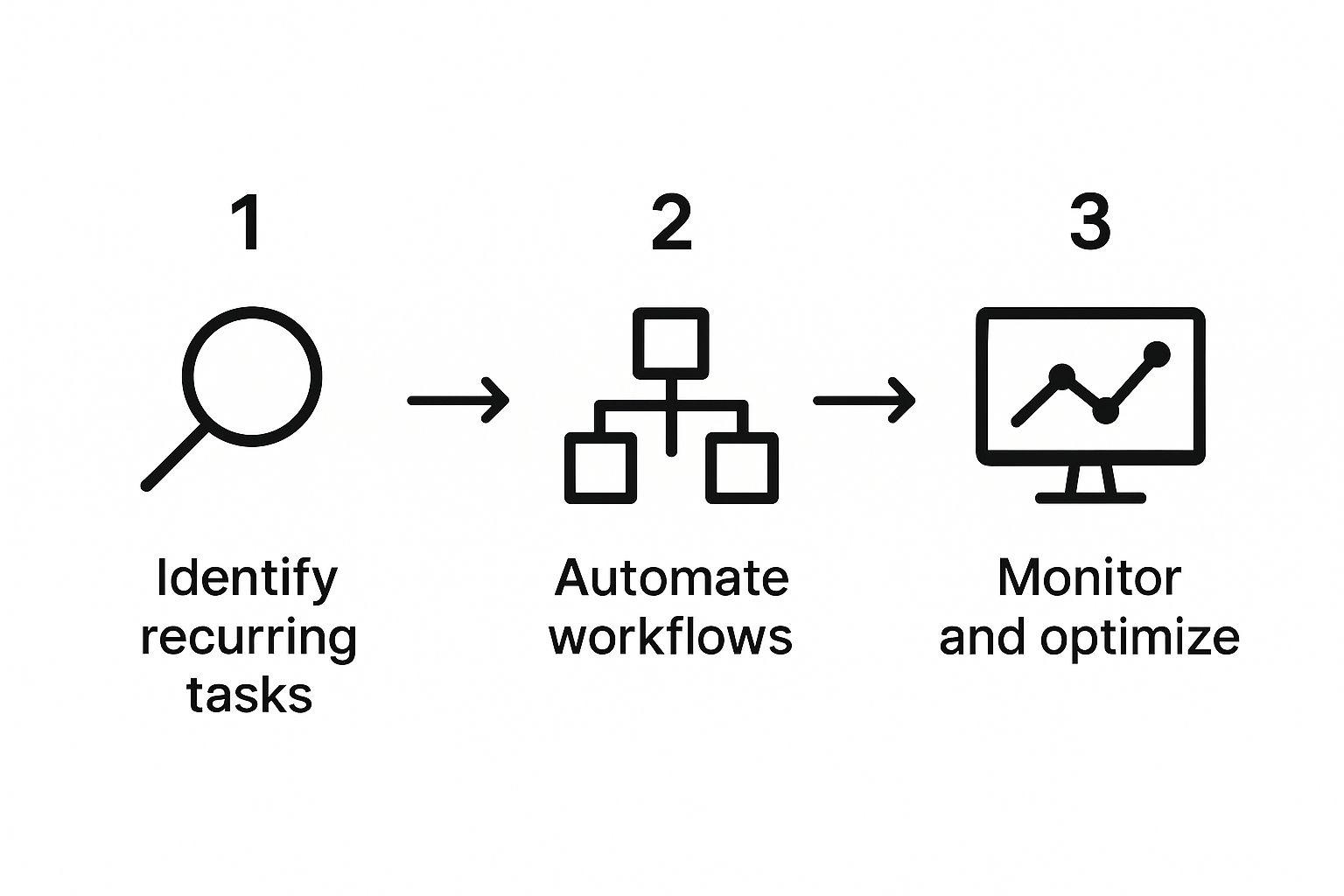
As the graphic shows, a solid strategy always starts with identifying those recurring tasks. From there, you automate the process and then continuously monitor it to squeeze out every drop of efficiency.
Understanding Triggers and Actions
Pretty much every automation tool I’ve ever used boils down to two simple concepts: triggers and actions.
- A Trigger is the event that kicks everything off. It’s the “if this happens…” part of the equation.
- An Action is what the workflow actually does once it’s triggered. This is the “…then do that” part.
Let’s apply this to our customer feedback example:
- Trigger: A new response is submitted in our feedback form (whether it’s a Google Form, Typeform, or something similar).
- Action: Post the contents of that form submission into a specific Slack channel.
It’s a straightforward but powerful sequence that gets two completely separate apps talking to each other.
The real magic of workflow automation isn’t just connecting two apps. It’s about creating a chain of actions that can handle an entire process from start to finish without anyone lifting a finger. One trigger can set off a whole series of actions, saving you time at every turn.
Building Your Workflow, Piece by Piece
So, what does this actually look like inside an automation tool like Zapier or Make?
First, you’ll choose your trigger app—in our case, the form software. You’ll connect your account and tell the tool exactly which form to watch for new submissions. Simple enough.
Next up is the action. You’ll select Slack as the action app, connect your workspace, and pick “Send Channel Message” as the specific task you want it to perform.
This is where you connect the dots. You’ll map the data from the trigger (the form) to the action (the Slack message). You can pull specific fields—like the customer’s name, their rating, and their comments—directly from the form submission to build a perfectly formatted, detailed alert for your team.
This ability to let non-technical team members build their own solutions is a game-changer. It’s no wonder the IT & Operations sector, which commands a 39.4% market share for these tools, leans so heavily on them. They can manage everything from incident alerts to system monitoring without writing a single line of code.
Before you set your new automation live, you have to test it. I can’t stress this enough. Submit a few test entries to your form and watch what happens. Does the message show up in Slack? Is the formatting right? This is your chance to catch any little quirks or mistakes before they affect real customer feedback.
Moving Beyond Quick Wins: How to Scale Your Automation Efforts

Getting that first automated workflow live feels great, doesn’t it? It’s a solid win. But the real magic, the kind that shows up in your bottom line, happens when you scale.
This is where you move from fixing a few isolated problems to building a true operational machine. It’s about creating a culture where people automatically think, “Can we automate this?” instead of just living with a tedious process. To do that, you need a playbook, not a series of one-off fixes.
Build a Central Hub for Your Playbooks
As different teams get excited about automation, it’s easy to end up in a “wild west” scenario. Suddenly you have dozens of workflows that are inconsistent, maybe insecure, and often doing the same thing in slightly different ways. You need to get ahead of this chaos by creating a central hub.
Think of it as a shared library for pre-approved automation templates, best practices, and your core SOPs. This becomes the single source of truth, ensuring every new workflow is built on a solid, secure foundation.
There are some big wins with this approach:
- Consistency: Everyone starts from the same proven logic, so your automations work in a predictable way.
- Security: You can bake in security protocols from the start, like managing app permissions correctly.
- Speed: Why reinvent the wheel? Teams can grab a battle-tested template and tweak it for their needs, saving a ton of time.
This centralized model is a cornerstone of many successful SaaS growth strategies. It helps you scale quickly without losing control, turning scattered efforts into a unified force.
The best automation strategies don’t come from top-down orders. They bubble up from the teams doing the work. A central library gives them the guardrails, but your people provide the real innovation.
Find and Empower Your Automation Champions
Let’s be real: you can’t do this all by yourself. The key to scaling is to find and empower “automation champions” in every department.
You know who these people are. They’re the tech-savvy, process-minded folks who are always tinkering and looking for a better, faster way to get things done.
Once you identify them, make them the go-to experts for their own teams. They can help their colleagues spot new automation opportunities, handle minor troubleshooting, and provide you with priceless feedback from the front lines. Giving them this ownership is a powerful motivator and drives adoption from the ground up.
Always Be Monitoring and Improving
Your automations aren’t static. You can’t just set them and forget them. Business needs change, apps get updated, and new bottlenecks always find a way to pop up. This is why you need a regular review cycle to keep an eye on how your most important workflows are performing.
Jump into the analytics dashboard of your workflow automation SaaS platform and look at the hard data:
- Run History: Are workflows completing successfully? Or are you seeing a high failure rate?
- Task Usage: Which automations are getting the most use? This tells you exactly where you’re getting the most bang for your buck.
- Execution Time: Is a specific step suddenly taking forever? That could signal an API issue or a problem with an app connection.
And don’t forget the human element. When a team tells you a workflow isn’t quite working for them anymore, treat that feedback like gold. That’s your signal to dive back in and make it better. This continuous loop of refinement is what ensures your automations deliver value for the long haul.
Common Questions About Workflow Automation
Even with the best playbook in hand, diving into new technology always brings up a few questions. That’s completely normal. Let’s tackle some of the most frequent questions I hear from teams just starting their journey with workflow automation SaaS. Getting these sorted out early can smooth out the learning curve and help you avoid some common bumps in the road.
How Much Technical Skill Do I Really Need?
This is the big one, and honestly, the answer is probably a lot less than you’re imagining.
Most modern automation platforms are designed as “no-code” or “low-code” tools. Forget complex programming; think visual, drag-and-drop interfaces. If you can navigate a standard web app, you already have the fundamental skills to start building some seriously useful automations.
Sure, a super intricate workflow with a dozen “if/then” branches might take a bit more planning. But the days of needing a developer on standby just to get two of your apps talking to each other are thankfully over.
The biggest mistake I see people make is trying to automate a process that’s already a mess. Automation won’t fix a broken workflow; it just makes the chaos happen faster. Always, always simplify and document a process before you even think about automating it.
How Do I Keep My Automated Workflows Secure?
Security has to be a top priority, no question. You’re connecting core business tools, so you need to be smart about it right from the get-go.
Your first move should be to choose a reputable workflow automation SaaS provider. Look for ones that take security seriously and have certifications like SOC 2 compliance. When you start connecting your apps, stick to the principle of least privilege. This is a simple but powerful idea: only give an application the bare minimum access it needs to perform its specific task, and nothing more.
Here are a few practical security habits to build:
- Use unique credentials for every app you connect. Don’t reuse passwords.
- Regularly audit who has permission to create or change automations.
- Turn on alerts for failed workflow runs. A sudden spike in failures can sometimes signal a security problem.
Building these disciplines into your process from day one ensures you’re boosting efficiency without opening up new security holes.
Can Automation Actually Lower My Costs?
Yes, it absolutely can, but the savings often come from places you might not expect. The most obvious win is cutting down on the sheer number of hours your team spends on repetitive, manual work. But the real financial impact runs deeper.
Think about it this way: automating your invoice processing doesn’t just save time, it cuts down on expensive data entry mistakes and helps you get paid faster. When you automate lead routing from marketing to sales, you ensure that high-cost leads don’t fall through the cracks. These kinds of improvements directly boost your revenue and slash operational waste.
Digging into strategies for SaaS cost optimization will show you just how many ways automation can strengthen your bottom line.
At SaaS Operations, we provide battle-tested playbooks and SOPs to help you implement effective automation and run a more efficient business. Get started with our proven frameworks today.