
At its heart, SaaS automation is about using software to handle repetitive tasks and connect your different cloud-based apps. It’s like creating a digital assembly line where tools like your CRM and email platform work together seamlessly, all on their own.
What Is SaaS Automation and Why It Matters Now

Think of it like setting up a chain of dominoes. You give the first one a little nudge—say, a new customer signs up—and a whole series of actions follows without you lifting another finger. An invoice is automatically generated, a welcome email gets sent out, and a new task pops up for your onboarding team. That’s the real power of SaaS automation in a nutshell.
It’s the art of building bridges between your cloud-based tools so they can talk to each other and run workflows independently. Instead of a team member manually copying customer data from your project management tool over to your CRM, automation lets the information flow between them instantly.
This isn’t just a nice-to-have feature; it’s a core strategy for any modern business that wants to grow efficiently. When you automate the small, routine stuff, you solve several big problems at once.
The Driving Force Behind Modern Operations
The world runs on Software as a Service. The global SaaS market hit a value of USD 266.23 billion in 2024 and is expected to climb to an incredible USD 1,131.52 billion by 2032. This explosion is happening because businesses need smart, connected solutions to drive better results.
But this flood of SaaS tools creates a classic good news/bad news situation. While each app is powerful, they often operate in their own little worlds, creating isolated pockets of data. SaaS automation is the key to breaking down those walls, transforming a jumble of separate apps into one intelligent, unified system.
At its core, SaaS automation is about making your technology work for you, not the other way around. It transforms your software stack from a simple toolbox into a proactive, automated workforce.
This shift has a huge impact. For one, it cuts down on operational risks by making your processes consistent and removing the chance for human error. A predictable, automated workflow is a key part of solid SaaS risk management, ensuring critical steps are never skipped.
Manual vs Automated SaaS Workflows at a Glance
To really see the difference, let’s look at how a common task—like onboarding a new customer—plays out in a manual world versus an automated one. The table below breaks it down clearly.
| Aspect | Manual Process | Automated Process |
|---|---|---|
| Speed | Slow and tied to employee availability; can take hours or even days. | Instantaneous; workflows kick off the moment a customer signs up. |
| Accuracy | Prone to human error, like typos in data entry or missed steps. | Consistent and error-free; the process runs the same way every time. |
| Cost | High labor costs from employees spending time on repetitive tasks. | Low operational cost; frees up your team for more important work. |
| Scalability | Hard to scale; growing means hiring more people to do the same tasks. | Highly scalable; handles a surge in volume without needing more staff. |
In the end, automation isn’t just for big corporations anymore. It’s become a vital and accessible tool for businesses of all sizes that want to be more agile and competitive. It frees up your team from tedious work, giving them back the time to focus on what really moves the needle: creative thinking and delivering amazing value to your customers.
The Real-World Benefits of Adopting SaaS Automation

While linking your apps together sounds neat on paper, the real magic happens when you see what SaaS automation actually does for a business. This isn’t just about saving a few minutes here and there. It fundamentally overhauls how your entire company operates, making you stronger, leaner, and ready to scale.
Think about a small, growing SaaS company. The customer success team is drowning in manual work. They spend their days bouncing between their payment processor and CRM, manually sending welcome emails, and flagging accounts for follow-ups. It’s slow, prone to mistakes, and a fast track to employee burnout.
Now, imagine that same team with a few key automations in place. When a customer subscribes, a profile is instantly created, a personalized welcome email goes out, and a check-in is scheduled—all without anyone lifting a finger. The benefits are immediate and ripple throughout the whole organization.
Drastically Reduce Operational Costs
One of the first things you’ll notice with SaaS automation is how much it cuts down on operational costs. Every manual task has a hidden price tag: the time your team could have spent on work that actually moves the needle. Automation takes these repetitive, low-impact jobs off their plate for good.
Just look at manual data entry. The cost isn’t just the hours spent copying and pasting. It’s the cost of fixing the human errors that inevitably sneak in. Bad data can cost companies a fortune, but automation nearly eliminates these mistakes by ensuring information flows cleanly between your systems.
This doesn’t mean replacing your people with software. It’s about elevating them from data clerks to strategic thinkers, letting you grow your business without having to grow your headcount at the same rate.
Boost Data Accuracy and Consistency
Let’s be honest—humans are great at creative problem-solving, but we aren’t built for perfect, mindless repetition. A tired employee might forget to update a customer record or type the wrong number into a spreadsheet. These tiny slip-ups can snowball into major headaches, from billing errors to a soured customer experience.
SaaS automation is your digital quality control. It does the same task, the same way, every single time.
By taking manual touchpoints out of your most important processes, you create a single source of truth for your data. This consistency is the bedrock of reliable reporting, accurate analytics, and business intelligence you can actually trust.
When your data is solid, your team can make decisions with confidence. This is especially true for your customer-facing teams, whose success depends on accurate information. In fact, a solid process is so important we’ve detailed how to build one in our customer success playbook to make sure every customer interaction is top-notch.
Unlock Scalability and Higher Team Morale
As your business grows, manual processes start to crack under the pressure. The workflow that handled ten customers a week grinds to a halt when you hit one hundred. SaaS automation allows your systems to scale effortlessly, handling more volume without the operational chaos.
But maybe the most underrated perk is the boost to team morale. When you automate the tedious, soul-crushing tasks, you make work better for your employees. Nobody gets excited about spending their day on mind-numbing data entry.
Freeing your team from that drudgery lets them focus on what you hired them for:
- Innovating and finding new ways to improve your product.
- Building real, lasting relationships with customers.
- Analyzing trends to spot the next big growth opportunity.
This shift turns your team into a proactive force for growth instead of a reactive group just trying to keep up. They become more engaged, more creative, and more invested in helping the company win.
How SaaS Automation Works Across Your Business
The real magic of SaaS automation isn’t some abstract theory; it’s seeing it in action across your company. It’s a practical engine that connects your everyday tools, creating powerful workflows that handle repetitive tasks on their own. This frees up your team to focus on work that actually requires a human touch.
Think of it like setting up a chain of digital dominoes. One event (the trigger) automatically knocks over the next one (the action). You define the rules once, and your software follows them perfectly every time.
Let’s break down what this looks like in the real world, department by department.
The visual below lays out the simple, three-step cycle for getting started with SaaS automation.
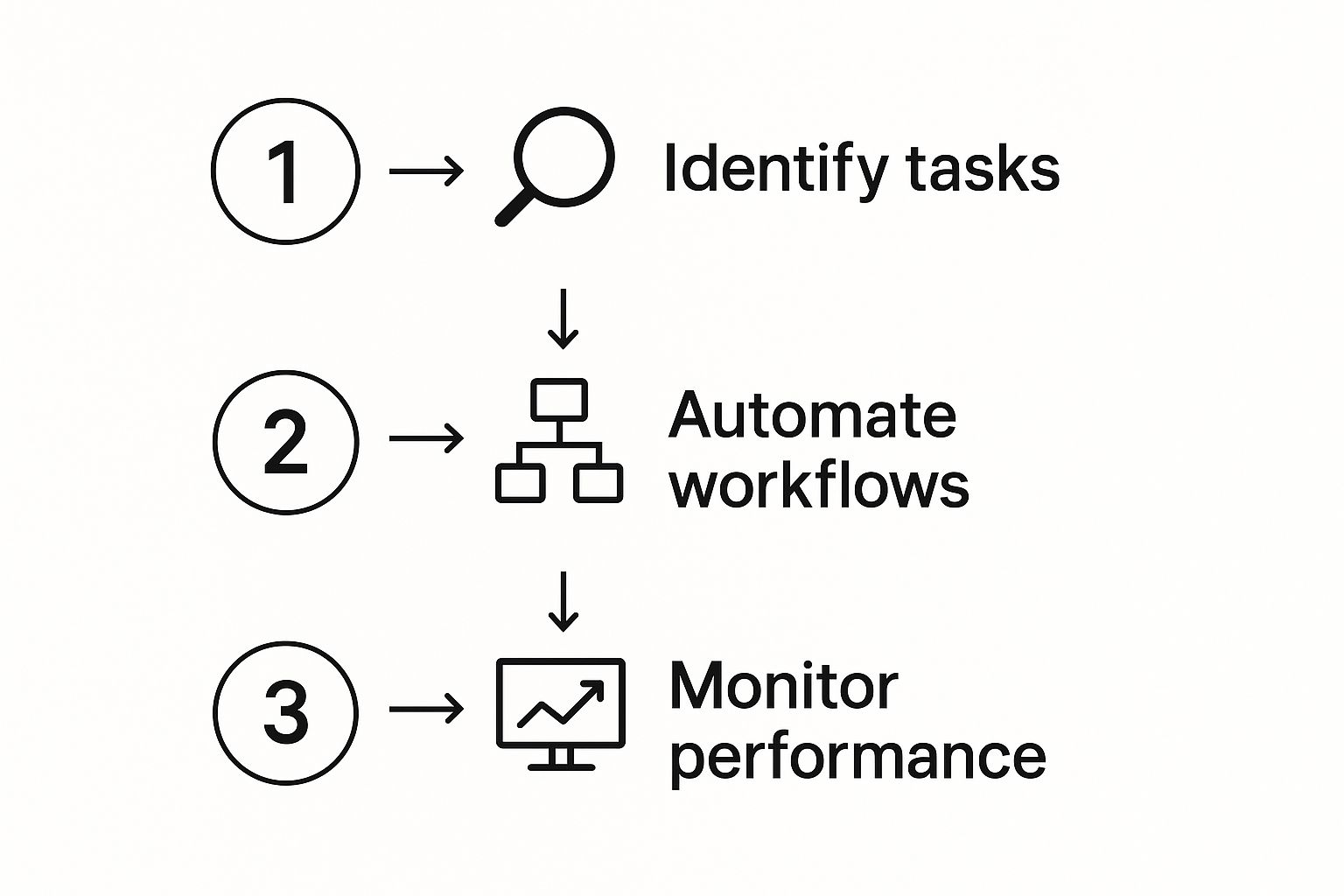
This process is a continuous loop: you spot manual work, build an automated fix, and watch the results to find your next opportunity for improvement.
Marketing Automation: From First Click to Loyal Customer
For marketing teams, automation is all about creating personal-feeling experiences for a massive audience. It’s just not possible to manually track every new lead and send the right follow-up at the right time. With automation, you can guide every potential customer on a seamless journey.
Imagine someone downloads an ebook from your site. That single click can set off a whole sequence of events designed to nurture their interest into a real sales conversation.
Here’s a simple marketing automation recipe:
- The Trigger: A visitor fills out a form on your website to get a free guide.
- The Action: The system instantly adds them to your CRM (like HubSpot), tags them as a “new lead,” and starts them on a targeted email sequence. Over the next few weeks, they’ll get helpful content related to the guide they downloaded, building trust along the way.
- The Tools: This workflow connects your website, CRM, and email marketing software.
This automated handshake ensures no lead ever falls through the cracks. Every single person gets a relevant, timely message without your team lifting a finger.
Sales Automation: A Faster Path to “Closed-Won”
In sales, speed is money. But sales reps often get swamped with admin work—updating the pipeline, logging calls, sending reminders. SaaS automation takes these tedious jobs off their plate so they can do what they do best: sell.
A classic example is automating what happens when a deal progresses. As a deal moves from one stage to the next, a whole series of actions can be triggered automatically to keep the momentum going.
A well-automated sales process doesn’t just save time; it builds momentum. It makes sure critical follow-ups happen like clockwork and gives everyone on the team a crystal-clear, real-time view of the pipeline.
Let’s look at a common sales automation:
- The Trigger: A rep drags a deal from “Initial Contact” to “Demo Scheduled” in their CRM.
- The Action: The system automatically creates a task for the rep to prep for the demo, sends a calendar invite to the prospect, and updates the deal’s value in the sales forecast.
- The Tools: A CRM with native automation, like Salesforce or HubSpot, can handle this entire sequence internally.
HR Automation: A Flawless Welcome for New Hires
The HR team handles one of the most important processes in any business: onboarding. A great onboarding experience sets the tone for an employee’s entire tenure, but it’s often a mess of small, manual tasks.
SaaS automation can turn this logistical headache into a smooth, welcoming experience for every new team member.
- The Trigger: A candidate electronically signs their offer letter using a tool like DocuSign.
- The Action: That signature kicks off a multi-step workflow. An IT ticket is created to set up their laptop. The new hire is added to the HR system (like Grove HR). Their manager gets an email with an onboarding checklist.
- The Tools: This automation connects an e-signature platform, an IT helpdesk, and an HR information system (HRIS).
Finance Automation: Keeping the Numbers Clean
Finance teams live and die by accuracy. Manually entering invoice and expense data isn’t just slow; it’s risky. One small typo can cause big financial headaches down the road. Automation is the key to ensuring your financial data is both timely and correct.
Automating invoice processing is a perfect example. When a customer pays, that money needs to be recorded, reconciled, and reflected in your revenue metrics—fast.
- The Trigger: A payment is successfully processed through a gateway like Stripe.
- The Action: The automation logs the payment in your accounting software (like QuickBooks), updates the customer’s record in your CRM, and adds the revenue to your main financial dashboards.
- The Tools: This connects your payment processor, accounting platform, and CRM.
This ensures your books are always up-to-date, which is critical for making smart business decisions and accurately understanding annual recurring revenue and other vital metrics.
Choosing the Right SaaS Automation Tools

Picking the right SaaS automation tools can feel like wandering through a packed marketplace, where every vendor is shouting that they have the ultimate solution. The good news? Most of these tools fall into just a few categories. Figuring out which one you need is the first step to making a smart choice for your business.
Let’s face it, modern companies run on cloud-based software. The SaaS industry has become the very backbone of how we work, with a staggering 85% of all business applications expected to be SaaS-based by 2025. You can read more about the SaaS industry’s explosive growth on digitalsilk.com.
This interconnectedness isn’t just a trend; it’s essential for building a tech stack that actually works together instead of in silos.
Understanding the Main Types of Automation Tools
Not all automation platforms are built the same. They generally fall into one of three buckets, each with a different job to do. Once you know which type you need, your list of options will shrink dramatically.
Versatile Connectors (iPaaS): Think of these as the universal translators for your apps. Tools like Zapier or Make are experts at building bridges between thousands of different SaaS products. They let you create custom workflows to connect systems that don’t talk to each other natively, all without writing a single line of code.
Department-Specific Powerhouses: These platforms are masters of a single domain. For instance, HubSpot is a giant in marketing and sales automation, while a tool like Grove HR focuses entirely on HR processes like onboarding and managing time-off requests. They go deep, offering specialized features that a general tool just can’t match.
Built-in Automation Features: Before you pull out the company credit card, check the tools you already own. Many modern SaaS platforms have their own powerful automation features baked right in. Your CRM, project management tool, or accounting software might already be able to handle your most common workflows without needing a third-party connector.
Key Features to Evaluate in Any Automation Tool
Once you know what kind of tool you’re looking for, it’s time to get into the details. This shouldn’t be a theoretical exercise—it needs to be practical. How will this tool actually work with the systems you already have?
Our SaaS implementation checklist is a great place to start, as it helps you think through all the critical steps of bringing on new software. From there, zero in on these core features to guide your decision.
Choosing an automation tool is less about finding the one with the most features and more about finding the one that best fits your specific team, budget, and technical reality.
You’re looking for a solution that aligns with how your company operates. A tool that’s perfect for a massive enterprise might be a clunky, expensive nightmare for a small, fast-moving team.
Critical Questions to Ask Vendors
As you narrow down your list, it’s time to talk to the vendors. The way they answer a few key questions will tell you everything you need to know about whether they’re a good long-term partner. Be direct and push for clear answers.
- How many apps do you integrate with, and are our critical apps on that list? This is a deal-breaker. If the tool can’t connect to the software you use every single day, it’s a non-starter.
- What are your security and compliance protocols? You’re handing over the keys to company and customer data. Make sure they have solid security measures, like data encryption, and comply with standards that matter in your industry (like GDPR or HIPAA).
- What does your pricing model look like? Find out if they charge per user, per task, or by the number of connected apps. You need a model that scales with your usage, so you don’t get hit with surprise bills down the road.
- How easy is the workflow builder for someone who isn’t a developer? The whole point is to empower your team, not create a new bottleneck for your tech resources. Ask for a live demo and, even better, have one of your team members try building a simple automation themselves.
Building Your First SaaS Automation Workflow
Knowing what SaaS automation is and actually doing it are two different things. Building your first workflow is where the real “aha!” moment happens. The best part? You don’t need to be a developer to get started.
Let’s bridge that gap between theory and practice by walking through a simple, yet powerful, automation: automatically saving email attachments to a cloud storage folder. Think of it as your first win. It builds confidence and proves just how easy this can be.
This simple process takes a repetitive chore—downloading a file, finding the right folder, and uploading it—and makes it a background task that just works.
Step 1: Find a Simple, Repetitive Task
Your first automation target should be simple, frequent, and low-risk. What’s a small, mindless job you or your team does over and over again? The goal isn’t to revolutionize your entire company in one go. It’s about finding one tiny point of friction and smoothing it out completely.
A few great candidates for a first-time automation:
- Copying new contact info from a form into a spreadsheet.
- Posting a notification in Slack when a new customer signs up.
- Saving important attachments from your inbox to a cloud drive.
We’ll stick with the attachment-saving example. It’s a perfect starting point because it’s a universal problem, and the value of fixing it is crystal clear from the moment it works.
Step 2: Choose a User-Friendly Tool
You don’t need a massive, enterprise-level platform for your first build. You just need something visual, intuitive, and built for people who don’t write code for a living. This is where tools like Zapier or Make shine.
These platforms act as translators between your apps. You’re basically just telling them, “Hey, when this happens in my email, I want you to do that in my cloud storage.” No code required.
The right tool for your first automation is the one that feels the easiest to use. The goal is a quick win, so pick a platform with a gentle learning curve that lets you build something in minutes, not hours.
Step 3: Map Out Your Trigger and Action
Okay, let’s get down to the nuts and bolts. Every single automation is built on two core components: a trigger and an action.
The Trigger: This is the event that kicks things off. In our example, the trigger is: “A new email arrives in Gmail that has an attachment.” You can get even more specific by adding filters, like only triggering for emails from a particular person or with a certain keyword in the subject line.
The Action: This is the job you want the automation to do. Here, the action is: “Upload the attachment from that email to a specific Google Drive folder named ‘Invoices’.”
Mapping this out gives you a clear blueprint. It’s like setting up a row of digital dominoes—you know exactly what will happen when you push the first one.
Step 4: Connect Your Apps and Test It Out
With your blueprint ready, it’s time to build. Inside your chosen tool (Zapier, Make, etc.), you’ll connect your email account and your cloud storage account. The platform guides you through authorizing access, which is usually as simple as logging in.
Then, you just select your trigger app and event, followed by your action app and event, following the map you created in the last step. The tool will even pull in sample data so you can test that everything is connected correctly. Once it looks good, you just switch the automation on.
But the final step is the most critical: test it in the real world. Send yourself an email with an attachment and watch it pop up in your designated folder a few moments later. That successful test is your proof that this works.
From here, you can start looking for bigger and more impactful processes to automate, like streamlining your customer experience. For more on that, check out our guide on SaaS onboarding best practices.
The Future of Automation with Agentic AI
So far, we’ve talked about how SaaS automation works today: you set up clear rules that connect your apps. It’s a lot like setting up digital dominoes—if one thing happens, it reliably triggers the next. But what’s on the horizon isn’t just an improvement; it’s a completely different way of thinking about automation.
The next frontier is Agentic AI. This is a massive leap from the simple, command-based systems we’re used to. Instead of following a strict script, these new tools act more like intelligent assistants. You don’t give them a step-by-step list; you give them a goal, and they figure out how to get there on their own.
From Commands to Cognition
Think about the difference. You might tell a traditional automation, “Add this new contact to our CRM.” It does that one thing, perfectly.
Now, imagine telling an agentic system, “Plan our team’s annual offsite.”
That’s a whole different ball game. An agentic AI would take that high-level goal and break it down into a series of complex, interconnected tasks. It might:
- Research potential venues and destinations that fit your team size and budget.
- Compare flight prices and travel times for everyone on the team.
- Present you with two or three fully-fleshed-out options, complete with proposed itineraries and cost breakdowns.
It’s the difference between using a simple calculator and having a digital project manager that can think, plan, and execute on its own.
Agentic AI takes SaaS automation beyond just executing tasks. It’s about creating digital partners that understand your intent, navigate ambiguity, and manage complex projects from start to finish.
This shift isn’t just a theory; it’s already starting to happen. Major tech analysts are watching this space closely. One report projects that by 2028, 33% of enterprise software applications will have agentic AI built-in. That’s a huge jump from less than 1% in 2024. This will empower companies to automate around 15% of daily work decisions, which is a massive boost for efficiency. If you want to dive deeper, you can explore detailed insights on agentic AI’s future impact.
Preparing for the Next Wave of Automation
This next wave of smarter SaaS automation will fundamentally change how we work and run our businesses. It will allow us to hand off not just repetitive clicks, but entire decision-making processes. This frees up our people to focus on strategy, creativity, and innovation—the things humans do best.
For SaaS operators, the key is to start thinking about your processes not as rigid workflows, but as goals that an intelligent agent could help you achieve. The future is less about programming tasks and more about defining outcomes.
Got Questions About SaaS Automation? We’ve Got Answers.
As you start thinking about weaving more automation into your business, questions will naturally bubble up. It’s a big shift, moving away from familiar manual tasks toward automated workflows, but it’s often much simpler than you might think. Let’s tackle some of the most common questions head-on.
The goal here is to give you the confidence to take the next step, armed with a clear understanding of what SaaS automation is all about.
Is SaaS Automation Only for Big Companies?
Not at all. This is probably the biggest myth out there. While large corporations definitely rely on automation, it’s just as valuable—and maybe even more so—for small and medium-sized businesses. Honestly, startups and smaller teams can see the biggest wins because they’re always trying to do more with less.
Think about it: by automating repetitive work, a lean team can suddenly perform like a much larger one. Modern tools like Zapier and the built-in automation in platforms like HubSpot are designed for everyone, not just tech wizards. You can get started without a hefty budget or a dedicated development team.
Do I Need to Know How to Code?
Nope, you don’t. The beauty of most modern SaaS automation tools is that they are built on a “no-code” or “low-code” philosophy. They offer visual, drag-and-drop editors that let you map out entire workflows by connecting your favorite apps and telling them what to do.
You don’t need to be a programmer to be an automator. If you can understand a simple “if this happens, then do that” statement, you have all the technical skill you need to build some seriously powerful workflows.
These platforms do all the heavy lifting in the background, managing the complex API calls so you can focus on the what and why of your process, not the technical how.
Will Automation Replace My Team?
Let’s be clear: automation is here to support your team, not replace them. Its real job is to take on the mind-numbing, repetitive tasks that eat up your team’s day. We’re talking about things like manual data entry, sending follow-up reminders, or copying and pasting information between ten different tabs.
By getting that work off their plates, you free them up to focus on what humans do best—thinking critically, getting creative, and building real relationships with customers. Automation does the robotic work so your people can focus on innovating and growing the business. It makes their jobs better and more meaningful, it doesn’t make them obsolete.
Ready to stop wasting time on repetitive tasks and start building a more efficient business? At SaaS Operations, we provide battle-tested playbooks and SOPs to help you implement powerful automation and streamline your processes. Discover our proven frameworks and accelerate your growth today.