
A good standard operating procedures template isn’t just a document. It’s a strategic asset—a blueprint for consistent, high-quality work. Think of it as your framework for capturing your team’s best practices, making sure every crucial task gets done right, every single time.
Why a Great SOP Template Is Your Growth Engine
Let’s get real for a moment. A well-designed SOP template isn’t about micromanaging or enforcing rigid rules. It’s a tool for scaling your business. I’ve seen top-performing teams use them to accelerate growth, drastically cut onboarding time, and break down the knowledge silos that create painful bottlenecks.
When your processes only exist in the minds of a few key people, your company is incredibly fragile. What happens when your best salesperson quits or your lead support agent takes a well-deserved vacation? Pure chaos. A solid template turns that individual know-how into a shared, accessible company asset.
From Bottlenecks to Breakthroughs
I’ve seen this play out dozens of time in fast-growing SaaS companies. A classic example is the customer handoff from sales to onboarding. Without a standard process, it’s a mess. The sales team makes promises the product can’t keep, and the customer success manager is left to pick up the pieces. The result? A terrible first impression for the new customer.
Now, picture that same process with a simple SOP. The template would force the salesperson to complete a checklist detailing the customer’s goals and technical needs. That standardized form is then automatically sent to the onboarding specialist, who knows exactly where to begin.
The result is a seamless transition that builds immediate trust and slashes early-stage churn. This isn’t just about being efficient; it’s about building a repeatable system for customer delight that directly fuels your growth.
The value of systematizing work isn’t a secret. The market for SOP management solutions was valued at $2.8 billion in 2023 and is expected to reach $6.9 billion by 2030. This boom is driven by a universal need for quality and consistency.
The Hidden Costs of Operational Chaos
Ignoring formal procedures creates hidden costs that quietly eat away at your resources and team morale. Every time an employee has to ask, “How do I do this?” or “Who do I talk to about that?” productivity takes a hit. These constant interruptions are a huge red flag that your internal processes need stronger https://saasoperations.com/business-leadership-building/.
Those small interruptions really add up, leading to bigger problems like:
- Inconsistent Customer Experiences: Different customers get different levels of service, which slowly erodes your brand’s reputation.
- Wasted Time: Your team spends hours reinventing the wheel for tasks that should be routine.
- Increased Errors: Without a clear guide, mistakes happen more often, leading to rework and unhappy clients.
A great SOP template is a powerful tool, especially when you pair it with strategies to automate document workflow. This ensures your processes are not just documented but also efficient and error-free. By investing in a solid template, you’re not just writing documents—you’re building a scalable foundation for your company’s future.
How to Build Your SOP Template From Scratch
Let’s be honest, staring at a blank document when you need to create a standard operating procedures template can be intimidating. The trick is to think of it less as a rigid, one-size-fits-all document and more as a flexible framework you can adapt for any process, whether it’s customer onboarding or internal financial reporting.
First things first, you need to decide on the best format. A simple text document might work for some things, but it’s definitely not your only option. Think about who will be using the SOP and how complex the task really is.
- Simple Checklists: These are your best friend for routine tasks where the steps are always the same. Think daily server maintenance checks or the process for publishing a new blog post.
- Hierarchical Lists: When a process has main steps with smaller sub-tasks, this format is perfect. A new hire setup is a great example—it involves creating accounts, assigning hardware, and scheduling orientation, all under one main procedure.
- Flowcharts: Got a process with a lot of “if this, then that” scenarios? Flowcharts are ideal for mapping out procedures with multiple decision points, like a customer support troubleshooting guide.
- Video SOPs: Sometimes, showing is better than telling. Videos are incredibly effective for hands-on tasks that are just plain hard to describe with words, like configuring a tricky software setting.
Once you’ve landed on a format, you can start building the skeleton of your template. This core structure holds all the essential information together, ensuring no one misses a critical detail. A well-organized template is scannable and easy to follow at a glance.
Establish Your Core Template Sections
Every solid SOP template I’ve ever built or used has a few non-negotiable sections. These are the elements that provide instant context and clarity, preventing confusion and allowing anyone to understand the document’s purpose right away.
Start with a header that contains all the administrative details. This makes the document easy to find, track, and manage. It should always include:
- SOP Title: A clear, descriptive name like “New Customer Onboarding Process.”
- Unique ID: A simple code (e.g., CS-001 for the first Customer Success SOP) makes referencing a breeze.
- Version Number: This is crucial for tracking changes. I always start with v1.0 and bump it up with each revision.
- Effective Date: The date this version of the SOP officially goes live.
- Owner: The person or team responsible for keeping the document up-to-date.
This infographic does a great job of showing how these elements come together to form the foundation of a great template.
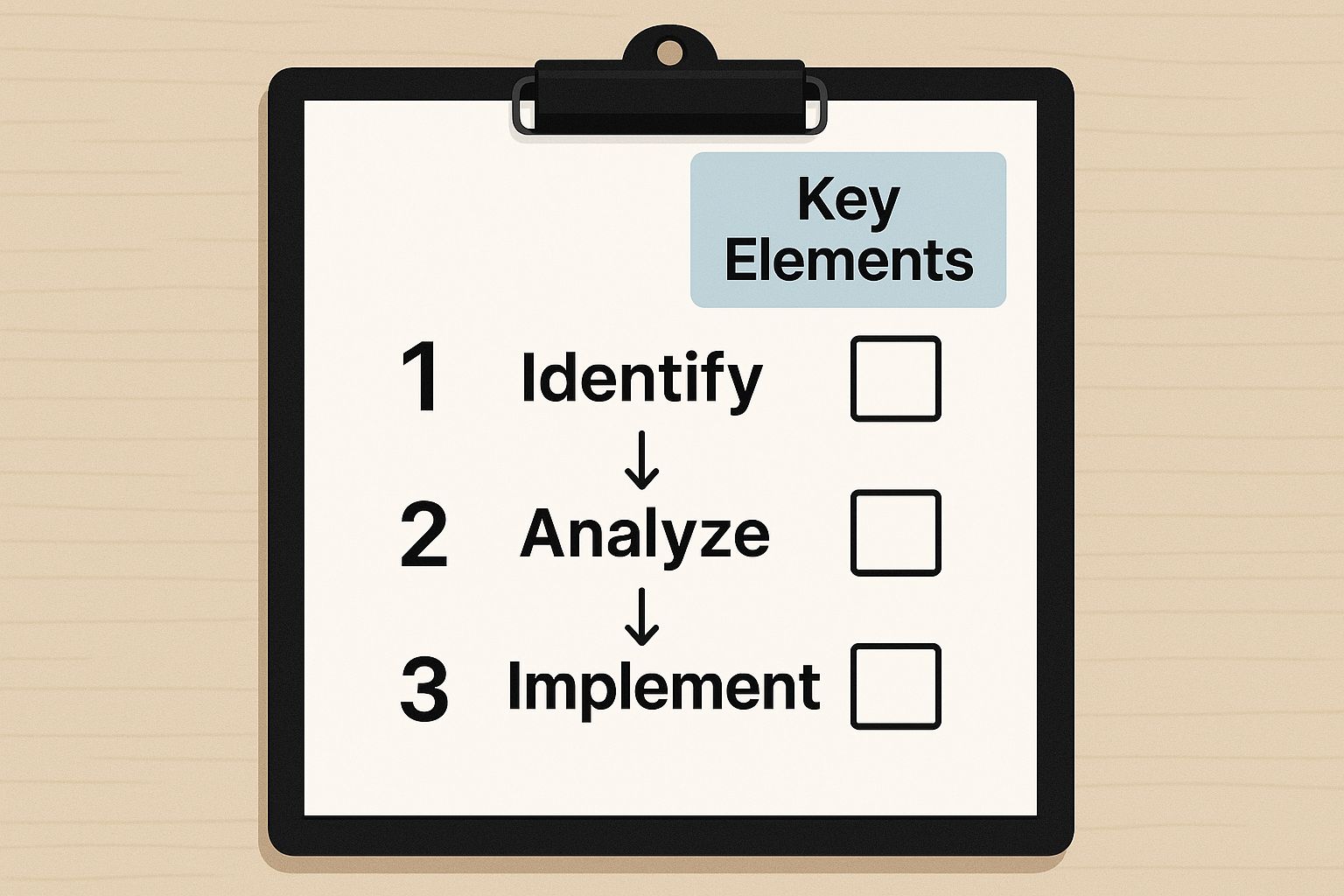
As the visual shows, a truly useful template is much more than a list of steps—it’s a complete package of context, procedure, and accountability.
Flesh Out the Procedural Details
With the foundational bits in place, it’s time to get into the heart of the SOP: the procedure itself. This section needs to be crystal clear, breaking the task down into small, digestible actions.
A great SOP leaves no room for guesswork. It empowers any team member, regardless of their experience level, to perform the task correctly and confidently.
Make sure your template has dedicated spaces for these key components:
- Purpose: A quick one or two-sentence explanation of why this procedure exists. What goal does it help achieve?
- Scope: Define exactly what this SOP covers and, just as importantly, what it doesn’t. For instance, an onboarding SOP might cover initial setup but explicitly exclude advanced product training.
- Roles and Responsibilities: List every person or role involved and spell out their exact duties. This is a lifesaver for cross-functional workflows, like the handoff from Sales to Customer Success. You can get some excellent tips on this in our guide on SaaS onboarding best practices.
- Procedure Steps: This is the detailed, step-by-step part. Use an active voice (“Click the ‘Save’ button”) and keep your sentences short. Numbering each step is a must.
- Contingencies and Warnings: What should the user do if something goes wrong? Are there any safety precautions or common pitfalls to watch out for?
Building these sections into your master document creates a robust and reusable template. For a bit of inspiration, you can look at various Standard Operating Procedure Templates to see how others approach it. This upfront work saves countless hours down the road and ensures consistency across all your processes.
Writing SOPs That People Will Actually Follow

Let’s be honest. Even the most perfectly structured SOP template is useless if no one reads it. If the content is a wall of confusing, jargon-filled text, it’s going to collect digital dust. A great template is the skeleton, but the words you use are what give it life and make it a tool your team actually wants to use.
The goal here isn’t to write a masterpiece. It’s to explain a process so simply that any team member—new or veteran—can get it done right the first time. That means dropping the corporate speak and writing like a human.
Ditch Corporate Jargon and Use Active Voice
I’ve seen this countless times: procedures written in a stuffy, passive tone that feels like you’re reading a legal contract. It’s intimidating and, frankly, hard to follow.
Instead of writing, “The ‘Submit’ button should be clicked by the user upon form completion,” just write, “Click the ‘Submit’ button after you fill out the form.” See the difference? Active voice is direct and tells people exactly what to do.
Get rid of the vague buzzwords, too. Words like “synergize,” “leverage,” and “optimize” sound fancy in a boardroom but create confusion in an SOP. Be specific. Don’t say, “Leverage the CRM to enhance client communication.” Instead, write, “Log all client calls in HubSpot under the ‘Notes’ tab.”
The best SOPs read like a helpful colleague is guiding you through the task, not like a legal document. Aim for clarity and simplicity above all else.
This push for clear, actionable processes is why companies are investing so heavily in getting this right. The market for SOP software was valued at USD 1.2 billion in 2023 and is expected to climb to USD 2.7 billion by 2032. As detailed in this market analysis on Dataintelo.com, this trend highlights a massive shift toward operational efficiency.
Show, Don’t Just Tell, With Visuals
Our brains process images way faster than text. When you’re trying to explain a step that involves a software interface or a complex workflow, words alone just don’t cut it. Visuals are your best friend for getting rid of any guesswork.
Don’t just describe what’s on the screen; show it. A simple screenshot with a red box around the button to click is infinitely more helpful than a paragraph of instructions.
Here are a few visual aids I always recommend including in your template:
- Screenshots: Essential for any computer-based task. Use them to show exactly where to click, what settings to choose, or which fields to fill in.
- Diagrams and Flowcharts: Perfect for mapping out processes with decision points. A simple flowchart can instantly clarify an “if this, then that” scenario, like how to handle a customer support ticket escalation.
- Brief Video Clips: For really tricky software maneuvers or physical tasks, a quick screen recording (think under 60 seconds) is golden. It’s the next best thing to showing someone in person.
By weaving these elements into your SOPs, you make them more engaging and dramatically cut down on mistakes.
Break Down Complex Tasks Into Bite-Sized Steps
No one wants to tackle a 20-step process buried in one giant paragraph. The trick to making complex procedures feel easy is breaking them down into small, numbered steps. Each step should be a single, clear action.
Think about a common task for a SaaS company, like setting up a new client’s project. Instead of a long narrative, structure it like this:
Task: Create New Client Account in Project Management Tool
- Open Asana and go to the “Clients” section.
- Click the orange “+ Add Project” button in the top right.
- Choose the “Client Onboarding” template from the list.
- Name the project using this format:
[Client Name] - Onboarding. - In the description, paste the client’s goals from their Salesforce discovery notes.
- Assign the Onboarding Specialist as the Project Owner.
- Set the due date for 14 days from today.
- Click “Create Project”.
This approach feels manageable. Each step is a small win that moves the process forward. It also means if someone gets interrupted, they can easily find their place and pick right back up without skipping anything critical. This is the bedrock of a truly effective SOP.
Getting Your Team to Actually Use (and Own) Your SOPs

So you’ve designed a brilliant standard operating procedures template. That’s a huge win, but honestly, it’s only half the job. The real challenge is getting your team to adopt it. If you just roll it out like a top-down mandate, it’s almost guaranteed to fail.
Success isn’t when your team just follows the SOPs; it’s when they own them. That’s the leap from good operations to truly great ones. Getting there takes a smart approach built on clear communication, practical training, and a culture where everyone feels responsible for making things work.
Launch With a Clear Communication Plan
You can’t just toss a new SOP into a shared folder and call it a day. Announcing new procedures without any context is a fast track to confusion and resistance. A much better way is to frame the launch as the solution to a problem everyone already knows exists.
Start with the “why.” Explain the pain points the new SOP solves. Maybe the old way was causing headaches for customers, or perhaps it was a constant source of internal frustration. When people understand the problem you’re trying to fix, they’re much more likely to buy into the solution.
Your communication plan should have a few key parts:
- The initial announcement: Kick things off with a team-wide email or a quick meeting. Explain what’s changing and, more importantly, why it matters.
- A clear timeline: Tell everyone exactly when the new SOP goes live. No surprises.
- An open forum for questions: Set up a dedicated Slack channel or schedule a Q&A session to tackle concerns head-on.
This kind of transparency builds trust and shows your team you value their role in making it work.
Make Training Hands-On and Practical
Reading a document is one thing, but actually doing the work is something else entirely. Good training is what bridges that gap. Don’t just show them the SOP—walk them through it using a real-world scenario.
For a new customer support process, for example, you could run a mock support ticket session. If you’re introducing a new sales handoff, have a salesperson and a customer success manager role-play the steps together. This hands-on practice helps uncover any sticking points and makes the process stick in a way that just reading never could.
The goal of training isn’t just to teach the steps; it’s to build confidence. When your team feels comfortable and capable with a new process, they are far more likely to embrace it in their daily work.
Building this kind of operational maturity is a global trend. North America currently leads the SOP software market, which makes sense given the focus on scalability and advanced infrastructure. Companies everywhere are turning to cloud-based systems to make these processes more efficient—a trend you can explore in this market report from DataHorizzon Research.
Centralize and Integrate Your SOPs
Your SOPs need a home—one central, easy-to-find place. If your team has to dig through old emails or a messy shared drive, they’ll just give up. A company wiki, a knowledge base like Notion or Confluence, or dedicated SOP software are all great choices.
The trick is to make your SOP library searchable and accessible. Even better, link to your SOPs directly from the tools your team already uses every day. For instance, your project management template for a new client onboarding should have a direct link to the full onboarding SOP. This weaves the procedure right into the workflow, making it a natural part of the job instead of an extra task.
In the same way, you can embed key steps into broader strategies, like those outlined in our guide to building a customer success playbook.
When you knit your SOPs into the fabric of your team’s daily routines, they stop being static documents and start being living guides that drive real consistency and excellence.
Keeping Your SOPs From Gathering Dust
Building out a solid standard operating procedures template is a huge win, but let’s be real—it’s not a “set it and forget it” project. An outdated SOP can actually be worse than having none at all. It gives your team a false sense of confidence while they follow steps that are inefficient, incorrect, or maybe even harmful to the business.
Your tools, processes, and what you consider “best practice” are always changing. Your documentation has to keep up.
The key isn’t some massive, bureaucratic annual review. It’s about creating a simple, repeatable system for keeping things fresh. When documents get stale, they create confusion and people stop trusting the entire system you’ve built.
Put Reviews on a Realistic Schedule
First things first, you need a review cadence that you can actually stick to. For most of our processes, we find a quarterly or semi-annual review hits the sweet spot. It’s often enough to catch problems before they snowball but not so frequent that it becomes a chore everyone dreads.
You don’t need fancy software for this. A recurring calendar invite for the process owner or an automated task in your project management tool works perfectly. The goal is to make the review a normal part of someone’s workflow, not a special project that’s easy to push off.
This regular check-in gives you more than just updated docs; it provides a steady stream of insights into how your operations are really running. You can then take these observations and see how they stack up against your main business metrics. Looking at your SaaS KPIs helps you connect the dots and see if the process tweaks are actually improving performance where it counts.
Assign Clear Owners and Create Easy Feedback Channels
Every single SOP needs one person who is ultimately responsible for it—the owner. This isn’t about blame; it’s about clarity. When a team member has a question, finds a broken link, or thinks of a better way to do something, they need to know exactly who to ping. No confusion.
Next, make it incredibly easy for people to give that feedback. We use a dedicated Slack channel, but a simple comment feature in your documentation tool can work just as well. When someone suggests a change, the owner gets a notification. This simple loop empowers the entire team to improve how they work and builds a culture where everyone feels responsible for operational excellence.
An SOP is a living document, not a stone tablet. The best procedures are the ones that are continuously refined by the people who use them every day. This collaborative approach ensures your documentation reflects reality, not theory.
As your SOPs change and grow, it’s absolutely critical to follow good document version control best practices. This makes sure everyone is always using the latest version and gives you a clear audit trail of what changed, when, and why.
The Quick-and-Easy Review Checklist
When it’s time for a review, the owner shouldn’t just give the SOP a quick once-over. They need a consistent way to check that it’s still effective. A simple checklist makes this easy and ensures every document is held to the same standard.
Here’s a practical checklist you can steal and adapt:
- Accuracy Check: Are all the steps, tool names, and job titles still correct? Has anything changed since we last looked at this?
- Clarity Check: Is the language simple and easy to follow? Could a new hire understand this without asking for help?
- Completeness Check: Is anything missing? Have we discovered new exceptions or edge cases that need to be included?
- Efficiency Check: Is this still the smartest way to get this done? Can we automate, simplify, or even eliminate any of these steps?
- Visuals Check: Do all the screenshots still match the current UI? Are all links and embedded videos working?
By making this cycle of review and refinement a core part of your operations, your SOPs will stay valuable, trusted resources that help your team do their best work.
Common SOP Questions Answered
Even with the best templates in hand, you’re bound to have questions when you start building out your standard operating procedures. That’s actually a great sign—it shows you’re thinking critically about what will genuinely work for your team on the ground.
Let’s dive into some of the most common questions I hear from teams just like yours and give you some straight, practical answers.
How Often Should I Review My SOPs?
This is the big one, and the truth is, there’s no magic number. As a rule of thumb, a quarterly review is a solid starting point for most of your core operational SOPs—think things like customer onboarding or how sales hands off a new client to the success team. For processes that don’t change much, like certain HR policies, a semi-annual or annual review is probably fine.
But here’s the real secret: don’t just rely on the calendar. The best trigger for an SOP review is change. Did your team just get a new piece of software? Did a key policy shift? That’s your signal to immediately pull up the related SOPs and get them updated. If you wait, they become irrelevant.
Think of SOP reviews as proactive maintenance, not a reactive chore. Keeping them fresh and accurate is what prevents them from gathering dust and being ignored by the team.
What’s the Ideal Length for an SOP?
An SOP needs to be long enough to guide someone to do the job correctly, and not a single word longer. Clarity is king, not word count. A simple daily checklist might just be half a page. On the other hand, a complex technical process with a bunch of “if-then” scenarios could easily run several pages.
To keep your SOPs tight and effective, stick to these principles:
- One Core Task: Each SOP should tackle one main process. If you find it sprawling into different workflows, that’s a sign to break it into separate, more focused documents.
- Action-Oriented Steps: Write in short, direct sentences. Use active verbs. Just tell people what to do.
- Use Visuals: Seriously, a single well-placed screenshot or a simple flowchart can often do the work of an entire page of text. It makes the document shorter and easier to follow.
Should I Use Software or Just Google Docs?
Look, when you’re just getting started, there’s absolutely nothing wrong with using Google Docs or a similar tool. They’re free, everyone knows how to use them, and they get the job done. But you’ll quickly hit a wall once your SOP library starts to grow.
This is where dedicated SOP software or a proper knowledge base really shines. The benefits are huge:
- A Single Source of Truth: Everything is in one searchable place. No more wondering which version is the right one.
- Version Control: You can easily see a history of changes, including who updated what and when. This is a lifesaver.
- Access Permissions: You can control exactly who can view or edit certain procedures.
- Integrations: The best tools let you link SOPs directly within your other platforms, like Asana or Salesforce.
My honest advice? Start with what you have. But once you have more than 10-15 SOPs, the time and headaches you’ll save with a dedicated tool will easily pay for itself.
Can One Person Write All the SOPs?
Technically, yes. But it’s a terrible idea.
When you put one person in charge of writing all the procedures, you create a massive bottleneck. Worse, you disconnect the instructions from the people who actually live and breathe these tasks every single day.
The best SOPs are always a team effort. The person doing the job should be the one writing it down, or at least be the main contributor. They know all the little details, the workarounds, and the common problems that pop up. A manager or team lead can then come in to review, edit for clarity, and make sure it aligns with the bigger picture. This approach doesn’t just create better documents; it gives your team a sense of ownership.
Have more questions? We’ve probably answered them. You can always check out our complete SaaS operations FAQ section for more in-depth advice.
Ready to stop reinventing the wheel and start scaling your operations with confidence? SaaS Operations provides proven, battle-tested playbooks and templates designed specifically for high-growth SaaS companies. Our plug-and-play frameworks save you time and accelerate your journey to operational excellence.
Get the SOP templates and playbooks you need to succeed at https://saasoperations.com