The SaaS Operator’s Playbook for Marketing Automation
 Published By: Alex
December 9, 2025
Published By: Alex
December 9, 2025
What is marketing automation? It's the operational engine that handles your marketing legwork, from firing off email campaigns to queuing up social media posts. For any SaaS operator trying to scale, it's not a "nice-to-have"—it's an absolute necessity. It’s how you turn repetitive tasks into intelligent workflows that onboard new users, nurture leads, and fight churn.
This is the system that allows you to give thousands of users a truly personal experience without hiring a team of people to manually manage every single conversation.
Why Marketing Automation Is Your SaaS Growth Engine
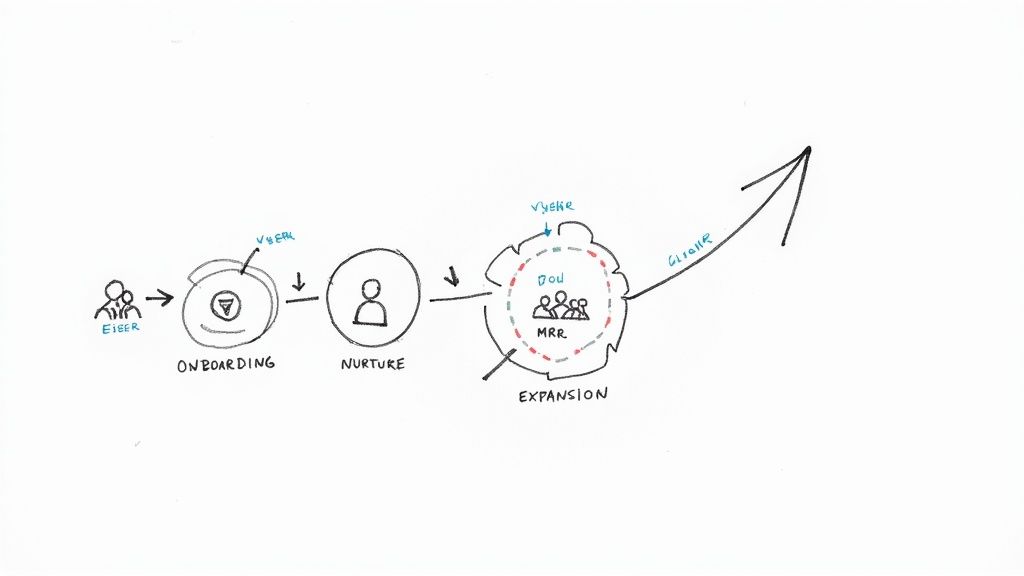
Let’s be clear: this is much more than setting up an email autoresponder. True marketing automation is the operational backbone that lets a SaaS business scale from 100 to 10,000 users without tripling the marketing department. It’s about building repeatable systems that produce measurable results—higher MRR, lower churn, and a healthier customer lifetime value (LTV).
The real power is unlocked when you use automation to guide customers through their entire journey. When someone signs up for a trial, a well-designed automation workflow nudges them toward critical "aha!" moments, making it far more likely they’ll convert to a paying customer. Your team shifts from putting out fires to proactively guiding users to success.
And this isn't a niche trend. The marketing automation market is projected to hit $15.62 billion by 2030 because 91% of decision-makers feel the pressure to automate more. It's a fundamental shift in how modern companies operate.
Go Beyond Acquisition and Personalize the Entire Funnel
Bringing in new signups through lead generation for SaaS is just the starting line. Sustainable growth depends on what happens after signup. Automation allows you to use behavioral data from inside your app—like a user adding a teammate or completing a key project—to trigger messages that are hyper-relevant.
This level of personalization has a direct impact on revenue. Instead of a generic, one-size-fits-all onboarding sequence, you can create distinct paths for different user personas or use cases.
Here are exact, actionable examples of what this looks like:
- Trial-to-Paid Nurturing: A trial user hasn't tried one of your stickiest features within 48 hours. Action: Automatically send them a 90-second video tutorial and a case study showing its value.
- Feature Adoption Campaigns: A user has mastered the basics (e.g., created 5 projects). Action: Trigger a campaign that introduces them to advanced features like reporting or integrations.
- Expansion Revenue Triggers: An account is approaching its usage limits. Action: Automatically send an upgrade offer to the account admin, highlighting the value of the next tier.
These automated touchpoints ensure no user is left behind. Your product itself becomes one of your most effective marketing channels.
The objective isn't just to automate tasks; it's to automate relationships at scale. Delivering the right message at the exact right moment builds a foundation of trust that keeps customers paying and staying.
Slash Churn and Boost LTV
As you scale, retaining the customers you’ve worked so hard to win becomes paramount. Learning the right strategies to improve customer retention is crucial, and automation is your best ally in the fight against churn.
By monitoring user activity, you can build "pre-churn" intervention flows that re-engage users who are showing signs of disengagement—before they decide to cancel. Imagine a simple workflow: if a paying user hasn't logged in for seven consecutive days, it triggers a personal-sounding email from a customer success manager. The email offers help, shares a new resource, or simply checks in.
This proactive outreach converts a potential loss into a re-engagement opportunity, directly increasing your LTV.
Choosing Your Marketing Automation Tech Stack
Picking the right marketing automation tool can feel overwhelming. The market is flooded, feature lists are a mile long, and demos all promise the world. For a SaaS business, this is a foundational decision. The right platform should feel like an extension of your product, not just another marketing tool.
Let’s cut through the noise. Instead of getting lost in feature checklists, we’ll focus on what actually moves the needle for a SaaS company. The goal is to find a tool that aligns with your current stage, budget, and technical resources—whether you’re a bootstrapped startup or a rapidly scaling team.
Focus on What Matters for SaaS
Your marketing automation platform must do more than send emails. It needs to deeply understand what users are doing inside your app. This is non-negotiable for creating personalized journeys that increase retention.
When vetting options, here are three critical capabilities to demand:
-
Deep User Behavior Tracking: Can the platform easily track event data from your product? You must be able to trigger automations based on real actions like
project_created,team_member_invited, orbilling_page_viewed. This is what separates a generic email drip from intelligent nurturing. -
A Solid API and Integrations: Your tool must integrate seamlessly with the rest of your tech stack, especially your product database and CRM. A flexible, well-documented API isn't a "nice-to-have"—it's a requirement. Ask potential vendors about API rate limits and how they handle custom data schemas.
-
A Flexible Workflow Builder: Avoid platforms with rigid, linear builders. The SaaS customer journey is complex. You need a visual workflow builder that handles branching logic (if/then), allows A/B testing of different paths, and lets you set conversion goals to measure what's working.
A SaaS CTO I know shared this cautionary tale: "We chose an all-in-one tool because it was cheap. We spent the next year building painful workarounds because it couldn't handle our product's event data. We should have paid twice as much for a tool built for SaaS from day one."
Choosing a marketing automation platform isn't just a marketing decision; it's a product and engineering decision. Involve your technical team early to vet the integration capabilities. It will save you from massive headaches later.
Matching the Platform to Your Stage
The ideal tool for a venture-backed company is often overkill for a bootstrapped startup. Your current reality—team size, budget, and in-house technical skills—should be your primary guide.
To make this tangible, here’s a breakdown of popular platforms and where they fit best.
SaaS Marketing Automation Platform Comparison
This table breaks down top contenders, highlighting their ideal user and the key feature that makes them a strong fit for a SaaS business.
| Platform | Ideal For | Key SaaS Feature | Typical Pricing Model |
|---|---|---|---|
| Customer.io | Tech-savvy SaaS startups and scale-ups needing deep product integration. | Event-based segmentation and triggers that feel like an extension of your app. | Based on user profiles |
| ActiveCampaign | Bootstrapped and early-stage SaaS looking for power and affordability. | A great balance of CRM, email, and flexible automation at a competitive price. | Based on contacts & features |
| HubSpot | Scale-ups wanting an all-in-one platform for marketing, sales, and service. | The unified customer record across all GTM teams, creating a single source of truth. | Tiered with platform fees |
This isn't an exhaustive list, but it illustrates how different tools are designed for different playbooks. For example, Customer.io excels in product-led growth models, while HubSpot becomes invaluable when you need tight alignment between marketing and a growing sales team.
Making the right choice here is a critical part of a smooth rollout, a process we detail in our SaaS implementation checklist. A well-planned implementation prevents the painful process of migrating platforms a year from now—a fire drill no operator wants to run.
Three High-Impact Automation Playbooks to Build Now
Alright, let's move from theory to execution. This is where we turn automation concepts into tangible workflows that drive growth. Forget the complex, 50-step flowcharts you see online. We’re focusing on three high-impact playbooks that every SaaS business should implement immediately.
These are battle-tested frameworks used by top operators to achieve real results. We'll detail the triggers, the logic, and the exact messages that make them work. Consider these the non-negotiables for your automation strategy.
When deciding what to build first, always balance your company's stage, budget, and available resources.
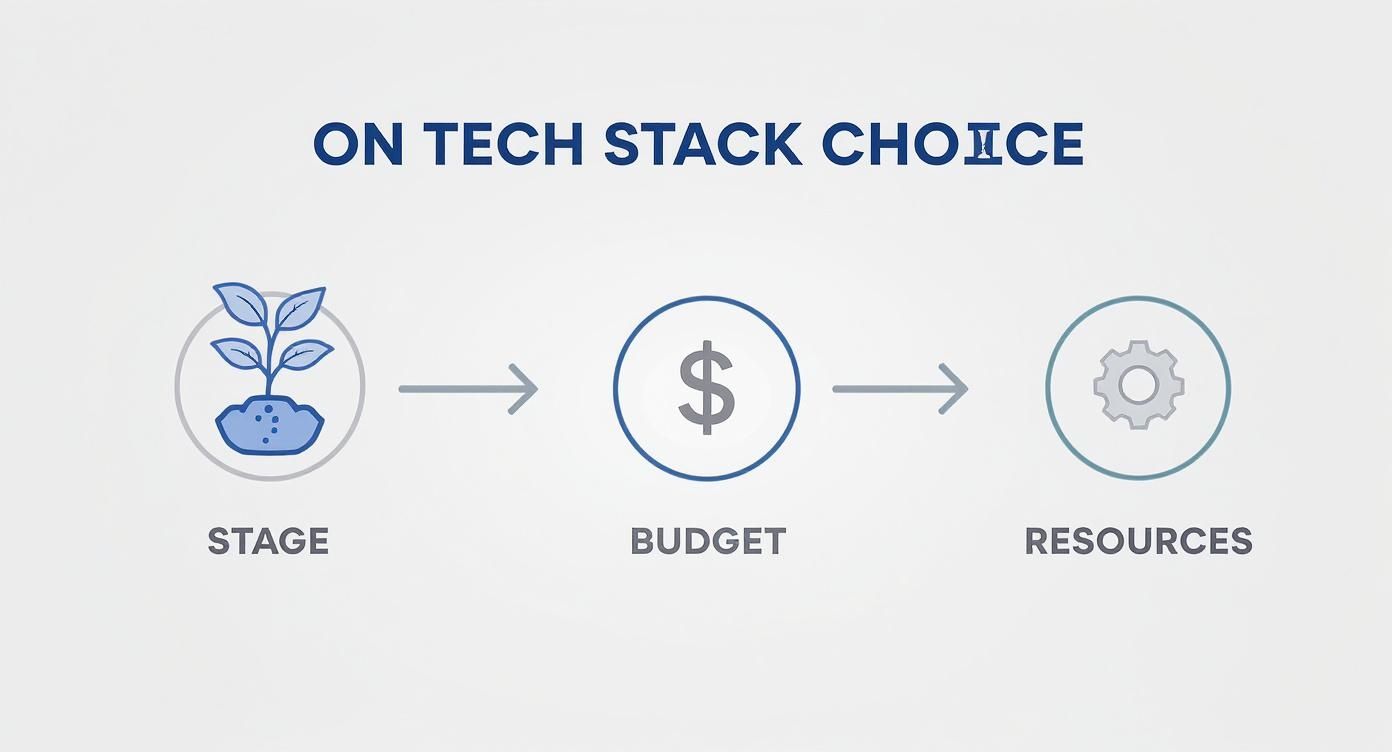
As you can see, these three factors are interconnected. A change in one affects the others, ultimately determining which workflows you can realistically execute.
The Trial-to-Paid Nurture Sequence
If your SaaS has a free trial, this is the most important workflow you will ever build. Full stop. Its sole purpose is to get new users to their "aha!" moment as quickly as possible, converting them from curious visitors into paying customers. A single, generic "welcome" email is not enough.
The best trial sequences are driven by what the user does (or doesn't do) in your product. The goal is to send hyper-relevant messages that help them overcome common hurdles and realize your tool's value.
Here’s the playbook:
- Trigger: A user signs up for your 14-day free trial.
- Day 1: An email from the founder or Head of Product arrives. It is simple, personal, and has one goal: get them to take the first critical action (e.g., "Create your first project").
- Day 3: The system checks: have they completed the first critical action? If not, send a friendly nudge with a link to a 2-minute "how-to" video. If yes, send a celebratory email and introduce the next logical feature.
- Day 7 (Mid-Trial Check-in): Send a plain-text email that feels personal. A subject line like "How's it going with [Your Product Name]?" works wonders.
- Day 12 (Trial Ending Soon): Notify them that the trial is ending. Don't just rely on scarcity; remind them of the value they've already received and what they will lose access to.
- Day 15 (Post-Trial): If they didn't convert, don't give up. Add them to a long-term nurture sequence and send genuinely useful content once a month to stay top-of-mind.
This is a prime example of how marketing automation intersects with daily operations. For a deeper dive into how these systems work together, review these practical business process automation examples.
The Feature Adoption Campaign
You just spent months building a killer new feature. Great—but are people using it? A feature adoption campaign is your secret weapon for turning casual users into power users who rely on your product. This is critical for retention; the more of your product a customer uses, the stickier it becomes.
This isn't about blasting your entire user base. It's about surgical precision.
The secret to a successful feature adoption campaign is timing. You don't show a new user your most advanced analytics. You wait until they've mastered the basics, then show them how to level up.
Here’s how to execute this play:
- Trigger: The user completes a core action for the 5th time (e.g.,
task_completed > 5). This signals they understand the basics. - Email 1: Introduce a related, more advanced feature. If they've been completing tasks, show them how "task templates" can speed up their workflow. Frame it as a pro-tip.
- Logic Branch: Wait 3 days. Did they try the new feature?
- Yes: Excellent. Send a follow-up with another pro-tip for that same feature, reinforcing their smart decision.
- No: No problem. Send a different email, perhaps a short case study about how another customer saved time with that feature. Social proof can be a powerful motivator.
This simple logic ensures you act as an educator, not a spammer.
The Pre-Churn Intervention Flow
Churn is the silent killer of SaaS companies. This workflow is your early-warning system, designed to automatically identify and re-engage users who are drifting away before they cancel. The first step is to define what "at-risk" behavior looks like for your product.
Typically, this means tracking inactivity.
Here’s the playbook:
- Trigger: A paying user has not logged in for 14 consecutive days. For most SaaS products, this is a major red flag.
- Step 1 (Automated Email): A simple, non-salesy "We miss you" email is sent. It should offer help or highlight a recent product update to spark their curiosity.
- Step 2 (Internal Alert): If they still don't log in within 3 days, the system automatically creates a task in your CRM and assigns it to a customer success manager for a personal follow-up call or email. The task must include key account data so the CSM is fully informed.
- Step 3 (The Hail Mary): If the user is on a monthly plan and remains inactive, a final automated email with a special offer—like a one-time discount or a free month—can be a last-ditch effort to win them back. This tactic is surprisingly effective.
Advanced Strategies to Personalize the Customer Journey
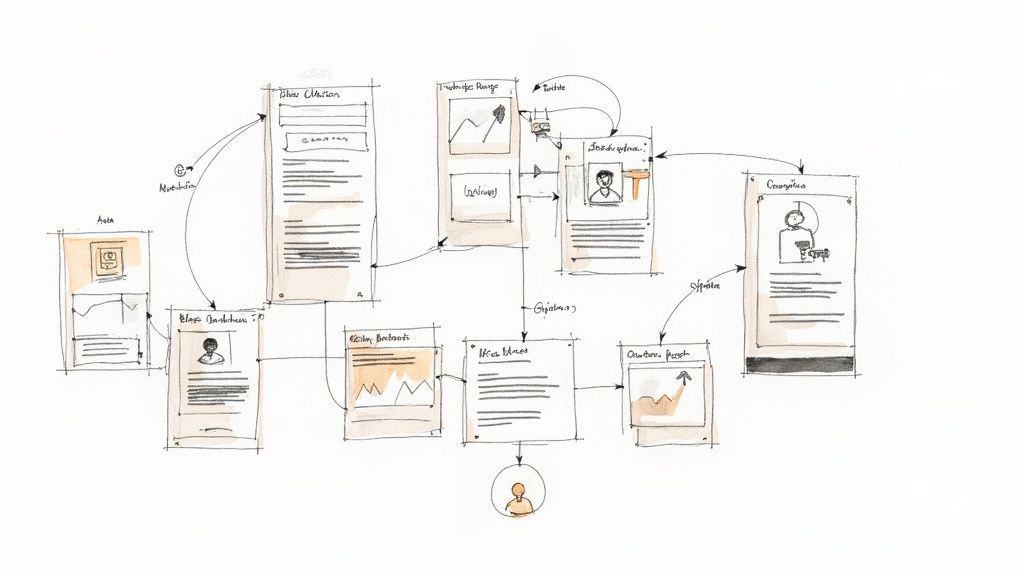
Once your foundational workflows are running, it’s time to deepen personalization. The real power of marketing automation isn't just scheduling emails—it's creating what feels like one-to-one conversations at scale. This is how you move from good to exceptional.
This goes far beyond using a {{first_name}} token. Advanced personalization means tapping into rich behavioral data from your product to send messages so relevant they feel handcrafted for each user. You are making them feel seen, understood, and guided.
Using In-App Behavior to Trigger Hyper-Relevant Messages
Your most valuable data is how people actually use your product. Every click, feature adoption, and milestone is a signal. Your job is to listen for these signals and respond with automated, yet deeply personal, communication.
Forget generic campaigns. Instead, build workflows that trigger based on user actions. Think of it as rewarding positive behavior and offering help when someone appears stuck.
Here are specific, real-world examples:
- A user invites three teammates: This is a key activation event. Don't let the moment pass. Action: Automatically trigger an email that says, "Great move! To help your team collaborate effectively, here are three pro-tips for team accounts."
- A user creates five projects: This person is clearly engaged and getting value. Action: Now is the perfect time to introduce a related power-user feature, like project reporting or analytics.
- A user views the billing page but doesn't upgrade: This is a high-intent signal. Action: Wait a few hours, then send a simple, plain-text email from a "product manager" asking if they have any questions about the plans. It feels incredibly personal and helpful.
This level of granularity transforms your marketing from an interruption into a helpful, contextual guide. It’s a crucial component of building a sticky product and one of the most effective SaaS onboarding best practices you can implement.
The Head of Growth at a B2B SaaS company I advised did this perfectly. They identified three key "activation" events in their app and built simple workflows to celebrate when users hit them. The result? A 40% increase in upgrade revenue from their trial user base in a single quarter.
This approach works because it aligns your messages with the user's immediate goals, making your outreach feel less like marketing and more like a helpful concierge service.
Deploying Dynamic Content for Segmented Messaging
How can you send a single email but show different content to different users? The answer is dynamic content. This feature allows you to change specific blocks within an email—a headline, an image, a call-to-action—based on the recipient's segment.
This is a game-changer for operational efficiency. Instead of building five separate emails for five different user segments, you create one intelligent email, and your automation platform handles the rest.
For example, in a monthly newsletter, you could use dynamic content to:
- Show freemium users a special offer to upgrade.
- Show standard plan users a case study about a feature in the pro plan.
- Show pro plan users an exclusive invitation to an advanced customer webinar.
All of this happens within a single campaign. You deliver a more relevant experience to every user without burying your team in redundant work. That’s smart, scalable personalization.
The Growing Reliance on Automated Journeys
This shift toward sophisticated strategies is a fundamental change in how marketing operates. The data confirms automation's critical role. By 2025, an estimated 83% of businesses with large marketing budgets will be actively using these solutions.
Their primary focus? A staggering 71% are zeroed in on email marketing automation.
It's no surprise that 79% of marketers now automate at least some part of the customer journey. This is no longer just about saving time; it's about engaging users more effectively with tailored content that drives results. As the numbers show, the clear trend is toward creating more meaningful, automated interactions. You can find more statistics on marketing automation's impact at Email Vendor Selection.
By layering in-app behavioral triggers with dynamic content, you're not just sending emails. You're building an intelligent communication system that becomes a core part of your product experience—one that actively guides users, boosts engagement, and drives revenue.
Measuring Success and Tuning Your Automation Engine
One of the biggest myths in marketing automation is the idea of "set it and forget it." Your automation engine isn't a slow cooker. It's a high-performance race car engine that requires constant tuning to operate at peak performance.
Without regular measurement and a commitment to optimization, even the best-designed workflows will lose their effectiveness over time.
The key is to stop obsessing over vanity metrics. Email open rates are interesting, but they don't tell you if your automation is generating revenue. It's time to build a dashboard focused on the SaaS metrics that truly matter.
Moving Past Vanity Metrics
To measure your automation's true impact, you must connect your workflows to business outcomes. Are your automated sequences increasing revenue? Are they creating stickier customers? These are the questions that need answers.
Shift your focus to a handful of core, business-level KPIs. This is how you prove ROI and get buy-in for more ambitious projects.
Here are the metrics the best SaaS operators track:
- Trial-to-Paid Conversion Rate (by Cohort): Don't just look at the overall rate. Analyze how specific cohorts are converting. For instance, how do users who signed up last week and experienced your new onboarding flow convert compared to the old one? This tells you if your changes are working.
- Feature Adoption Velocity: How quickly are new users adopting your stickiest features after receiving an automated nudge? This directly measures how well your automation is driving product engagement.
- Impact on Customer Lifetime Value (LTV): This is the ultimate test. Are customers who interact with your re-engagement or upselling workflows staying longer and spending more? You can find more details on this in our complete guide to SaaS KPIs.
Your automation platform isn't an email tool; it's a behavior modification engine. The goal isn't more clicks—it's to successfully guide users to take actions that lead to revenue.
A Simple Framework for A/B Testing
Data is only useful if you act on it. Once you identify a bottleneck in a workflow—like a significant drop-off after a specific email—it's time to experiment. A/B testing allows you to make small, iterative improvements that compound over time.
You don't need a complex process. I worked with a B2B SaaS company that used this simple framework to increase its onboarding conversion rate by 22% in one quarter.
Their Playbook:
- Isolate One Variable: They noticed a huge drop-off after their first onboarding email. Their hypothesis was that the email was too busy. They decided to test only the call-to-action (CTA).
- Create a Challenger: The original email had three different CTAs. The challenger version had one, hyper-focused CTA driving users to the single most important "first step" in their app.
- Run the Test: They used their marketing automation tool to split new trial signups 50/50. Half received the original email (Control), and the other half got the new, single-CTA version (Challenger).
- Measure and Iterate: After two weeks, the data was clear. The single-CTA version had a significantly higher click-through rate and a higher rate of users completing the first critical action. They immediately declared it the winner and made it the new control for future tests.
This cycle of identifying a problem, forming a hypothesis, testing, and iterating is the core of optimization. It’s how you transform a good automation engine into a world-class growth machine. The goal is to always be testing something, turning small wins into significant, long-term business gains.
Got Questions About SaaS Automation? We’ve Got Answers.
Let's address the most common questions I hear from SaaS operators who are new to marketing automation. No jargon, just direct answers to help you move forward.
Do I Need to Be a Coder to Get Started?
The honest answer is: it depends on the tool you choose.
Platforms like ActiveCampaign are designed for marketers, with intuitive drag-and-drop workflow builders. However, to unlock the full power of SaaS automation with event-based tools like Customer.io, you will need initial help from an engineer.
Here’s the process: A developer will need to handle the initial setup by adding a tracking snippet to your app and configuring it to send crucial in-app events (e.g., project_created, user_invited_teammate). Once this data pipeline is established, the marketing team can build and manage automated campaigns without writing any more code.
The bottom line: The initial setup is a team sport. Your developer builds the bridge between your product and your automation platform. Your marketer then uses that data to build customer journeys.
What’s a Realistic Budget for a Small SaaS?
When budgeting, consider both the monthly software cost and the team's time for setup and management.
For a scrappy, bootstrapped startup, a powerful tool can be implemented for $100 to $300 per month.
Honestly, the bigger cost is waiting too long to start. Every day you delay is another day your team spends on manual tasks that a system could handle. That's time and focus you can never get back. For more on this, you can explore these common business automation questions that arise for most growing companies.
Will This Make My Company Feel Like a Robot?
It can, but only if you do it wrong. The goal of automation is not to sound robotic; it's to use data to be more human and personal at scale.
Here’s how to ensure your communication feels genuine:
- Act on Behavior: An email that arrives immediately after a user accomplishes something in your app feels helpful and timely, not creepy.
- Write Like a Human: Ditch the corporate jargon. Write your messages in a simple, conversational tone, as if you were talking to one customer.
- Segment Relentlessly: Stop sending blasts to "all users." Get granular. Target small, specific groups based on their subscription plan, activity level, or product usage patterns.
Great automation feels less like a megaphone and more like a helpful concierge, personally guiding each user to success.
At SaaS Operations, we provide the proven playbooks and SOPs to build your growth engine without reinventing the wheel. Our battle-tested frameworks help you implement effective automation and scale your business faster. Explore our resources today.