How to Automate Repetitive Tasks and Reclaim Your Time
 Published By: Alex
August 31, 2025
Published By: Alex
August 31, 2025
Automating repetitive tasks is pretty straightforward on the surface. You find a manual, rule-based job, pick a tool like Zapier or something more specialized, and set up a workflow. A "trigger" happens, and a series of "actions" automatically follow. But thinking about it this way misses the whole point. This isn't just a tactical move; it's a strategic shift that frees up your team to do the high-value work that actually grows the business.
Why Automation Is Your Secret Weapon for Growth
Sure, automation saves time. We all know that. But the real cost of manual work goes so much deeper—it's a silent drag on your company’s momentum. Think about all those little tasks that pile up: copying data between spreadsheets, manually sending follow-up emails, or pulling together weekly reports. Individually, they seem small, but together, they create a massive operational burden.
This constant drain isn't just about wasted hours. It kills creativity and morale. When your best people are stuck doing mind-numbing, repetitive work, they have no mental bandwidth left for creative problem-solving or strategic thinking. That's a direct path to burnout and frustration, and you can bet it eventually trickles down to your customer experience.
The Hidden Costs of Manual Work
The damage from sticking with manual processes is often hiding in plain sight. We’ve all seen it happen:
- Human Error Creeps In: Manually moving customer data from a contact form into your CRM? You're just asking for typos and mistakes. That leads to bad sales data and awkward customer conversations down the road.
- Innovation Grinds to a Halt: If your team is buried in administrative tasks, they can't focus on what matters—improving your product, sharpening your marketing, or delighting your customers.
- Scaling Becomes Impossible: A manual process that works for ten customers will completely fall apart when you hit one thousand. These tasks create bottlenecks that choke your ability to grow efficiently.
The key is to see automation as a strategic tool, not just a convenience. It's about letting your team shift from reactive task-juggling to proactive, growth-focused work.
Building a Culture of Efficiency
Look, almost every company is dealing with this. A staggering 94% of companies globally admit they're tangled up in manual, repetitive, and time-consuming tasks.
But here’s the upside: the same research shows that automation improved jobs for 90% of knowledge workers and boosted productivity for 66% of them.
A perfect example is bookkeeping. You can automate bookkeeping and reclaim your time, which frees up hours that are better spent on actual financial strategy. This is the exact mindset that powers effective SaaS automation and sets fast-growing companies apart.
Pinpointing Your Best Automation Opportunities
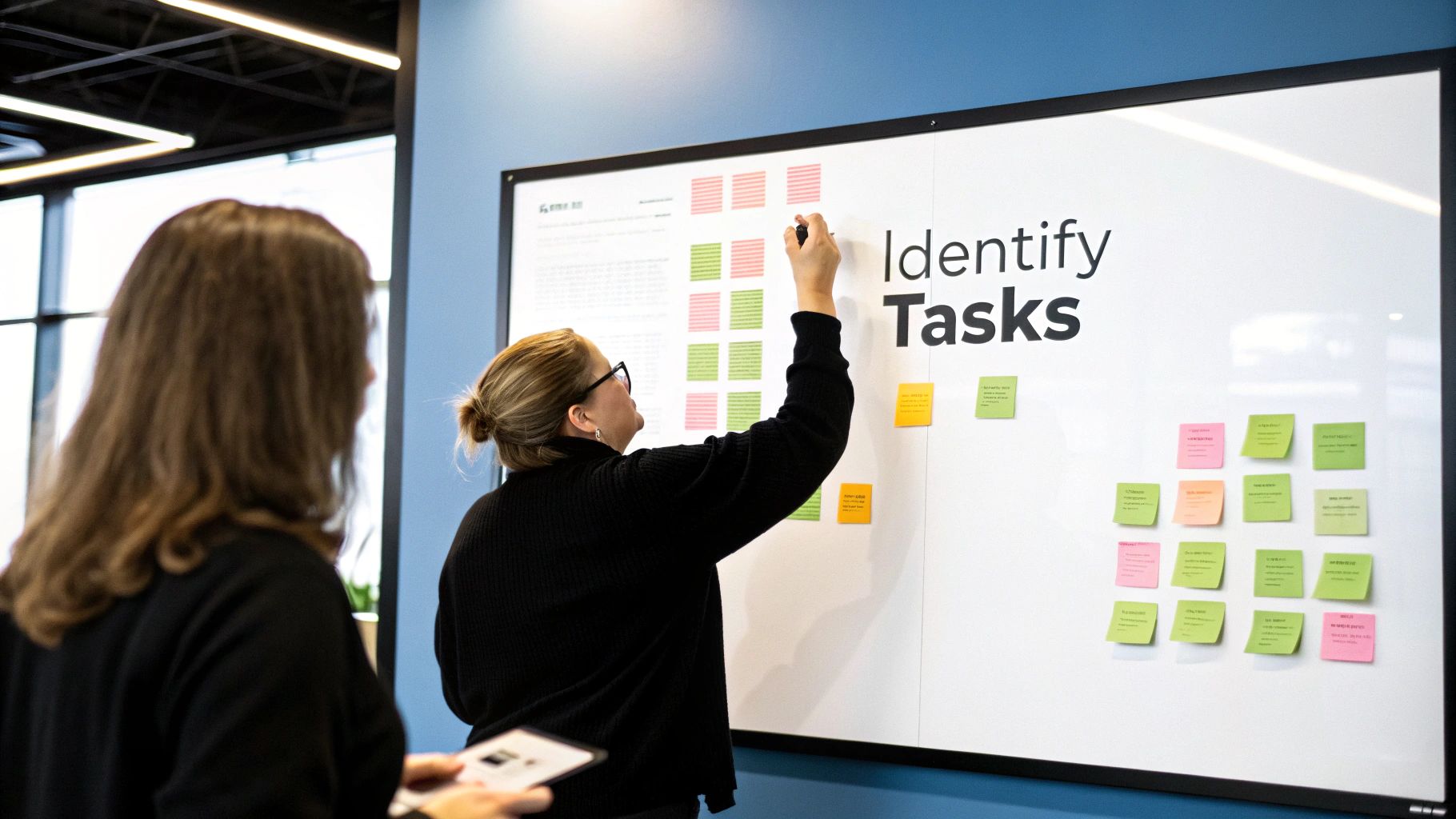
Before you even think about shopping for fancy automation tools, you need a clear target. The biggest mistake I see operators make is trying to automate a messy, broken process. You just end up with a faster mess.
Instead, start by looking for the low-hanging fruit. Take a week and have your team simply jot down every task that makes them roll their eyes—the stuff they do over and over again. This isn’t about creating a massive, formal report. It's about spotting patterns.
You’re hunting for the perfect automation candidate, which usually has three key traits: it's frequent, it's rule-based, and it's prone to human error.
A classic example? Imagine a sales rep manually pulling lead data from three different places to build a weekly report. It happens every single week, follows the same "copy this, paste that" logic, and is a prime suspect for typos and errors. That’s your target.
Finding Your Automation Sweet Spot
Once you have a list of these annoying tasks, it's time to pick your battles. Not all repetitive work is worth automating right away. You want to find the tasks that give you the biggest win for the least amount of setup effort.
This is where you need to get practical. I always look for a few common culprits:
- Data Entry: Think about any time someone is moving information from one system to another, like from an email into your CRM or from a spreadsheet into Asana.
- Routine Notifications: Simple pings and updates. For instance, automatically sending a message to a Slack channel when a new enterprise customer signs up.
- Report Generation: That Monday morning ritual of pulling the same numbers from five different dashboards to create one performance summary.
A task doesn't have to be massive to be a good candidate. Automating a simple five-minute task that you do ten times a day saves you nearly four hours a week. That's where you find the real wins.
To help with this, I use a simple matrix to quickly sort through the noise and figure out what to tackle first.
Automation Priority Matrix
| Task Type | Frequency | Complexity/Rules | Automation Priority |
|---|---|---|---|
| Simple Data Transfer | Daily/Hourly | Low – Simple Rules | High |
| Standard Report Pulling | Weekly/Daily | Low – Clear Rules | High |
| Complex Multi-Step Process | Monthly | High – Many Variables | Low (Automate Later) |
| Creative or Strategic Work | Varies | High – No Clear Rules | Not a Candidate |
This kind of quick evaluation helps you focus your energy on the automations that will actually make a difference right now, rather than getting bogged down in a complex project that takes months to set up.
Of course, none of this works if your processes are a jumbled mess to begin with. Having a clear map of how work gets done is non-negotiable. If you haven't done this yet, now is the time to get organized. You can learn how to master business process documentation to build a solid foundation.
Think about something like onboarding a new hire. The process probably involves sending the same welcome packet, scheduling the same three intro meetings, and granting access to the same software. Each one of those steps is a small, rule-based action just begging to be automated.
Choosing Your Automation Toolkit
Now that you’ve pinpointed a task that's ripe for automation, it's time to pick your tools. The market is flooded with options, but don't get bogged down in comparing endless feature lists. The real key is to match the right type of tool to the specific job you need to get done.
For most SaaS operators, the best entry point is a no-code connector. Think of these platforms as the universal translators for all the different apps your business relies on. They are the easiest way to start automating without needing to write a single line of code.
No-Code Workflow Connectors
I'm talking about tools like Zapier, Make, or even IFTTT. They specialize in linking cloud-based software together. Their visual, drag-and-drop editors make it incredibly simple to set up "if this, then that" workflows.
The beauty of these platforms is how they turn what used to be a complex integration project into a series of simple, manageable steps that anyone can follow.
Specialized Automation Platforms
The other major category is software that has powerful automation features built right in. Think about the marketing automation in HubSpot, the sales workflows in Salesforce, or the rule-based triggers in project management tools like Asana.
These platforms are designed to automate processes that live entirely within their own ecosystem. If the task you're trying to automate—say, a lead nurturing email sequence in HubSpot—never leaves that one system, using the native features is almost always the cleanest and most efficient way to go.
The goal isn't to find the "best" automation tool on the market. It's to find the best tool for your specific problem, your budget, and your team's comfort level. A simple, free workflow you actually build and use is a hundred times more valuable than a powerful, expensive system that just collects dust.
Making the Right Choice for Your Team
The automation market is exploding, on track to hit $226.8 billion by 2025. It’s interesting to see who’s adopting it fastest—marketing teams are using automated workflows 76% more than sales teams, proving just how powerful this is for customer engagement. You can dig into more insights on this trend and see how different departments stack up.
So, how do you pick your first tool? Just run through these quick questions:
- Connectivity: Does my task involve moving data between two or more different apps? If the answer is yes, a no-code connector like Zapier is your best bet.
- Location: Does the entire workflow happen inside a single platform we already use and pay for? If so, start by exploring its built-in automation features first. You might already have the solution.
- Complexity: Is this a straightforward, A-to-B task, or a complicated process with lots of branches and conditions? Always start with the simple stuff to get a quick win and build momentum.
Building Your First Workflow From Scratch
Okay, you've pinpointed the task you want to offload. Now for the fun part: actually building your first automated workflow. This is way less technical than it sounds. Honestly, modern tools have made this a simple, visual exercise—it's like connecting the dots between the apps you already use.
Let's walk through a classic, high-impact example that every SaaS business can use: automating how you handle new leads. The goal is simple: instantly process a submission from your website's contact form so that every single person gets a fast, professional follow-up. A small automation like this is what stops hot leads from ever falling through the cracks.
Setting the Trigger
Every single automation starts with a trigger. Think of it as the starting pistol—the one specific event that kicks off the whole process. It’s the "if this happens…" part of your "if this, then that" equation.
For our lead capture example, the trigger is obvious: a new form is submitted on your website. This could be a "Request a Demo" form on a landing page or your main contact form. The moment someone fills it out and hits submit, your automation wakes up and gets to work.
The trigger is the most critical part of the whole setup. If you get it wrong, your automation might fire constantly or, even worse, not at all. Be super specific about the exact event that needs to happen.
This visual breaks down the core steps for taking any automation idea from a concept in your head to a real, working process.
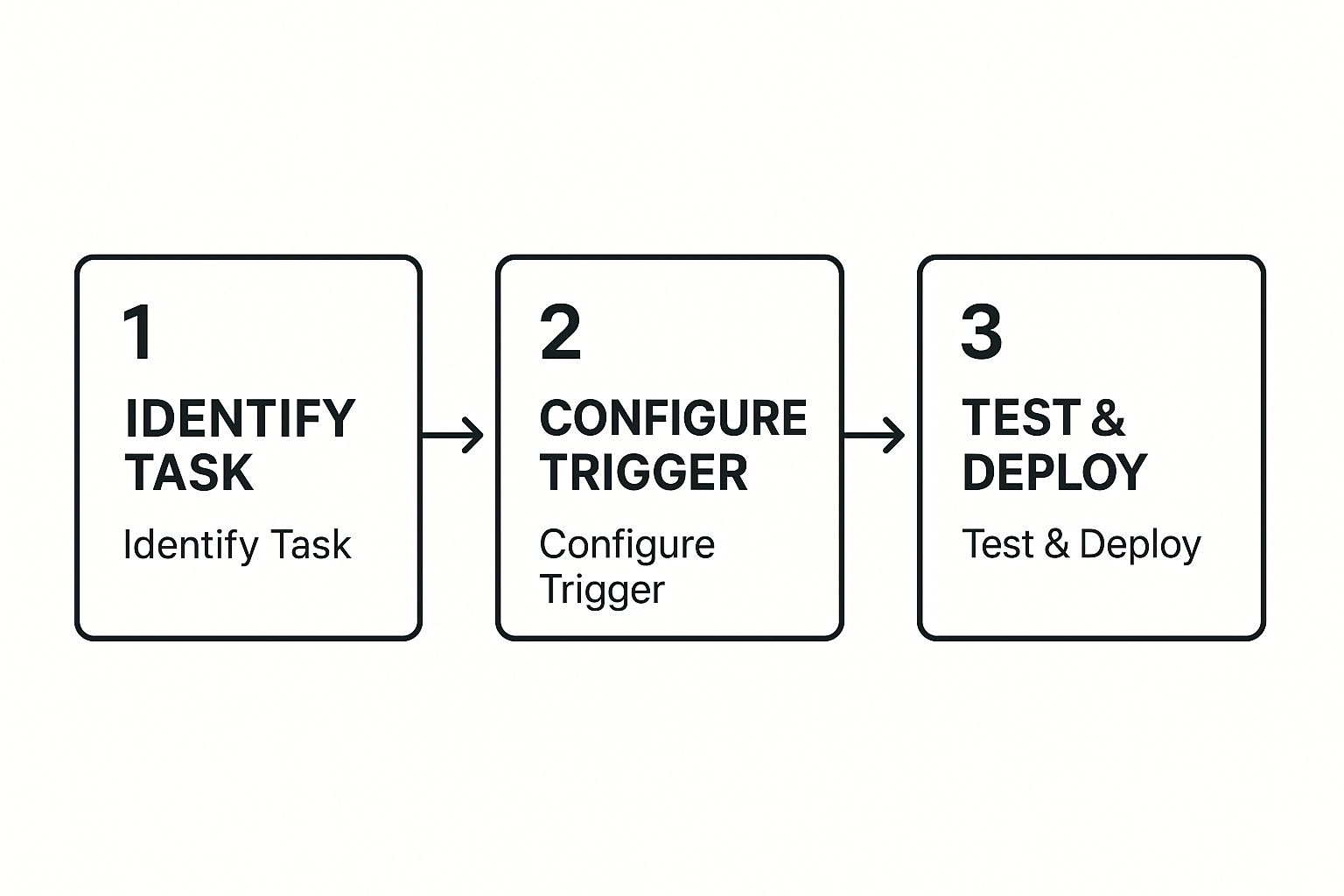
This simple framework—identify, configure, and test—is really all you need to learn how to automate repetitive tasks without getting bogged down in complexity.
Defining the Actions
Once that trigger fires, a series of actions follows. These are the "then do that" steps your automation will execute. The best part is that the data from the trigger (like the person's name, email, and company) gets passed along to each step.
Here’s a powerful sequence you could build for that new lead:
- Create a Contact in Your CRM: First up, the workflow grabs the form data and instantly creates a new contact in your CRM, whether it's HubSpot or Salesforce. No more manual data entry.
- Send a Personalized Welcome Email: Next, it shoots out a pre-written welcome email to the new lead. You can even pull their first name from the form submission to make it feel personal.
- Notify Your Team in Slack: At the same time, the workflow can post an instant notification to a specific Slack channel (we use one called #new-leads). This gives the sales team a heads-up that a new prospect is waiting, which can slash your response time.
This entire sequence happens in just a few seconds. It creates a seamless experience for your potential customer and makes sure your team never misses a beat.
How to Measure and Scale Your Automation Wins
Building an automation and walking away is a rookie mistake. The real magic happens when you treat your workflows like living things—you have to constantly measure, tweak, and scale them. This is how you go from automating a single, annoying task to building a full-blown culture of efficiency.
If you can't prove your automation is working, you'll never get buy-in to do more. So, you need to track the right things.
- Hours Saved: This one is a no-brainer. How long did the task take before? How long does it take now? The difference is your ROI right there.
- Error Rate Reduction: Manual work often leads to mistakes. Track how often errors happened before your workflow was live. For simple, rule-based tasks, you should be aiming for a 100% reduction in human error.
- Response Time: For anything customer-facing, this is key. Measure the time it takes from a trigger (like a new support ticket) to the first automated action (like an acknowledgment email).
From One Workflow to a Company-Wide Habit
Once you have a couple of successful automations under your belt, it’s time to show them off. Use your early wins as internal case studies. Go to other teams and say, "Look, we saved 10 hours a week in support," or "We completely eliminated data entry errors for new leads." That’s how you get people excited to find their own automation opportunities.
This isn't just a hunch; it's a massive trend. The global workflow automation market is projected to hit $18.45 billion by 2025. Why? Because businesses are seeing that it can slash manual work by 60% to 95%, freeing up smart people to do, well, smarter things.
The ultimate goal is to stop being the "automation person." You want to create a culture where everyone is constantly on the lookout for boring, repetitive tasks they can kill with a workflow. That’s how real, company-wide efficiency is born.
Scaling isn't just about building more automations; it's about making automation part of your company's DNA. For instance, a successful sales automation might get you thinking about exploring different kinds of marketing automation for your SaaS to create a killer customer journey from the first click to their annual renewal.
When you constantly review and expand what you're automating, you turn a few simple fixes into a genuine strategic advantage for the whole business.
Common Automation Questions Answered

When you first start exploring automation, a few questions always seem to pop up. Let's get those out of the way so you can dive in with confidence.
What Should I Automate First?
My advice is always the same: go for the low-hanging fruit. The best first steps are the simple, high-frequency tasks that eat up small chunks of time every single day. Don't try to build a complex, multi-layered system right out of the gate.
Look for quick wins that deliver immediate value. Things like:
- Social Media Scheduling: Automatically pushing out your approved content.
- New Subscriber Welcome Emails: Instantly greeting new leads with a warm, pre-written message.
- Saving Email Attachments: Moving important files from your inbox to a shared drive like Google Drive or Dropbox without you lifting a finger.
These are perfect starting points because they save you time right away and are relatively easy to set up.
Will Automation Replace My Team?
This is probably the biggest fear I hear, but it’s a misconception. The real goal isn't to replace people; it's to free them from the grind.
By handing over the repetitive, mind-numbing work to a machine, you give your team the bandwidth to focus on what humans do best: strategic thinking, creative problem-solving, and building genuine customer relationships.
Think of it less as replacement and more as augmentation. You're giving your team superpowers to focus on high-impact work that actually moves the needle for your business.
This shift naturally changes how you measure success. It’s a good opportunity to rethink your metrics and check out a guide to employee key performance indicators, moving the focus from "tasks completed" to "value created."
At SaaS Operations, we provide battle-tested playbooks and SOPs to help you build a more efficient business. Stop reinventing the wheel and start accelerating your growth today at https://saasoperations.com.