free product launch checklist: simplify your SaaS launch
 Published By: Alex
November 16, 2025
Published By: Alex
November 16, 2025
Launching a new SaaS product or feature feels like trying to conduct an orchestra during a hurricane. Product, marketing, sales, and engineering are all playing different tunes, deadlines are flying past, and critical tasks slip through the cracks. The cost of a chaotic launch isn't just a missed deadline; it's lost momentum, confused customers, and burned-out teams.
The difference between a smooth launch and a scramble often comes down to one thing: a clear, actionable plan. But generic templates won't cut it. You need a framework built on real-world SaaS operations that accounts for your team size, budget, and specific go-to-market strategy. We’ve been in the trenches growing multiple 8-figure SaaS businesses, and we know what works. To truly tame the inherent chaos of launching a SaaS product, it's beneficial to start by exploring workflow automation benefits that can streamline your operations from day one.
This roundup cuts through the noise to give you the best free product launch checklist tools and templates available today. We'll show you not just what they are, but how to use platforms like HubSpot, Asana, and ClickUp to create a repeatable, low-stress launch process that actually drives growth. Each option includes screenshots and direct links so you can get started immediately.
Better yet, you can skip the setup and use our own battle-tested free product launch checklist right now. It's a comprehensive tool that not only gives you a proven playbook but also uses AI to analyze your inputs and provide a custom launch scorecard. Let’s dive in.
1. SaaS Product Launch Checklist Generator (Free Tool)
Kicking off our list is a standout resource that redefines what a free product launch checklist should be: the SaaS Product Launch Checklist Generator from SaaS Operations. This isn't just another static PDF or a generic spreadsheet template. It’s a dynamic, interactive tool designed to generate a customized, operator-approved launch plan tailored specifically to your business context. For teams aiming to move beyond guesswork and implement a repeatable, professional launch process, this tool is an exceptional starting point.
It operates on a simple yet powerful premise: your launch is unique. Instead of forcing you into a one-size-fits-all framework, the generator asks for key inputs about your launch.
How It Works & What Makes It a Top Choice
The user experience is clean and direct. You navigate to the tool and provide five critical pieces of information:
- Launch Type: Are you launching a new product, a major feature, or a smaller update?
- Team Size: Are you a solo founder, a small team, or a larger cross-functional group?
- Budget: Do you have a significant budget or are you running a scrappy, organic launch?
- Channels: Which marketing and communication channels are you prioritizing (e.g., Product Hunt, email, social media, PR)?
- Timing: What is your launch timeline?
Once you submit your inputs, the tool instantly generates a comprehensive, step-by-step checklist. This isn’t a high-level overview; it's a detailed plan broken down into Pre-Launch, Launch Day, and Post-Launch phases. Each task is designed to be actionable, reflecting the kind of operational rigor seen in high-growth SaaS companies.
Key Insight: The true value here is the blend of customization and proven expertise. The checklist you receive is built from battle-tested SaaS playbooks developed by operators with over a decade of experience scaling multi-eight-figure businesses. It’s like having a seasoned COO help you draft your initial plan.
In-Depth Feature Analysis
What truly sets this generator apart is its operational depth. Let’s break down its core components:
| Feature | Description & Practical Application |
|---|---|
| Customized Task Generation | The tool doesn't just show or hide tasks; it adjusts the granularity of the plan. A bootstrapped launch for a small team will generate a checklist focused on high-leverage, low-cost activities. An enterprise launch with a large budget will include tasks for coordinating PR, managing bigger ad spends, and aligning sales enablement. |
| AI-Powered Analysis | A unique feature is the AI analysis that accompanies your checklist. It reviews your inputs and provides strategic commentary, highlighting potential risks, identifying opportunities, and suggesting areas where you should focus your attention. For example, it might flag a tight timeline with an ambitious channel strategy as a high-risk combination and recommend prioritizing specific channels. |
| Full Lifecycle Coverage | It systematically covers all three critical phases of a launch. The pre-launch section includes everything from defining success metrics and preparing marketing collateral to setting up analytics. Launch day is a minute-by-minute guide to execution, and the post-launch phase ensures you don't drop the ball on analysis, user feedback collection, and reporting. |
| Operator-Grade Framework | The tasks are practical and grounded in reality. Instead of generic advice like "promote on social media," you get specific actions like "Draft 3 launch-day social media posts with unique tracking links for each channel" or "Set up a Slack channel #launch-war-room for real-time comms." This level of detail is invaluable for teams implementing a structured process for the first time. |
Practical Use Cases
- Founders & Small Teams: For lean startups, this tool is a massive time-saver. It provides a robust framework instantly, eliminating the need to build a launch plan from scratch and reducing the risk of missing critical steps.
- Product & Marketing Managers: At mid-size companies, it serves as a powerful alignment tool. You can generate a baseline plan and use it to coordinate with engineering, sales, and support, ensuring everyone is working from a single, prioritized source of truth.
Pros & Cons
Pros:
- Instantly Tailored: Generates a custom checklist in seconds based on your specific launch parameters.
- Completely Free: No sign-up, no trial, just immediate access to a valuable planning tool.
- Operator-Driven: The checklist is built from proven, real-world SaaS playbooks, not abstract theory.
- Full Lifecycle Focus: Covers pre-launch, launch, and post-launch phases to ensure nothing is overlooked.
- AI-Enhanced Insights: Provides strategic feedback on your inputs to help you spot risks and opportunities.
Cons:
- Execution is Separate: The tool generates the plan, but you'll need to transfer it to your project management software (like Asana, Jira, or Notion) for task assignment and real-time tracking.
- Limited for Extreme Complexity: Highly regulated industries or massive enterprise launches may require additional layers of company-specific compliance, legal, and vendor steps not covered in the generated template.
Website: SaaS Product Launch Checklist Generator
2. HubSpot
HubSpot, a giant in the marketing and CRM space, offers a surprisingly straightforward and effective free product launch checklist disguised as a “Product Launch Plan.” This isn't a complex software tool; it's a downloadable resource available in Excel, Google Sheets, and PDF formats. It's the perfect solution for teams that need a structured, guided plan without the overhead of learning a new platform.
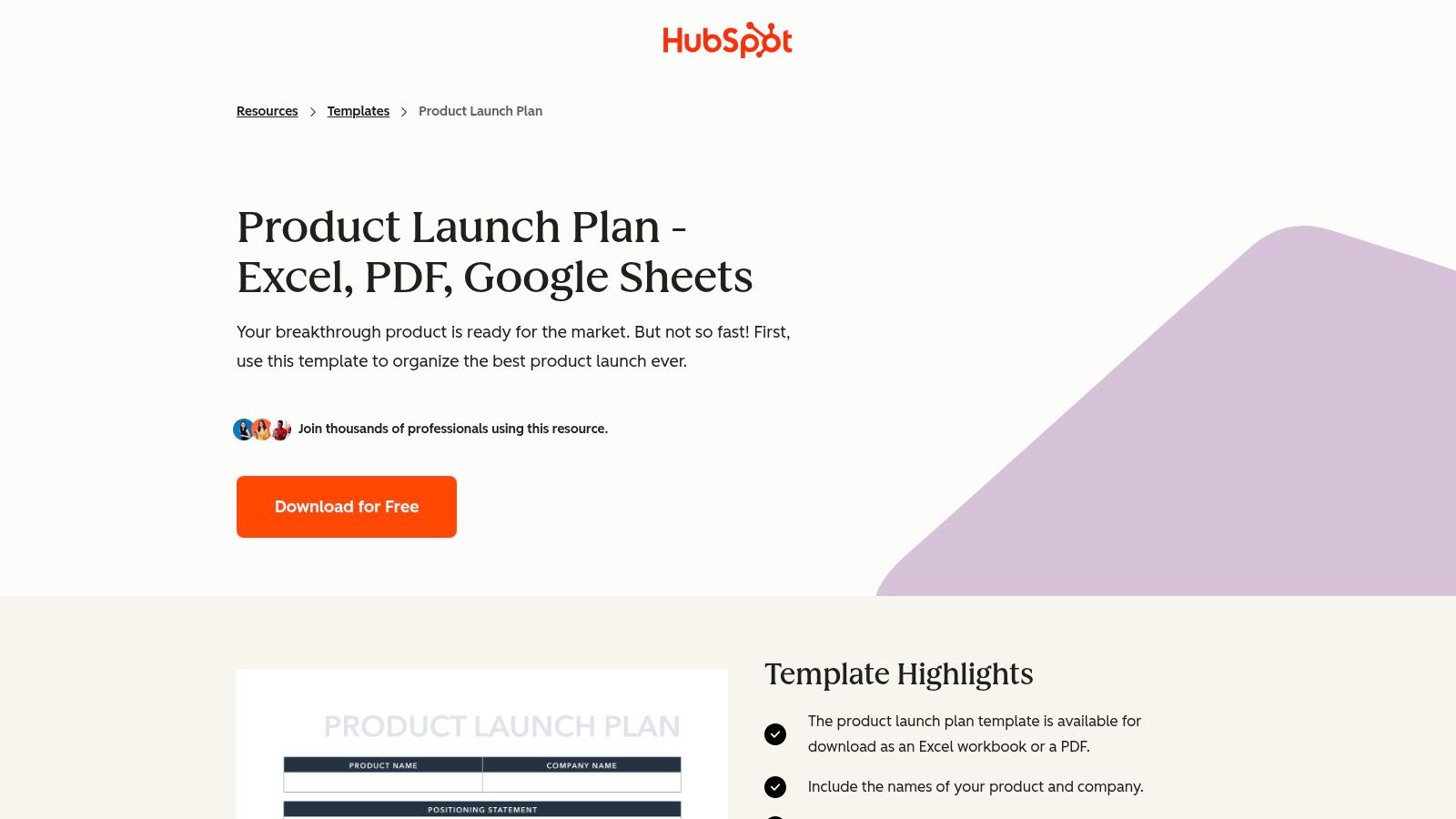
What makes this resource stand out is its simplicity and focus on foundational strategy. Instead of just listing tasks, it prompts you to think through critical pre-launch stages like positioning, competitive analysis, and key messaging. It acts as both a plan and a checklist, ensuring you don't just do the tasks, but you understand the why behind them.
Key Takeaway: HubSpot's template excels at forcing strategic alignment before you get lost in the weeds of execution. It’s a great starting point to make sure your entire team is on the same page about who you're selling to and why they should care.
How to Get the Most Out of HubSpot's Template
The real power of this template is using it as a foundational document. Download the Google Sheets version for easy collaboration.
- Step 1: Complete the Strategic Sections First. Before you even think about launch day tasks, fill out the "Positioning," "Audience," and "Messaging" tabs with your core team. This is a non-negotiable step.
- Step 2: Translate Strategy into Tactics. Use the "Distribution Plan" section to brainstorm specific channels. Don't just write "social media." Write "Announce on LinkedIn targeting VPs of Sales with 3 video testimonials."
- Step 3: Integrate with a More Dynamic Tool. This template is static. Once you’ve built your plan, transfer the actionable tasks into a project management tool or a more advanced checklist. For instance, you could use HubSpot's strategic framework to fill out the pre-launch phase of our own free product launch checklist at SaaS Operations, which is designed for dynamic task management and even offers AI analysis of your inputs.
Core Features and Access
| Feature | Details |
|---|---|
| Pricing | Completely free. |
| Access | Gated by a short form (name, email, etc.) to download the files. |
| Formats | Microsoft Excel, Google Sheets, PDF. |
| Content | Covers positioning, competitive analysis, messaging, and distribution. |
| Best For | Early-stage startups, first-time product managers, or teams needing a simple, shareable planning document. |
While HubSpot's template lacks built-in automation, its strategic prompts are invaluable. For those looking to connect these launch activities with a broader system, understanding how HubSpot's marketing automation works can help you bridge the gap between this static plan and a dynamic, automated launch engine.
Get the HubSpot Product Launch Plan
3. Asana
Asana, a powerhouse in project management, offers a dynamic and collaborative free product launch checklist through its template library. This isn't a static document; it's a fully functional project plan you can import directly into your workspace. It's the ideal choice for teams that need a living, breathing checklist with clear ownership, dependencies, and real-time progress tracking.
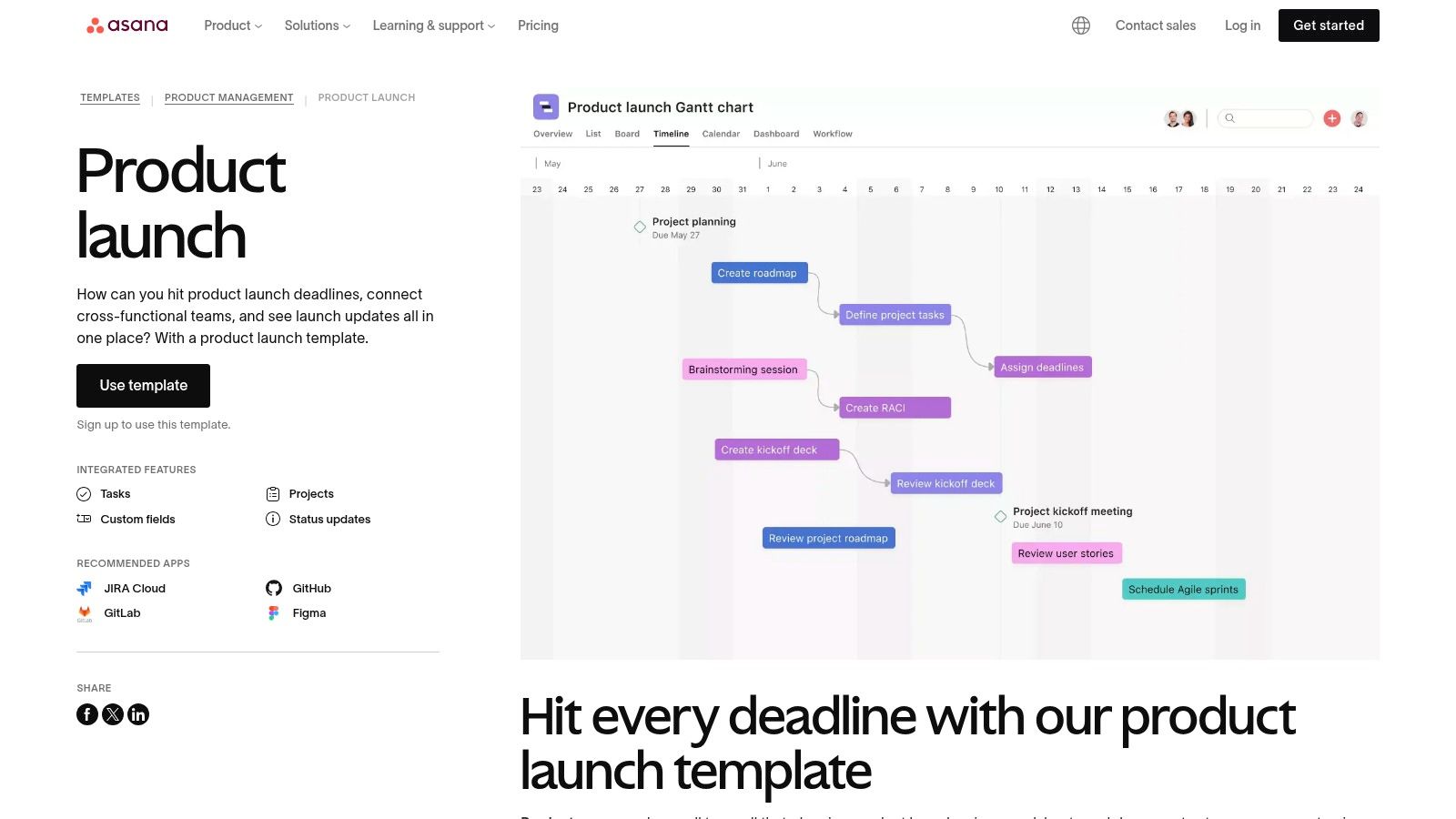
What makes Asana's template so effective is its focus on cross-functional collaboration. The pre-built sections cover everything from engineering sprints and marketing collateral to sales enablement and PR outreach. With views like Timeline (Gantt), Boards (Kanban), and Calendar, every team member can see the launch plan in the format that makes the most sense to them, while leadership gets a high-level overview of progress.
Key Takeaway: Asana’s template turns your product launch from a static list of to-dos into an interactive, multi-layered project. It excels at managing dependencies, ensuring that the marketing team doesn't launch a campaign before the product features are actually live.
How to Get the Most Out of Asana's Template
The template's real value is unlocked when you customize it to your team's specific workflow and integrate it into your daily operations.
- Step 1: Map Dependencies Immediately. Go to the Timeline view and use the dependency-linking feature. Drag and drop to connect tasks, so if one deadline slips, all subsequent tasks automatically adjust. This is crucial for avoiding launch day surprises.
- Step 2: Customize Fields for Your KPIs. Add custom fields to tasks for things like "Priority" (High, Medium, Low), "Launch Stream" (Marketing, Product, Sales), or "Budget." This allows you to filter and report on the launch plan with more granularity.
- Step 3: Supercharge with a Strategic Framework. Asana is brilliant for execution but light on initial strategy. Use a dedicated strategic tool, like our own free product launch checklist at SaaS Operations, to define your positioning, messaging, and goals. You can then copy the actionable tasks from our checklist (or use its AI analysis to generate them) directly into your Asana project to manage the day-to-day execution.
Core Features and Access
| Feature | Details |
|---|---|
| Pricing | Template is free. Requires a free or paid Asana account to use. |
| Access | Instant access within the Asana platform via their template library. |
| Formats | Interactive Asana project with List, Board, Timeline, and Calendar views. |
| Content | Covers cross-functional tasks for engineering, marketing, sales, and support. |
| Best For | Teams already using Asana, cross-functional groups needing high visibility, and complex launches with many moving parts. |
While Asana’s template provides the structure, you can make it even more powerful by automating status updates and notifications. Exploring how to automate repetitive tasks in Asana can significantly reduce the manual overhead of project management, freeing your team to focus on a successful launch.
Get the Asana Product Launch Template
4. ClickUp
For teams already embedded in a project management ecosystem, ClickUp’s free product launch checklist is a powerhouse. It's not just a downloadable file; it's a dynamic, one-click template that instantly integrates into your ClickUp Workspace. This approach transforms a static checklist into a living, breathing project plan with real-time tracking, assignments, and multiple views.
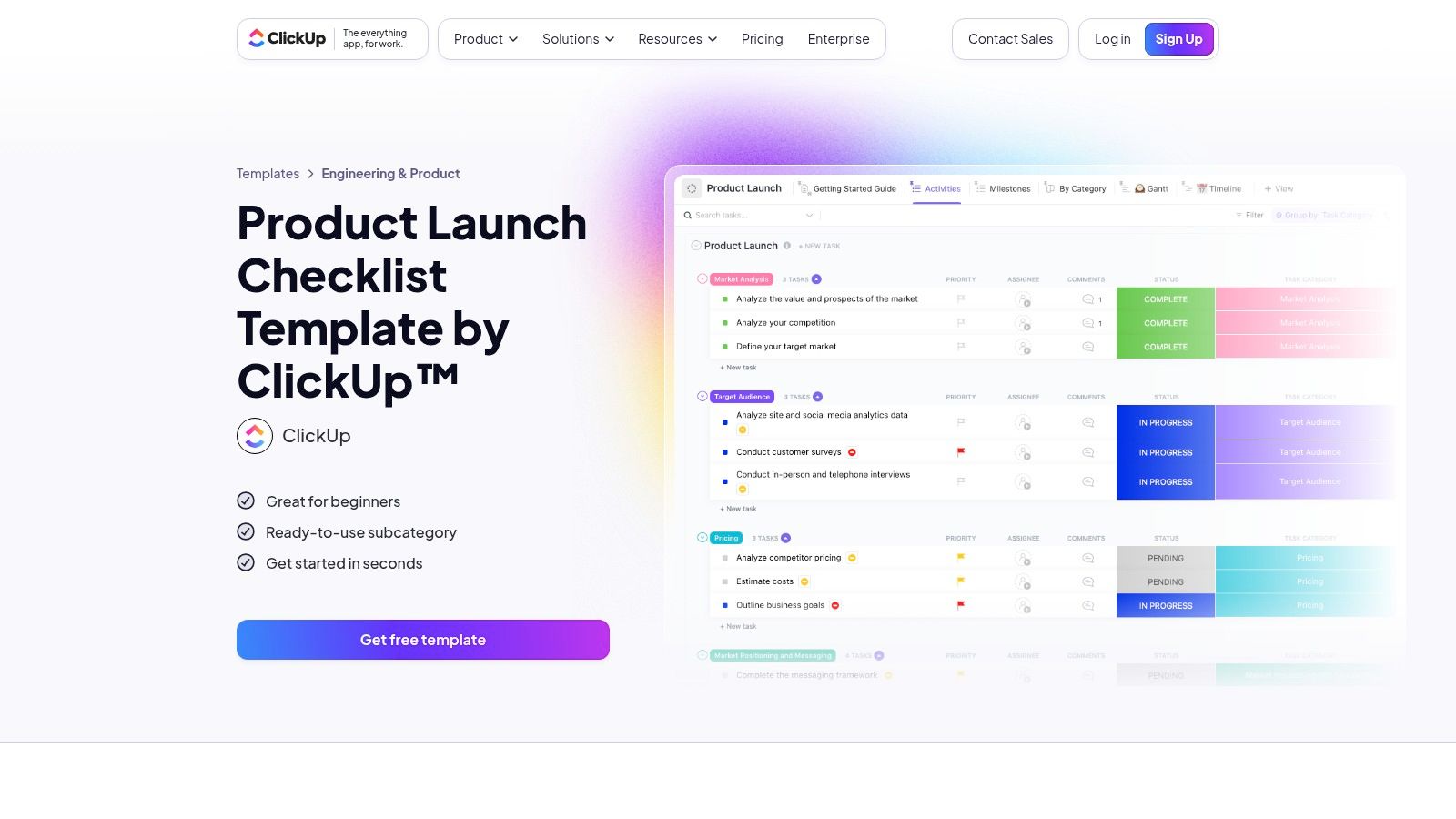
What sets ClickUp’s template apart is its out-of-the-box sophistication. It comes pre-loaded with custom statuses (e.g., "In Progress," "In Review"), key milestones, and custom fields to track things like budget or priority. It’s designed for cross-functional collaboration, allowing marketing, product, and engineering teams to work from a single source of truth without endless email chains.
Key Takeaway: ClickUp's template is built for action and visibility. It’s the ideal solution for teams that need to go beyond a simple to-do list and manage dependencies, timelines, and team workloads within a single, powerful platform.
How to Get the Most Out of ClickUp's Template
The template's real value is unlocked by customizing it to your specific launch motion and team structure.
- Step 1: Customize Statuses and Fields. Immediately after loading the template, tailor the statuses to match your workflow. Add custom fields that are critical to your launch, such as "Target Persona," "Key Messaging Pillar," or "Associated KPI."
- Step 2: Leverage Different Views. Don't just stay in the default List view. Switch to the Gantt or Timeline view to visualize dependencies and identify potential bottlenecks. Use the Calendar view to coordinate marketing beats with engineering releases.
- Step 3: Build Automations. On paid plans, you can automate repetitive tasks. For example, create a rule that automatically assigns a task to the head of marketing for review once its status is changed to "Ready for Approval." This small step saves hours of manual follow-up.
Core Features and Access
| Feature | Details |
|---|---|
| Pricing | The template is free, but requires a ClickUp account. The free plan is generous, with paid tiers for advanced features. |
| Access | Instant access via a "Use Template" button on their website, which adds it directly to your Workspace. |
| Formats | An interactive, web-based template within the ClickUp platform. |
| Content | Includes pre-built tasks, milestones, custom statuses, and multiple project views (List, Gantt, Timeline). |
| Best For | Growing SaaS teams, agile development environments, and anyone who needs a dynamic, collaborative launch plan. |
While ClickUp is fantastic for managing the execution phase, it's less focused on initial strategy creation. A powerful workflow is to use a strategic planner first and then port the actionable tasks into ClickUp. For instance, you could build your high-level strategy in our free product launch checklist at SaaS Operations, use its AI analysis to refine your plan, and then use ClickUp to manage the day-to-day execution of that strategy.
Get the ClickUp Product Launch Checklist Template
5. Airtable
Airtable takes a dual-pronged approach, offering both a detailed article on building a product launch plan and a powerful, free base template to implement it. This isn't just a static document; it's a relational database disguised as a user-friendly spreadsheet. It’s the ideal free product launch checklist for teams who want a "single source of truth" that can evolve from a simple task list into a comprehensive launch command center.
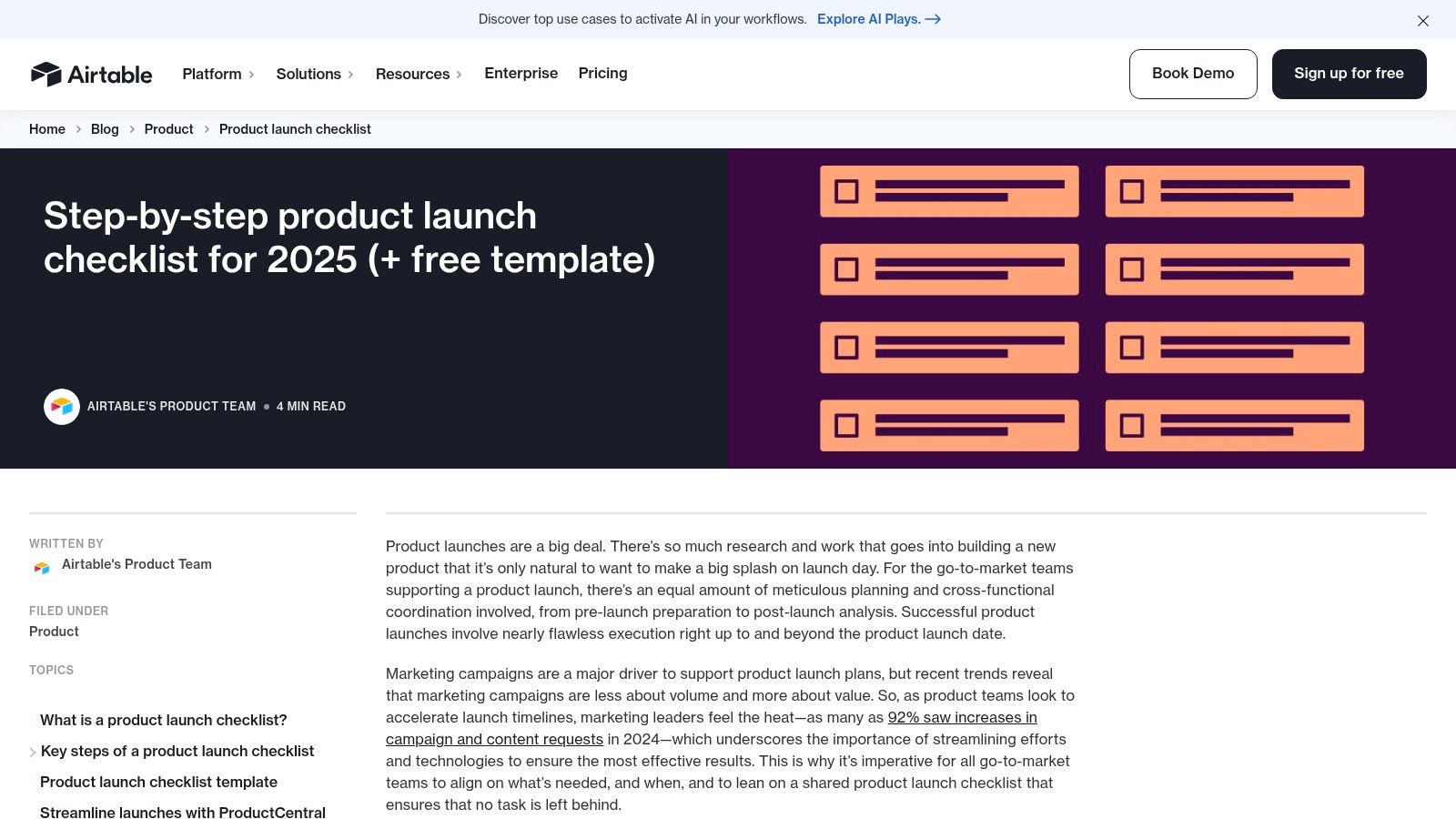
What makes Airtable’s offering unique is its scalability. You start with a structured checklist covering everything from market research and persona development to sales enablement and post-launch debriefs. But unlike a simple spreadsheet, each task can be linked to team members, assets, and goals, allowing you to build custom views, timelines, and even dashboards as your launch complexity grows.
Key Takeaway: Airtable excels at being both a simple checklist and a scalable project hub. It’s perfect for teams that want to start with a clear, guided process but need the flexibility to create custom reports and views without switching tools.
How to Get the Most Out of Airtable's Template
The template's power lies in its relational database capabilities. Use its structure to connect the dots between strategy and execution.
- Step 1: Customize Your Views. Don't stick with the default grid view. Create a Kanban board view to track task progress visually, a calendar view for key deadlines, and a timeline view (Gantt chart) to see dependencies between pre-launch and launch day activities.
- Step 2: Link Records for a Cohesive Plan. Use Airtable's linking feature to connect tasks to specific team members, marketing assets (like ad creatives or blog posts), and target customer personas. This creates a clear web of accountability and context.
- Step 3: Build a Simple Launch Dashboard. As you get comfortable, use Airtable's Interfaces feature to build a high-level dashboard. You can pull in charts showing task completion rates or filterable lists of all tasks assigned to the marketing team. For more advanced tracking, you can check out these SaaS metrics dashboard examples for inspiration on what to visualize.
Core Features and Access
| Feature | Details |
|---|---|
| Pricing | Free to use the template (requires a free Airtable account). |
| Access | Instant access to the template base via the Airtable website. |
| Formats | Interactive Airtable base (database). |
| Content | Covers pre-launch (research, messaging), launch (GTM, QA), and post-launch (support, debrief). |
| Best For | Growing teams, product marketing managers, and anyone wanting a checklist that can scale into a full project management tool. |
While Airtable offers incredible flexibility, it requires a bit of a learning curve to unlock its full potential. For teams who want a ready-to-use dynamic checklist without the setup, our own free product launch checklist at SaaS Operations provides a pre-built, interactive experience with phase-by-phase tasks and even offers AI analysis of your inputs.
Get the Airtable Product Launch Template
6. Smartsheet
Smartsheet offers a treasure trove for product managers and marketers by curating a hub of free product launch checklist templates. Instead of a single, rigid plan, they provide a collection of downloadable resources like marketing plans, software launch Gantt charts, and 30/60/90-day plans. This is the ideal destination for teams who prefer to assemble their launch documentation from various battle-tested components using familiar tools like Excel or Google Sheets.
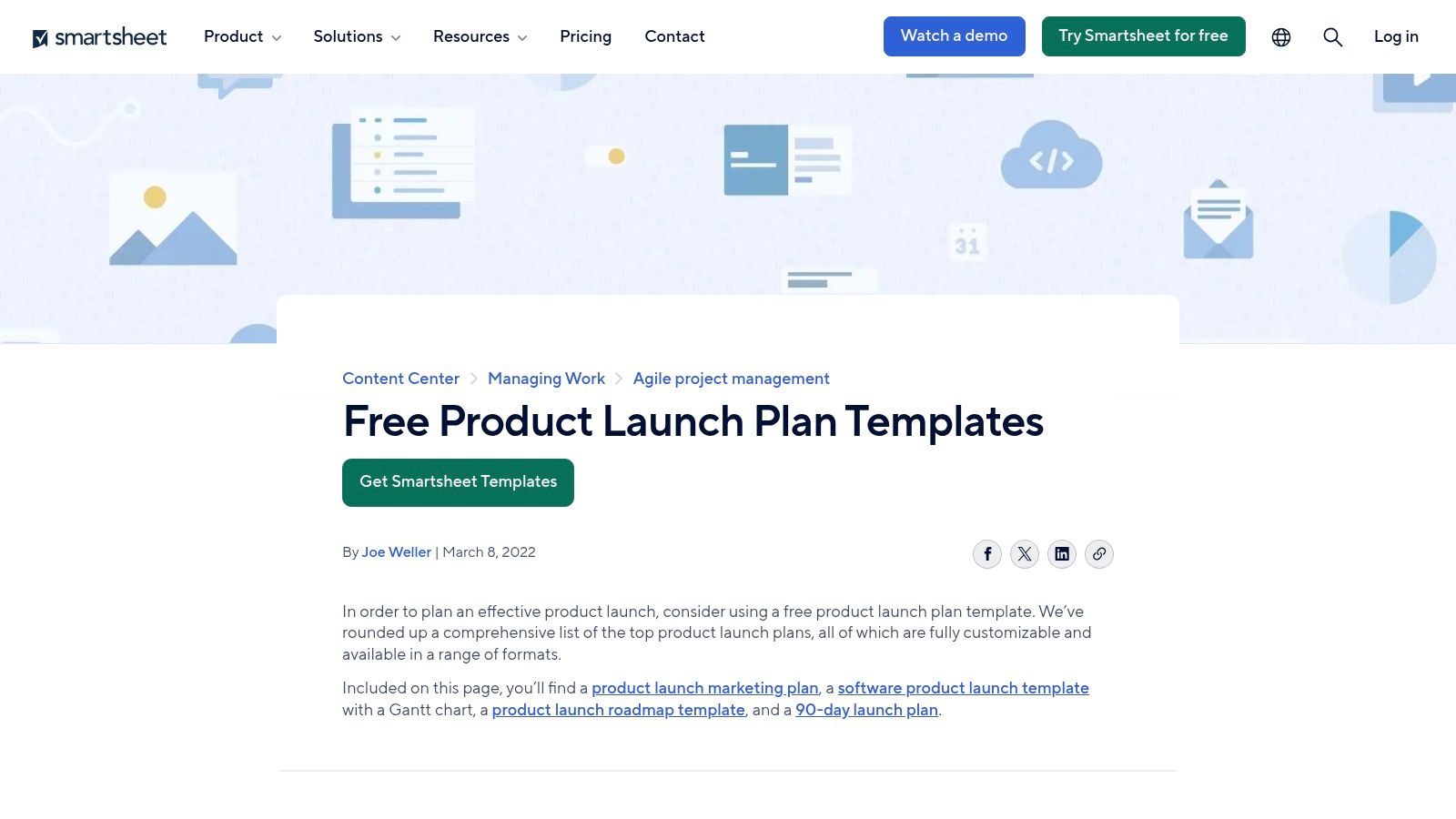
What makes the Smartsheet hub unique is its sheer variety and accessibility. You can cherry-pick the exact document you need, whether it's a high-level PowerPoint deck for stakeholders or a granular Gantt chart for the engineering team. Most templates are available for direct download without creating an account, making it a frictionless way to grab what you need and get back to work.
Key Takeaway: Smartsheet is less a single checklist and more a library of launch components. It's perfect for building a custom launch plan by combining different specialized templates, allowing you to tailor your documentation to different teams and stakeholders.
How to Get the Most Out of Smartsheet's Templates
The best way to use Smartsheet's resources is to think like an architect, not just a builder. You're assembling a comprehensive blueprint for your launch.
- Step 1: Download the Core Trio. Start by grabbing three key files: the Product Marketing Launch Plan, the Software Product Launch Gantt Chart, and the Go-to-Market Strategy template. These three cover your strategic, tactical, and timeline needs.
- Step 2: Consolidate into a Master Checklist. Don't try to manage your launch across five different spreadsheets. Pull the key tasks, dependencies, and owners from each downloaded template into a single, master plan.
- Step 3: Upload to a Centralized, Dynamic Tool. Static files are great for planning but poor for execution. Transfer your consolidated tasks into a collaborative tool like our own free product launch checklist at SaaS Operations. This allows you to assign owners, track progress in real-time, and even use our AI analysis to spot potential risks in your plan.
Core Features and Access
| Feature | Details |
|---|---|
| Pricing | Completely free. |
| Access | Most templates are ungated. Some pages have a "Continue to my download" link to bypass a trial offer. |
| Formats | Microsoft Excel, Google Sheets, Word, PDF, PowerPoint. |
| Content | Includes Gantt charts, marketing plans, GTM strategies, roadmaps, and more. |
| Best For | Teams that want to build a custom launch plan from multiple specialized templates without adopting a new platform. |
While the individual files from Smartsheet lack the collaborative features of a dedicated platform, their quality and variety are top-notch. They provide the perfect raw material for crafting a truly comprehensive and customized product launch plan.
Get the Smartsheet Product Launch Templates
7. Notion
Notion has become the de facto operating system for many startups, so it's no surprise they offer a fantastic free product launch checklist structured as a "Product Launch Brief" template. This isn't just a list of tasks; it's a dynamic, centralized document designed to live inside the ecosystem your team already uses. It’s perfect for those who want a single source of truth that combines high-level strategy with granular task management.
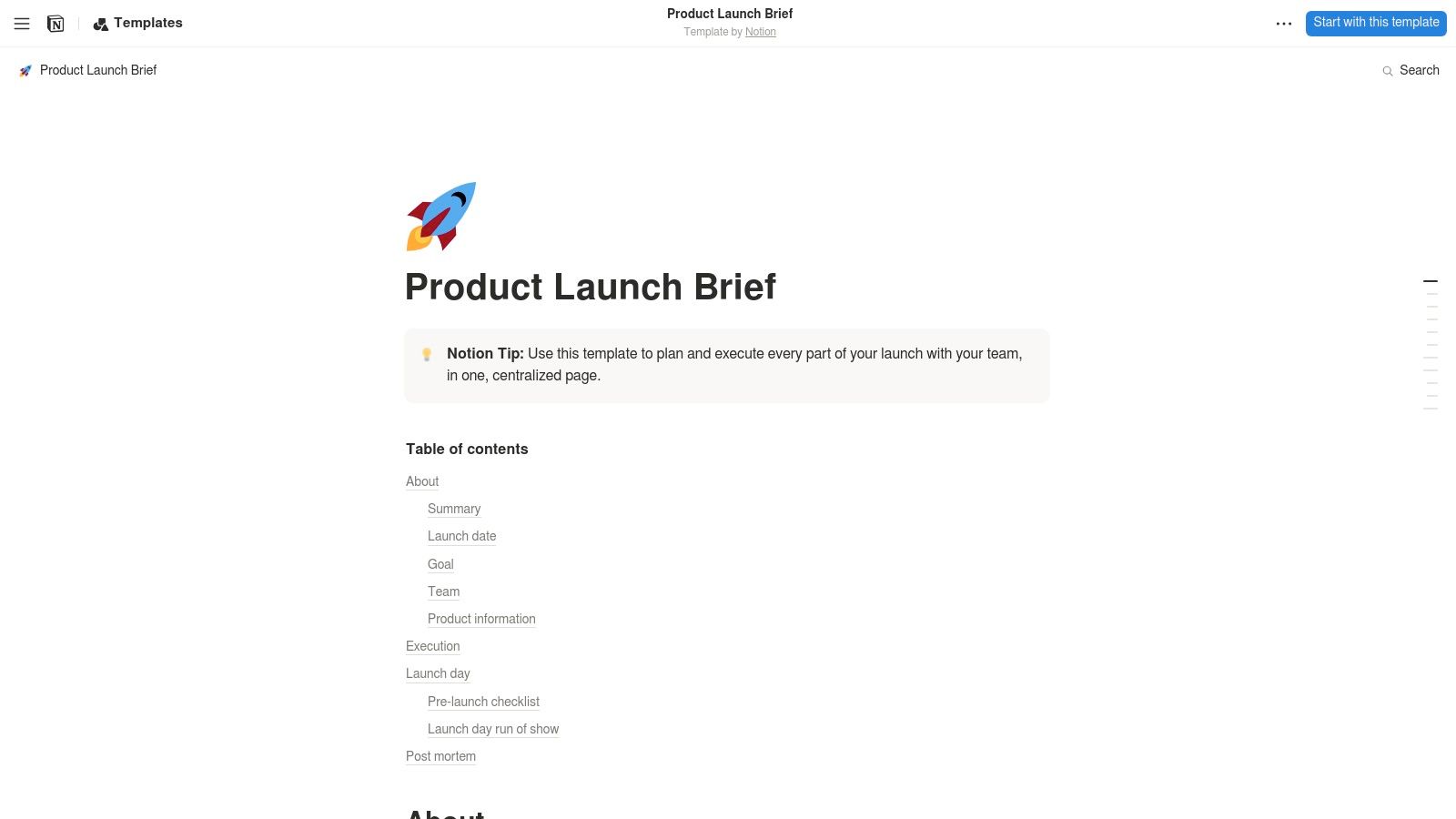
What makes the Notion template so powerful is its blend of narrative and action. It guides you to define the launch summary, goals, team roles, and key dates, creating essential context for stakeholders. This brief then serves as the foundation upon which you can build out detailed task lists, link to design assets, embed Loom videos, and connect to other project databases within your Notion workspace.
Key Takeaway: Notion’s template excels at creating a living document that aligns your entire company. It moves beyond a static checklist to become a collaborative hub where the story of the launch and the tasks to get there coexist.
How to Get the Most Out of Notion's Template
The true value of this template is unlocked by leveraging Notion's interconnectedness. Simply duplicating it isn't enough; you need to integrate it.
- Step 1: Duplicate and Centralize. The first step is to duplicate the template into your team’s workspace. Immediately link to it from your marketing, product, and engineering homepages so it becomes the go-to resource for any launch-related questions.
- Step 2: Connect to Your Task Database. Don't manually list tasks in the template. Instead, create a filtered view of your master tasks database directly on the launch brief page. Filter by the "Launch" epic or project tag to pull in real-time tasks and statuses.
- Step 3: Embed Everything. Use Notion’s embed functionality to bring everything into one place. Embed Figma files for design mockups, Google Docs for copy, and Loom videos for product demos. This turns the brief into a comprehensive dashboard, reducing context switching for your team and making your business process documentation come alive.
Core Features and Access
| Feature | Details |
|---|---|
| Pricing | Completely free to duplicate. |
| Access | Requires a free or paid Notion account to use the template. |
| Formats | Native Notion document. |
| Content | Covers launch summary, goals, team roles, dates, and product info. |
| Best For | Teams already using Notion, startups that need a single source of truth, and launches requiring heavy cross-functional collaboration. |
While Notion's template is incredibly flexible, its strength lies in documentation and context. For a more structured, step-by-step launch process, you can use this brief as your strategic foundation and then populate the tactical items into our free product launch checklist at SaaS Operations, which is built for dynamic task management and even provides AI-driven analysis on your launch plan.
Get the Notion Product Launch Brief Template
Free Product Launch Checklist — 7-Tool Comparison
| Tool | Implementation Complexity 🔄 | Resources & Setup ⚡ | Expected Outcomes ⭐📊 | Ideal Use Cases | Key Advantages 💡 |
|---|---|---|---|---|---|
| SaaS Product Launch Checklist Generator (Free Tool) | Low — web form, no setup | Minimal — browser only, free | ⭐⭐⭐⭐ — tailored, prioritized checklist; faster alignment | Small–mid SaaS teams, first-time or repeatable launches | Free, instant, operator-tested roadmap; highly actionable |
| HubSpot (Product Launch Plan) | Low — download static file | Low — download (email gate), works offline | ⭐⭐⭐ — clear plan for positioning & messaging, no automation | Teams wanting a straightforward fill‑in plan without new apps | Multi-format (Excel/Sheets/PDF); guided prompts |
| Asana (Template) | Medium — requires account; project setup | Medium — account; some features may need paid tier | ⭐⭐⭐⭐ — collaborative tracking, dependencies, status reporting | Cross-functional teams needing real‑time coordination | Multiple views (Timeline/Boards), dependencies, reporting |
| ClickUp (Template) | Medium — one‑click add, workspace config | Medium — account; generous free plan; automations on paid tiers | ⭐⭐⭐⭐ — flexible for simple → complex launches; good tracking | Teams needing customization, milestones, and automations | Custom fields, milestones, Gantt, automations |
| Airtable (Template + Guide) | Medium‑High — relational base & dashboards | Medium — account; initial learning for advanced views | ⭐⭐⭐⭐ — scales to dashboards and reporting; structured data | Teams wanting a launch hub with reporting and relational data | How‑to guidance + scalable bases, custom views, reporting |
| Smartsheet (Download Hub) | Low — downloadable templates, no platform adoption | Low — ungated downloads (Excel/PPT/etc.), minimal setup | ⭐⭐⭐ — broad template variety; manual collaboration required | Teams preferring editable docs/spreadsheets and exec decks | Fast access to many formats; good for executive reporting |
| Notion (Launch Brief) | Low‑Medium — duplicate template into workspace | Low — Notion account; add databases for advanced flows | ⭐⭐⭐⭐ — combines narrative + checklist; single source of truth | Startups/small teams using Notion for docs + task tracking | Blends documentation with task tracking; embeds & links |
Stop Launching on a Prayer. Start Launching with a Process.
Launching a SaaS product can feel like navigating a minefield blindfolded. There are a million moving parts, dozens of dependencies, and the constant pressure to hit your numbers. As we've seen, the difference between a launch that fizzles and one that flies isn't luck; it's a repeatable, battle-tested process.
We've walked through a lineup of powerful tools, from project management powerhouses like Asana and ClickUp to flexible databases like Airtable and Notion. Each offers a unique way to wrangle the chaos of execution. HubSpot can centralize your go-to-market efforts, while Smartsheet provides a structured, enterprise-ready framework. But here's the critical takeaway: a tool is only as good as the plan you feed it. Without a solid strategic foundation, even the most advanced software is just a fancy to-do list.
The foundation of any great launch is a solid plan. A comprehensive checklist ensures nothing is forgotten, aligns your entire team, and transforms chaotic sprints into predictable wins. It’s the difference between reactive fire-fighting and proactive execution.
Your Actionable Next Steps: From Checklist to Launchpad
So, what now? Don't let this be just another article you read and forget. It's time to build your launch machine.
-
Stop Starting from Scratch: Your first move shouldn't be to open a blank spreadsheet. The fastest way to build your launch foundation is with our free product launch checklist generator. It’s not a generic template; it’s a dynamic tool that creates a customized plan based on your specific launch type, team structure, and goals, leveraging frameworks that have scaled multiple SaaS companies to 8-figures.
-
Get an AI-Powered Sanity Check: After generating your checklist, take advantage of the AI analysis feature. It will review your inputs to help you spot potential risks, uncover hidden opportunities, and stress-test your strategy before you write a single line of code or create one piece of marketing content.
-
Choose Your "Execution Layer": With your strategic plan in hand, revisit the tools we discussed. Your choice becomes much clearer when you know what you need to manage.
- Need deep CRM integration and a single source of truth for GTM? HubSpot is your answer.
- Is your team already living in a project management tool? Choose Asana or ClickUp for seamless integration into existing workflows.
- Do you need ultimate flexibility and custom databases? Airtable or Notion will be your best friends.
-
Automate the Grind: Look for opportunities to automate repetitive tasks within your chosen tool. Set up triggers for status updates, notifications for missed deadlines, and automated reporting. To streamline your pre-launch marketing efforts and reduce the 'grind' of content creation, leveraging modern solutions can be incredibly beneficial. Consider exploring AI social media content creation tools to generate high-quality social posts, blog ideas, and ad copy, freeing up your team to focus on strategy instead of execution.
A successful launch isn't a singular event. It's the result of a well-oiled operational system. By combining a strategic, customized checklist with the right execution tool, you’re not just planning a launch; you’re building a repeatable engine for growth. Stop launching on a prayer and start operating with a playbook.
Ready to move beyond checklists and build a truly scalable operating system for your entire company? At SaaS Operations, we provide the playbooks, templates, and frameworks you need to turn chaos into clarity. Explore our full suite of resources at SaaS Operations and build the calm, profitable company you've always wanted.