12 Best Free Feature Prioritization Tools for SaaS Operators in 2025
 Published By: Alex
November 28, 2025
Published By: Alex
November 28, 2025
Building a SaaS product is a constant battle against the backlog. Every customer request, brilliant idea, and competitive threat screams for attention. How do you decide what to build next without just going with your gut or listening to the loudest voice in the room? The answer is a repeatable, data-informed process, powered by the right tool.
You don't need to break the bank to get started. We've seen countless SaaS operators get bogged down by analysis paralysis or, worse, build features nobody wants. This guide cuts through that noise. We're not just listing tools; we're giving you the playbook to find the best feature prioritization tool free for your specific stage and team structure.
We'll dive into 12 excellent free options, showing you exactly how to integrate them into your operations with real-world examples from seasoned operators. You'll see which tools are simple drag-and-drop templates versus which are dedicated platforms, their key limitations, and who they’re truly built for. For additional assistance in structuring your prioritization efforts, explore these free product roadmap templates, many of which are compatible with the tools mentioned in this guide. By the end of this list, you'll have a clear, actionable plan to make smarter, faster roadmap decisions.
1. Atlassian – Jira Product Discovery (JPD)
If your engineering team is already living inside Jira, then Atlassian’s Jira Product Discovery (JPD) is a no-brainer for your next feature prioritization tool free of charge. It’s designed to bridge the often-chaotic gap between product discovery and delivery, turning scattered ideas into a structured, prioritized backlog that flows directly into development sprints. JPD acts as a central hub where product managers can capture insights from various sources, create a backlog of ideas, and then systematically score them.
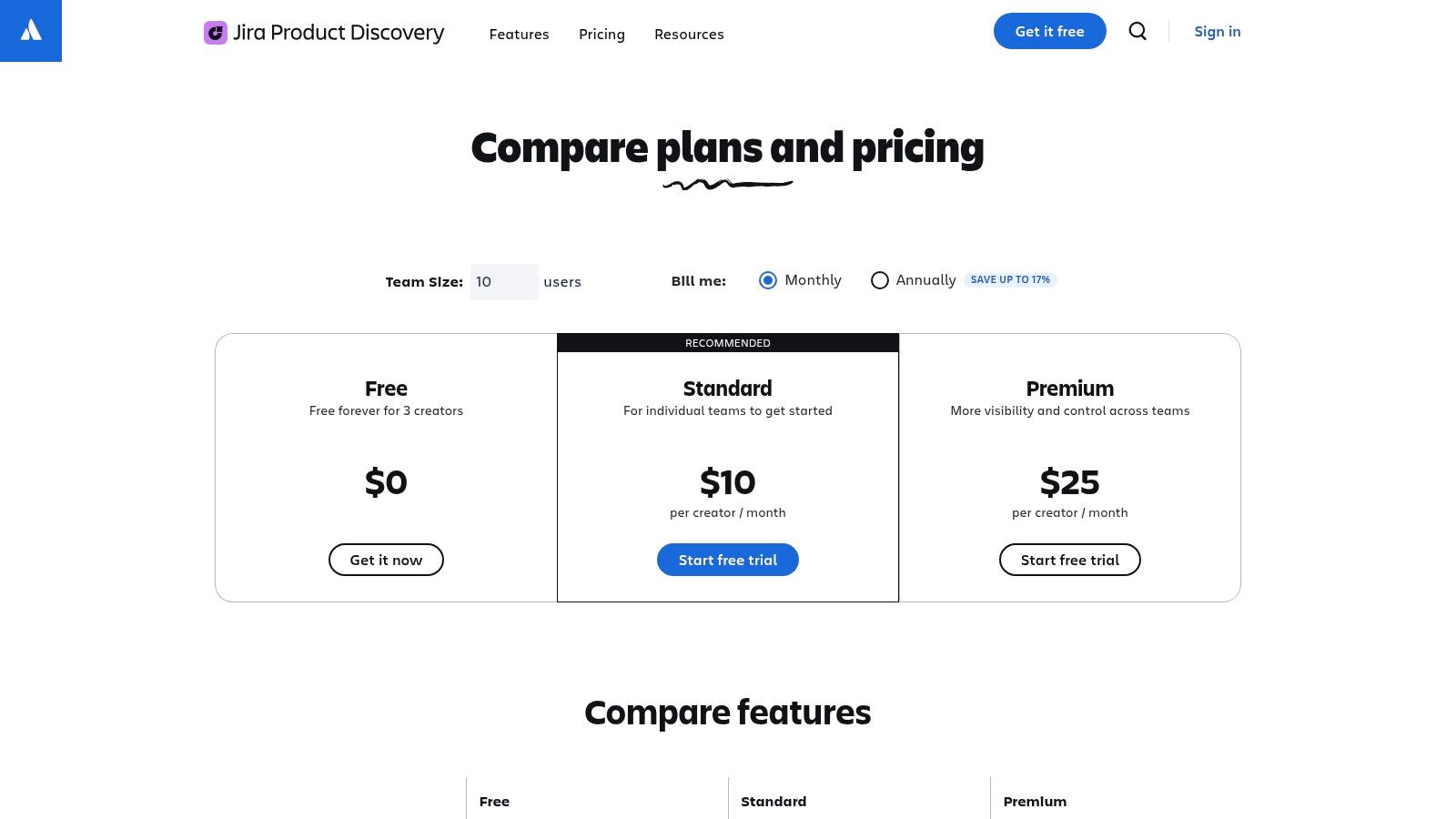
What makes it stand out is its native integration with the Atlassian ecosystem. You're not just prioritizing in a vacuum; you're doing it right next to the work queue. This seamless handoff is a huge win for SaaS operations, eliminating the friction of exporting data from one tool to another.
Key Features & Limitations
-
Pros: The free tier is genuinely useful for small teams, offering up to 3 "creators" (users who can add and edit ideas) and unlimited "contributors" (stakeholders who can view, comment, and vote). Its built-in scoring for RICE/ICE and custom frameworks is robust and easy to configure.
-
Cons: The free plan has limitations on storage and the number of creators. Its true power is unlocked when your entire organization uses Jira, which can make it a less ideal fit for teams using other project management software.
Actionable Playbook for SaaS Ops
To get started quickly, create a custom "SaaS Operations Scorecard" view within JPD. Actionable Step: Add custom fields for "Impact on MRR" (as a dollar value), "Reduces Churn by X%" (as a percentage), and "Improves LTV" (as a multiplier). This aligns your feature prioritization directly with key SaaS KPIs. A B2B SaaS operator we work with uses this exact view to give their finance and ops teams a direct, real-time look into how product decisions are driving financial outcomes. You can find more details in our complete guide to feature prioritization tools at SaaS Operations.
2. Productboard – Starter (free)
If you're aiming for a customer-centric approach to product development, Productboard’s Starter plan is a powerful feature prioritization tool free of charge. It excels at connecting raw customer feedback directly to the features you’re building. Productboard serves as a central "insights repository," allowing you to funnel feedback from support tickets, sales calls, and surveys into one place, and then link that evidence to specific feature ideas. This creates a clear, evidence-based trail for every decision.
What makes it unique is its ability to quantify customer demand. Instead of just guessing, you can see exactly which features are requested by your highest-value customers. This direct link between feedback and prioritization helps ensure you’re not just building cool features, but features that customers will actually pay for and use.
Key Features & Limitations
-
Pros: The free Starter plan is perfect for small teams wanting to adopt a structured, feedback-driven process. It includes core prioritization fields and excellent integrations with development tools like Jira, GitHub, and Slack, connecting the discovery and delivery phases seamlessly.
-
Cons: The free tier has significant limitations, such as a cap on feedback notes you can process and a lack of advanced automation. More sophisticated prioritization frameworks and reporting capabilities are reserved for paid plans, which can feel restrictive as you scale.
Actionable Playbook for SaaS Ops
Actionable Step: Use the "Insights" feature to create a feedback channel dedicated to churn reasons. Instruct your CS team to tag notes from exit surveys or support conversations with a "Churn Risk" tag. When you link these insights to feature ideas, you can create a "Churn Reduction Score" for each potential feature. A SaaS client in the HR tech space used this playbook to discover that 20% of their churn was related to a missing integration. Building it became their top priority and cut churn by 5% the next quarter. For more details, visit the official Productboard pricing page.
3. Canny
If you're looking to build a transparent, customer-driven roadmap, Canny is the gold standard. It excels at closing the loop between user feedback and development by turning customer requests into a powerful, data-rich backlog. This feature prioritization tool free tier offers a fantastic starting point, allowing you to create public or private feedback boards where users can post ideas, vote on existing ones, and comment. It's designed to give you a clear, quantitative signal of what your customers actually want.
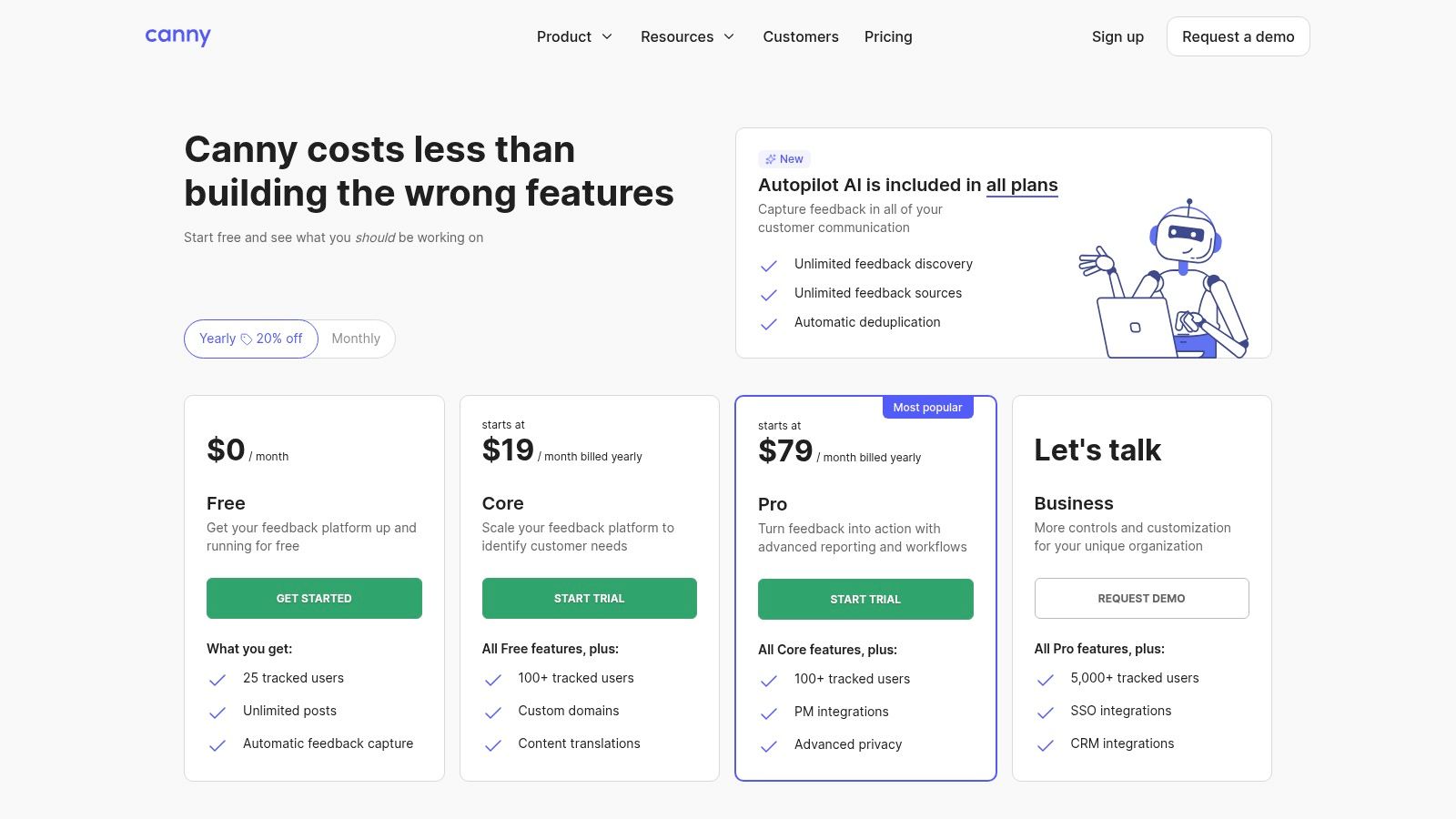
What makes Canny special is its simplicity and focus. Unlike more complex project management tools, it does one thing exceptionally well: it captures, organizes, and prioritizes customer demand. The built-in public roadmap and changelog features are included on all plans, letting you showcase your progress and keep users engaged from idea submission to launch.
Key Features & Limitations
-
Pros: It’s incredibly fast to set up a credible and professional feedback loop. The free plan is great for early-stage SaaS companies to start collecting and organizing user requests without any initial investment.
-
Cons: The free plan is capped at 25 tracked users, which means you'll quickly need to upgrade as your user base grows. Advanced features like user segmentation, deep analytics, and automation are locked behind paid plans.
Actionable Playbook for SaaS Ops
For SaaS operations, Canny can be a goldmine for identifying churn risks and expansion opportunities. Actionable Step: When setting it up, create separate boards for "Bug Reports," "Feature Ideas," and "Integrations." Link customer accounts to their feedback. Then, use the vote count as a raw metric for your prioritization scorecard, but multiply it by the customer's ARR. A feature requested by 10 high-ARR customers now holds more weight than one requested by 100 free-tier users. This simple formula, which Canny's paid plans automate, can be done manually in a spreadsheet to immediately focus your roadmap on revenue. You can find more details at Canny's pricing page.
4. Miro – RICE Prioritization Template
If your team thrives on visual collaboration and workshops, then using Miro’s RICE template is an incredibly effective feature prioritization tool free of charge. Instead of a rigid, database-style tool, Miro offers a flexible, infinite canvas where you can run a full prioritization session. It’s perfect for turning a brainstorming mess into a structured, scored, and visually organized roadmap of ideas. The template comes with a pre-built table that automatically calculates the RICE score, taking the manual math out of the equation.
What makes Miro’s approach stand out is its context-rich environment. You aren't just scoring features on a spreadsheet; you can attach user research notes, paste in mockups, link to customer feedback tickets, and draw connections between ideas directly on the board. This turns the prioritization exercise into a collaborative storytelling session, which is fantastic for getting buy-in from stakeholders across design, engineering, and marketing.
Key Features & Limitations
-
Pros: The template is brilliant for live or asynchronous workshops, allowing team members to contribute and score features collaboratively. It requires almost no setup, as the RICE formula is built-in. Its visual nature makes complex trade-offs easier to discuss and understand.
-
Cons: The free Miro plan is limited to three editable boards, which can be a constraint for ongoing projects. It's not a dedicated product management system, so you'll need to pair it with a task tracker like Jira or Asana to manage the actual development work.
Actionable Playbook for SaaS Ops
Actionable Step: Use this template as the foundation for your quarterly roadmap planning workshop. Before the meeting, create a "Parking Lot" section on the board and ask all department heads to add their feature requests with supporting data (e.g., support ticket volume, potential MRR impact from Salesforce). During the session, collaboratively drag these into the RICE scoring table. A B2B marketing SaaS we advise uses this exact process to force their sales and marketing teams to bring data, not just opinions, to planning meetings. This creates a transparent, data-informed discussion that directly links operational pain points and growth opportunities to the engineering backlog. Learn more at the official Miro RICE template page.
5. FigJam (Figma) – RICE Prioritization Template
For product and design teams already collaborating in Figma, using a FigJam template is the most organic way to find a feature prioritization tool free of charge. Instead of adopting a separate platform, teams can leverage FigJam's RICE Prioritization Template to visually and collaboratively score ideas. It turns prioritization into an interactive workshop, where stakeholders can add sticky notes for features, vote with stamps, and see scores calculate in real-time.
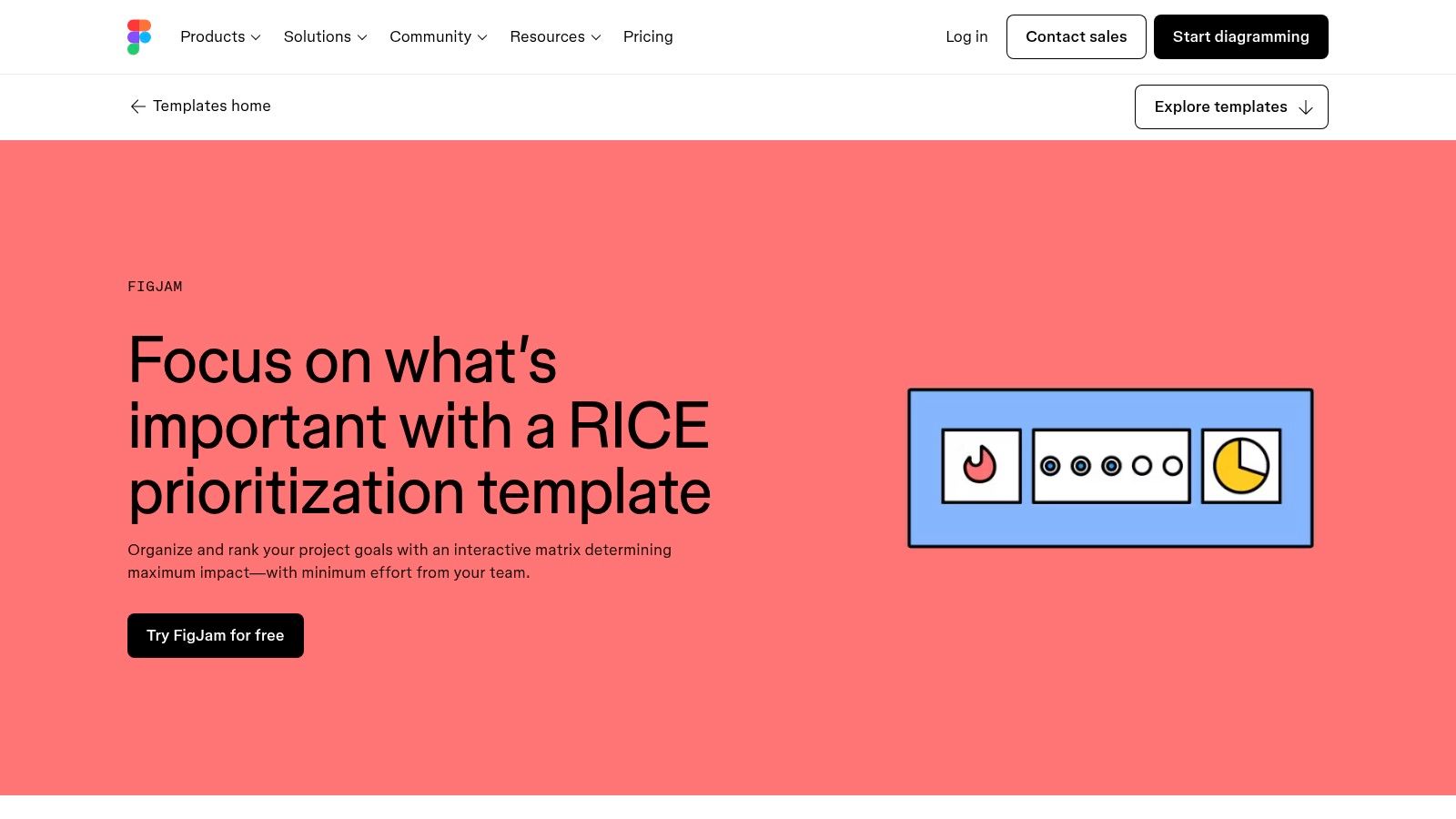
What makes this approach stand out is its seamless integration with the design workflow. Ideas can be directly linked to Figma designs, giving context that a standalone tool can't match. It’s perfect for early-stage discovery and alignment before features are formalized into a backlog, keeping the creative and strategic conversations in one fluid space.
Key Features & Limitations
-
Pros: The free FigJam plan is generous and makes this template instantly accessible. It’s incredibly intuitive for anyone familiar with Figma, encouraging real-time participation from designers, PMs, and engineers without a learning curve. The visual, collaborative nature makes prioritization sessions more engaging.
-
Cons: This is a template, not a system. It lacks the structure of a dedicated product management tool, meaning you'll need a manual process to transfer prioritized items into a delivery tool like Jira or Asana. It’s not built for tracking features over time.
Actionable Playbook for SaaS Ops
Actionable Step: Use this template during your quarterly or monthly planning rituals. Create a dedicated FigJam board titled "Q3 Feature Prioritization Workshop." Invite cross-functional leads from marketing, sales, and customer success to a timed, 60-minute session. Assign each person a different colored sticky note to add their proposed features, then use the built-in voting feature for a 5-minute silent vote to gather initial sentiment. This avoids groupthink before breaking into a detailed RICE scoring discussion. This visual method ensures operational leaders feel heard and understand the final roadmap priorities. You can find the template on the Figma Community page.
6. Lucid (Lucidspark) – RICE Prioritization Matrix
If your prioritization process feels more like a collaborative workshop than a silent, solo activity, then Lucid’s RICE Prioritization Matrix template is a fantastic feature prioritization tool free of the usual constraints. Rather than being a rigid system, Lucidspark and Lucidchart offer a visual, freeform canvas where teams can map out ideas, discuss context, and then score features together in real-time. It’s ideal for turning a messy brainstorming session into an organized, actionable plan.
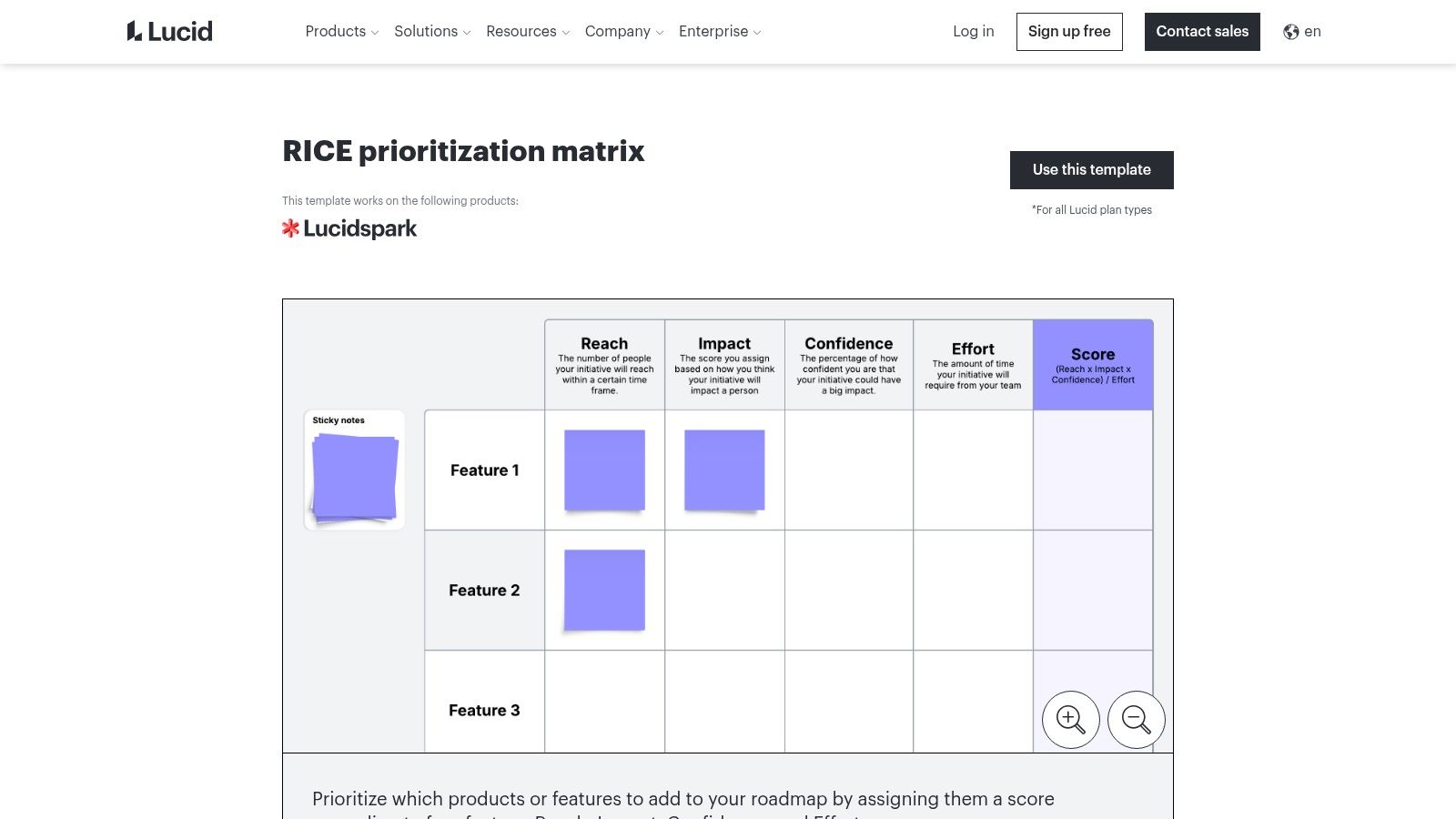
What makes Lucid stand out is its ability to combine quantitative scoring with qualitative context. You’re not just assigning numbers to features; you can attach user flow diagrams, system architecture maps, or sticky notes with customer feedback directly to each idea. This creates a much richer, more holistic view of your product roadmap that a simple spreadsheet or list can’t match.
Key Features & Limitations
-
Pros: The RICE template is available on Lucid's free plan, making it highly accessible. It excels at combining prioritization with visual artifacts like user journey maps and process flows, providing critical context for decision-making.
-
Cons: It’s a manual process. Unlike dedicated product management tools, you have to connect it to your backlog yourself unless you set up an integration. It's not a complete product operations system on its own, but rather a powerful workshop and visualization aid.
Actionable Playbook for SaaS Ops
Actionable Step: Use Lucid’s canvas to run a prioritization workshop with cross-functional stakeholders. Before the meeting, have each department (e.g., Sales, Support, Engineering) add their top feature requests as cards on the board and link them to supporting artifacts, like a Lucidchart diagram of a broken user flow. During the session, collaboratively fill out the RICE scores for each card. This visual exercise forces teams to justify their requests with evidence, turning prioritization into a transparent, team-aligned activity. This process can feed directly into your broader business intelligence, which you can learn more about in our guide to business scorecards and dashboards.
7. ClickUp – Prioritization Matrix Templates
For teams looking for an all-in-one productivity hub, ClickUp offers a compelling solution that embeds prioritization directly into your daily workflows. Rather than a standalone tool, it provides a powerful feature prioritization tool free of charge through its template library. You can instantly add a Prioritization Matrix or a Whiteboard to your workspace, connecting high-level strategy directly to the tasks your development team is working on. This eliminates the "tool-switching" tax, keeping everything from brainstorming to delivery in one place.
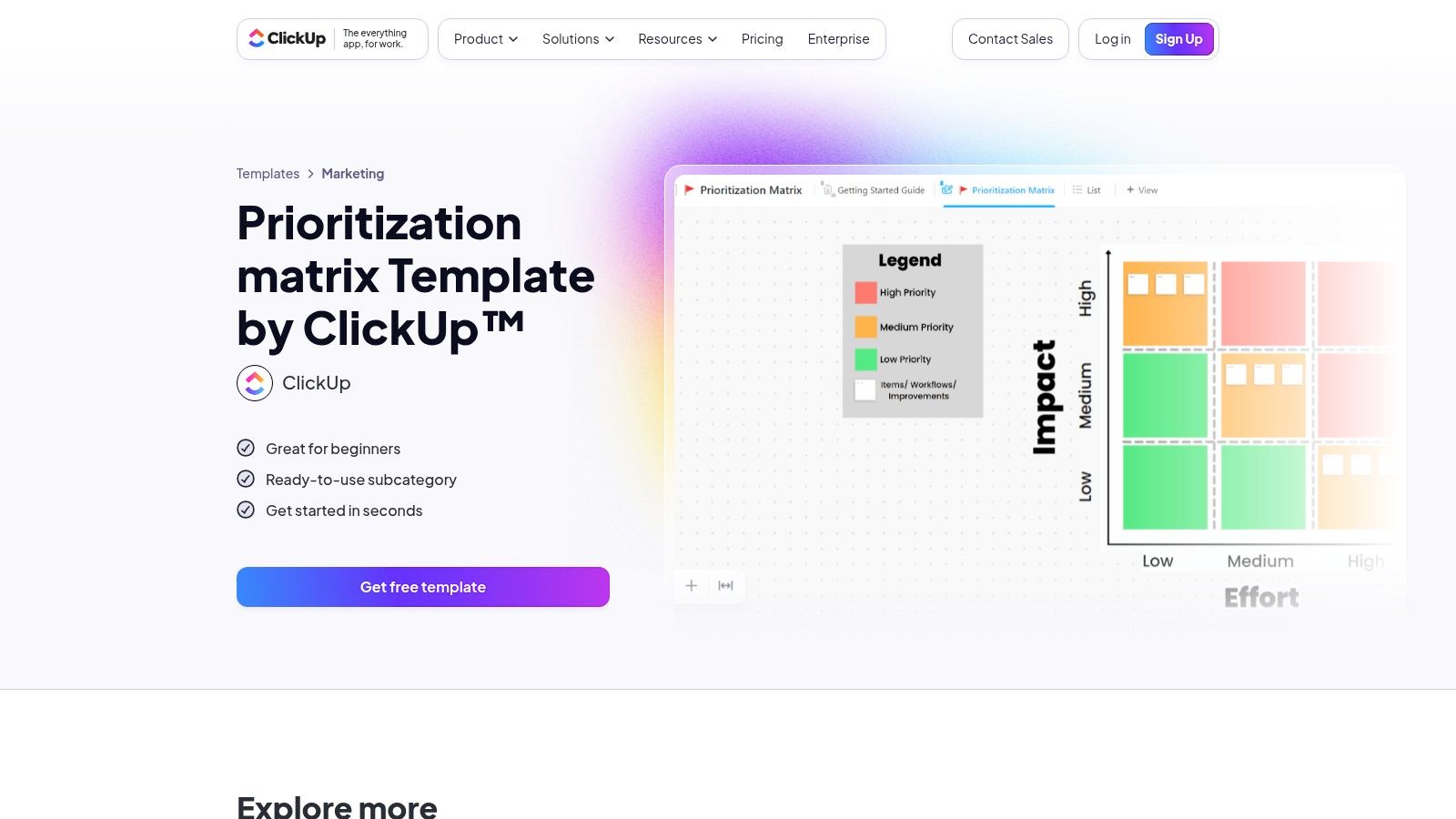
What makes ClickUp stand out is its deep customizability and interconnectedness. You're not just creating a static matrix; you're building a dynamic view of your backlog that can be sliced, diced, and linked to specific goals and epics. The platform's flexibility allows you to go from a collaborative Whiteboard session to a structured task list without losing context, which is a major advantage for fast-moving SaaS teams.
Key Features & Limitations
-
Pros: The Free Forever plan is very generous and includes access to the templates needed to get started immediately. Keeping prioritization, task management, and delivery within a single platform creates a seamless operational flow and a single source of truth.
-
Cons: The sheer number of features can be overwhelming for new users. While the templates are great starting points, adapting them for formal frameworks like RICE or WSJF requires some manual setup and configuration of custom fields.
Actionable Playbook for SaaS Ops
Actionable Step: Install the "Prioritization Matrix" template into a dedicated Space for your product backlog. Customize the matrix quadrants from the standard "Urgency/Importance" to SaaS-specific drivers like "Impact on Net Revenue Retention" vs. "Engineering Effort." Then, use ClickUp Automations to set up a rule: "When a task moves into the 'High Impact/Low Effort' quadrant, automatically assign it to the lead engineer and add it to the next sprint planning list." This creates a direct, automated link from strategic decision to development action. For more on streamlining these workflows, see our guide to product launch checklists.
8. Airtable – Product Prioritization Guides & Templates
For teams that crave ultimate flexibility, Airtable isn't just a spreadsheet-database hybrid; it's a powerful canvas to build your own feature prioritization tool free of charge. Instead of a pre-built system, Airtable offers templates and guides that teach you how to construct a custom product roadmap and prioritization engine. This approach allows you to bake in automated scoring for frameworks like RICE, MoSCoW, or a simple value vs. effort matrix directly into your product base.
What makes Airtable stand out is its adaptability. You start with a simple table and can scale it into a comprehensive product operations hub, connecting feedback from tools like Intercom and delivery tickets in Jira. The ability to switch between grid, kanban, and timeline views gives every stakeholder the exact perspective they need, from high-level roadmaps for execs to granular backlogs for engineers.
Key Features & Limitations
-
Pros: The free plan is generous, and it’s incredibly easy to tailor prioritization criteria and formulas to your specific business context. It scales gracefully from a simple backlog to a full-fledged product management system without forcing you into a rigid structure.
-
Cons: It requires more initial setup and design work compared to out-of-the-box tools. To truly match your process, you need to invest time in building the base. Advanced automations and higher record limits are locked behind paid plans.
Actionable Playbook for SaaS Ops
Actionable Step: Start by copying Airtable’s product roadmap template into your workspace. Create a dedicated "SaaS Metrics Impact" formula field that pulls from other inputs like "Reduces Support Tickets" (number) or "Increases Activation Rate" (percentage). Then, use Airtable Automations to create a weekly digest that posts the top 5 prioritized features into a dedicated #product-roadmap Slack channel. This keeps the entire organization aligned on what’s next and why, without them needing to log into another tool.
9. Notion – Free Feature Prioritization Templates
For teams that prize flexibility and want to build a custom-fit system, Notion stands out as a powerful, spreadsheet-on-steroids option. While not a dedicated app, its vast library of community-made templates makes it a top-tier feature prioritization tool free for anyone willing to invest a little setup time. You can duplicate a pre-built RICE, ICE, or Kano model template directly into your workspace and start populating your feature ideas immediately.
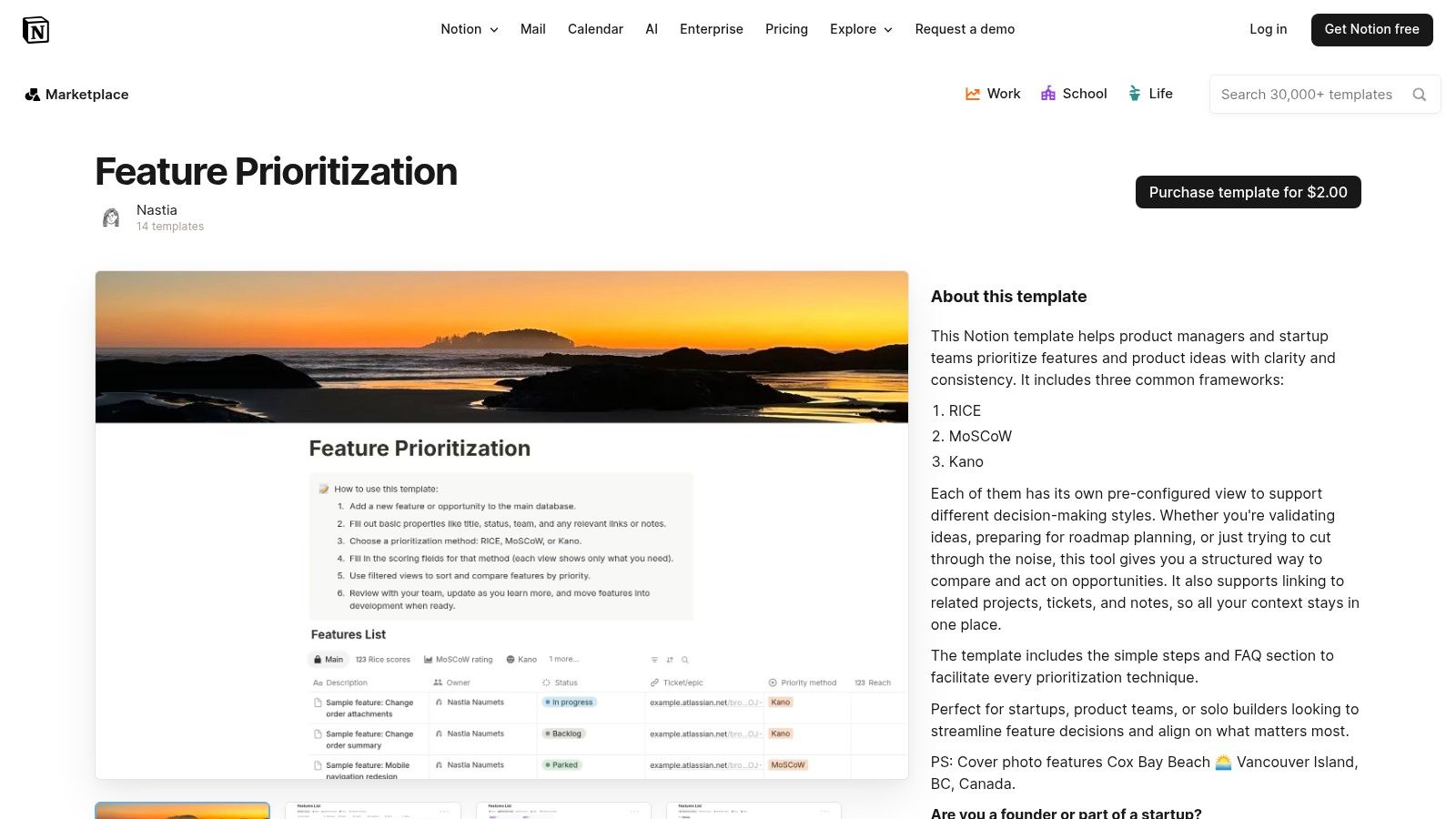
What makes Notion special is its ability to be an all-in-one hub. A single database item can contain your prioritization score, the full product spec, user research notes, and design mockups. This consolidation eliminates context switching and keeps every piece of information related to a feature in one discoverable place, a huge advantage for SaaS teams that need to move fast.
Key Features & Limitations
-
Pros: The free plan is incredibly generous, and there are countless high-quality templates to get you started instantly. Its flexibility is unmatched; you can connect prioritization databases to user feedback, project roadmaps, and engineering tasks, all within the same ecosystem.
-
Cons: It's not a purpose-built product management tool, so integrations with development platforms like Jira or Linear require manual setup or third-party automation tools. The quality of free templates can vary, so you might need to test a few before finding the right fit.
Actionable Playbook for SaaS Ops
Actionable Step: Duplicate a robust feature prioritization template from Notion's official gallery. Immediately customize the database properties to reflect your core SaaS KPIs. Add formula fields for a "Churn Reduction Score" (1-5) or a "User Activation Impact" (Low/Medium/High). Then, create a "linked database" view on your main SaaS Ops dashboard page. Filter this view to only show features with a priority score above 80. This gives leadership a real-time, high-level overview of the product roadmap's strategic alignment without them ever leaving their core workspace. Find more templates at Notion's template gallery.
10. Atlassian Confluence – RICE & Prioritization Matrix Templates
For teams who need a place to document the why behind their decisions, Confluence offers an excellent solution as a feature prioritization tool free of charge through its powerful templates. While not a dynamic scoring tool itself, its RICE and 2×2 prioritization matrix templates provide a structured canvas for workshops, scoring sessions, and sharing outcomes with stakeholders. It’s the perfect companion to Jira and JPD, creating a traceable record of your prioritization rationale.
What makes Confluence stand out is its role as a single source of truth for collaborative decision-making. Instead of scores living in a disconnected spreadsheet, they are documented in a central, shareable space right next to your project plans and product requirements. This transparency is crucial for SaaS teams where alignment across product, engineering, and GTM is key.
Key Features & Limitations
-
Pros: The free plan for up to 10 users is perfect for small teams. The templates provide a central, official place to capture scoring rationale and workshop outcomes, ensuring everyone is on the same page. Beyond prioritization, Notion also offers a wide array of useful resources, such as these free Notion agenda templates, that can aid in overall project organization.
-
Cons: These templates are documentation-centric; the actual execution and tracking still need a tool like Jira. It's not a dedicated product for dynamic prioritization but rather a system for recording and collaborating on the decisions you make.
Actionable Playbook for SaaS Ops
Actionable Step: Use the Confluence RICE template to run a prioritization workshop with your department heads. Before the meeting, have each stakeholder pre-fill the Reach, Impact, and Confidence scores for their proposed features. During the session, use the Confluence page as a collaborative whiteboard to debate the Effort score with engineering, finalize the numbers, and document the final prioritized list. At the end, link this Confluence page directly to the corresponding epics in Jira for full, permanent traceability on why a decision was made. You can explore how this documentation fits into your larger roadmap in our guide to strategic planning for growth.
11. ProjectManager – Project Prioritization Matrix (Excel)
Sometimes, you don't need a complex platform; you just need a straightforward, effective tool to get the job done. ProjectManager's free Project Prioritization Matrix template is the perfect example of a no-frills feature prioritization tool free of complexity. It’s a downloadable Excel spreadsheet designed for teams who want an offline, highly customizable way to rank features or projects using weighted criteria without signing up for yet another service. This approach is ideal for one-off workshops or as a first step for teams formalizing their prioritization process.
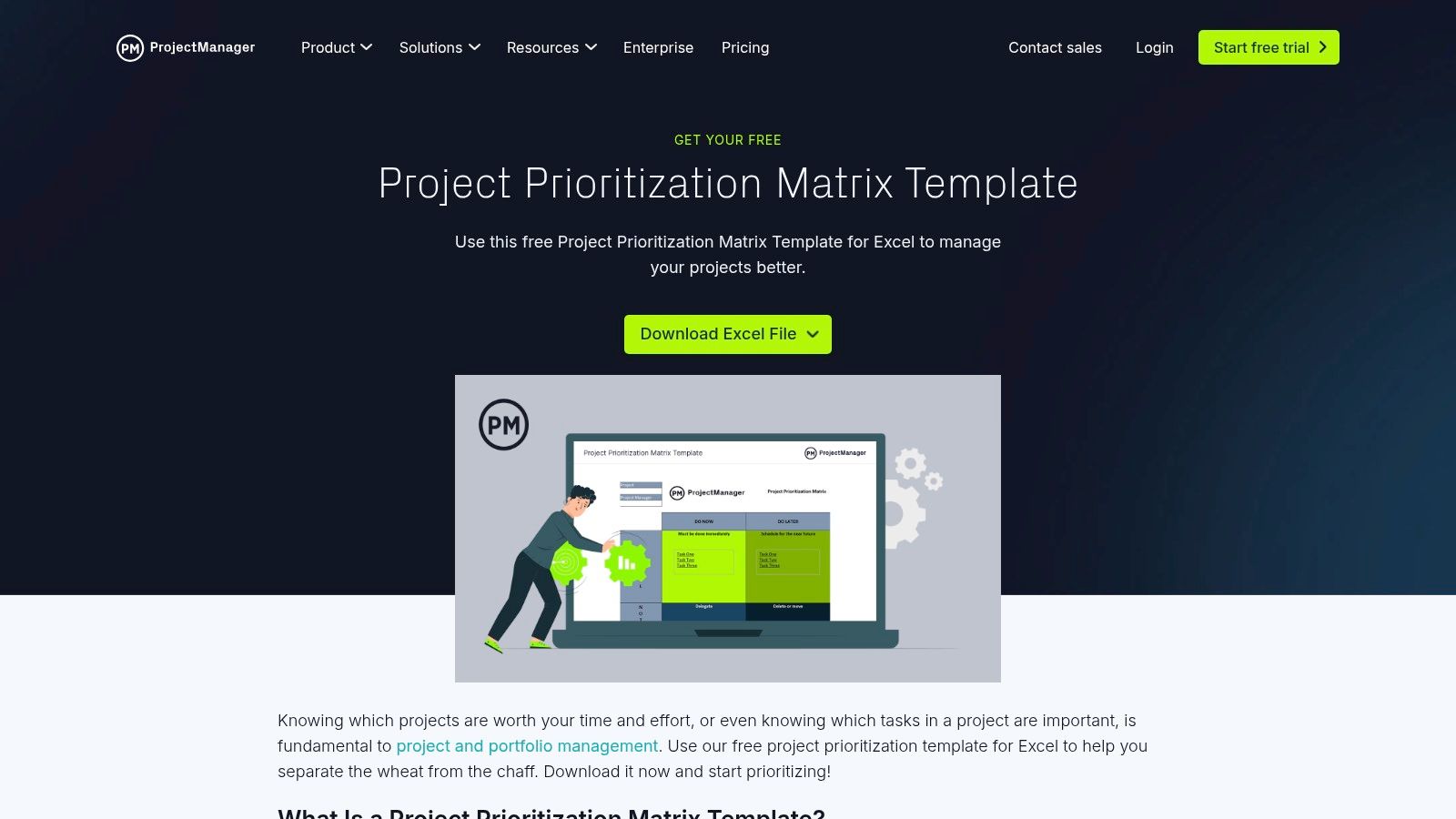
What makes this template stand out is its simplicity and portability. In a world of cloud-based subscriptions, an offline spreadsheet offers a refreshing level of control. You can tailor every column, formula, and weighting factor to your exact needs, making it a powerful on-ramp for organizations that aren't ready to commit to a full-fledged product management tool. It's a pragmatic solution for quick, decisive prioritization exercises.
Key Features & Limitations
-
Pros: It’s completely free and instantly accessible with no signup required. The weighted scoring system is easy to customize for any criteria you need, from "Impact on Churn" to "Engineering Effort," making it incredibly flexible.
-
Cons: As a static file, it completely lacks real-time collaboration, version control, and integrations. All data must be manually transferred to your backlog, which can be inefficient for agile teams.
Actionable Playbook for SaaS Ops
Actionable Step: Use this template to run an initial prioritization session with key stakeholders from sales, marketing, and customer success. Customize the criteria to directly reflect your SaaS KPIs, such as "ARR Growth Potential" (weight: 40%), "Reduces Support Tickets" (weight: 30%), and "Strategic Alignment" (weight: 30%). Once you have a prioritized list, you can then manually input the top 5 items into your primary project management tool. A startup founder we coach uses this exact spreadsheet to force a focused, quantitative discussion every month, preventing "shiny object syndrome." To get the most out of this format, check out our guide on how to build a scorecard format in Excel for a more detailed playbook.
12. Meegle – RICE Prioritization Matrix Template
If you're looking for a visually-driven, template-based approach without the complexity of larger platforms, Meegle's RICE Prioritization Matrix is a fantastic starting point. It’s a dedicated template within their project management platform, making it an excellent feature prioritization tool free for teams that want a guided experience. Instead of building a framework from scratch, you clone the template into a free workspace and immediately start populating it with your feature ideas.
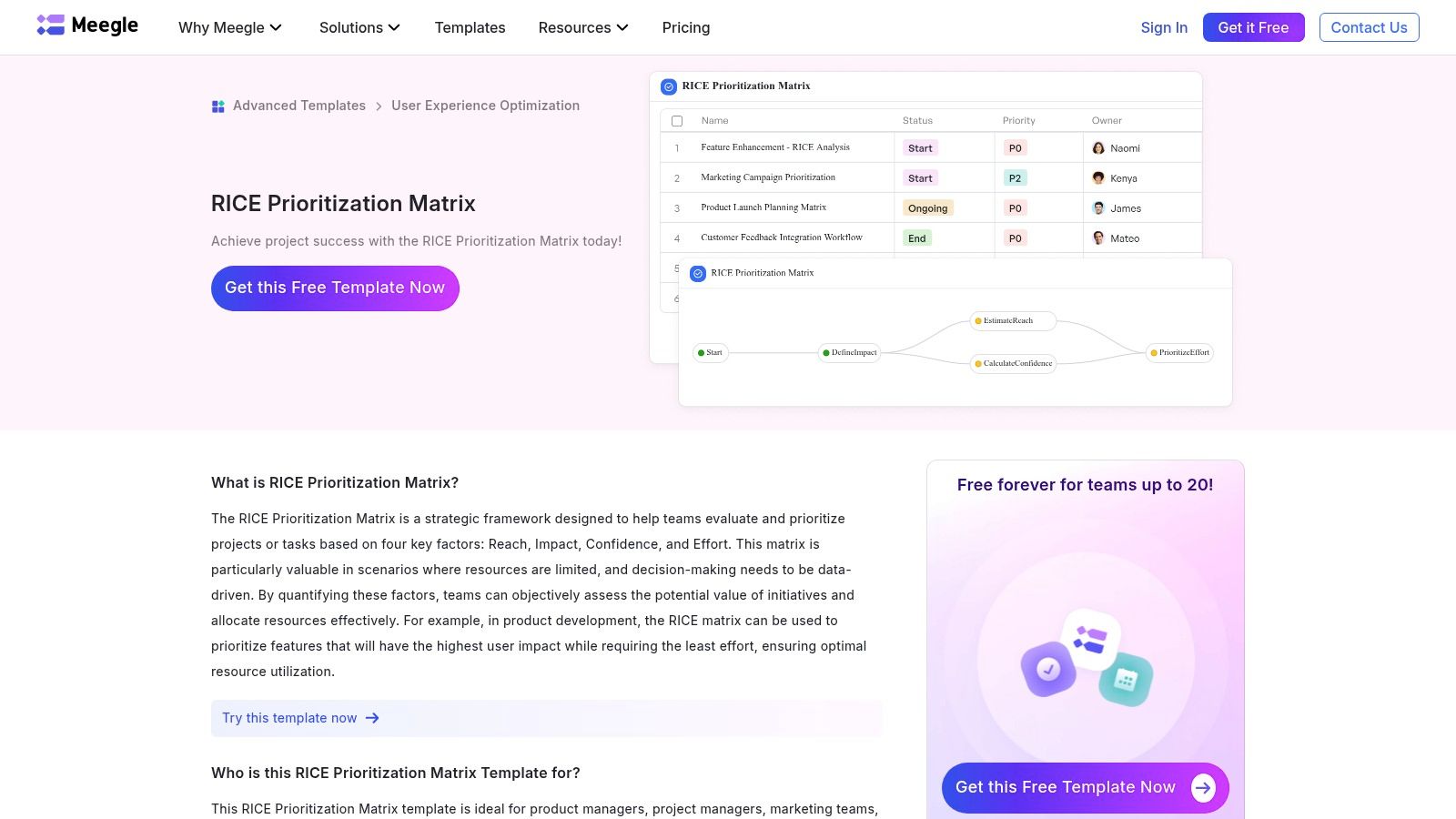
What makes Meegle stand out is its simplicity and visual workflow. The template guides you through calculating Reach, Impact, Confidence, and Effort, then automatically generates a priority score. It’s perfect for SaaS teams that need to quickly establish a standardized RICE process without getting bogged down in tool configuration. The real-time collaboration also ensures everyone from product to marketing is on the same page.
Key Features & Limitations
-
Pros: The free-forever plan is generous, supporting small teams of up to 20 users. The setup is incredibly fast thanks to the pre-built template, making it ideal for teams adopting the RICE method for the first time. The visual Kanban-style board is intuitive.
-
Cons: As a newer platform, Meegle has a smaller ecosystem and fewer native integrations compared to established giants like Jira. This can be a hurdle if you need to connect it to a wide array of existing SaaS tools without using a third-party connector.
Actionable Playbook for SaaS Ops
Actionable Step: Use Meegle’s template as your "single source of truth" for new feature requests originating from customer support. Create a dedicated column in the visual workflow for "Triage," where ops can quickly vet ideas against key SaaS metrics like "Potential Impact on Activation Rate" before they are scored. This pre-screening step ensures that only strategically aligned ideas enter the formal RICE process, saving valuable time for the product team. An early-stage SaaS client of ours implemented this and cut down their "feature idea noise" by over 50%. You can learn more at Meegle's template page.
12 Free Feature Prioritization Tools — Quick Comparison
| Tool | Core features ✨ | USP 🏆 | Quality ★ | Best for 👥 | Price 💰 |
|---|---|---|---|---|---|
| Atlassian – Jira Product Discovery (JPD) | Idea backlog, RICE/ICE/custom scoring, Jira automations | Seamless discovery→delivery handoff for Jira teams | ★★★★☆ | Jira-centric PM & delivery teams | 💰 Free starter (limits); paid for scale |
| Productboard – Starter (free) | Insights repo, feature scoring, basic roadmaps, integrations | Maps customer insights to roadmap decisions | ★★★★☆ | Customer-driven PMs, small teams | 💰 Free Starter; advanced features paid |
| Canny | Public/private feedback boards, voting, auto-prioritization signals | Rapid feedback→prioritization loop + public roadmap | ★★★★☆ | Growth & support-led feedback teams | 💰 Free limited tier; usage-based plans |
| Miro – RICE Template | RICE table with auto-calcs, boards for mockups & notes | Best for interactive workshops & async scoring | ★★★★☆ | Cross-functional workshop teams | 💰 Free template; paid for more boards |
| FigJam (Figma) – RICE Template | Interactive RICE + real-time reactions, voting | Frictionless for design-centric product teams | ★★★★☆ | Design-led product teams | 💰 Free FigJam tier; paid for org features |
| Lucid (Lucidspark) – RICE Matrix | RICE template + diagramming & exports | Combines prioritization with system visuals | ★★★★☆ | Teams needing diagrams + scoring | 💰 Template on free/paid plans |
| ClickUp – Prioritization Templates | Installable matrices, whiteboards, backlog views | Keeps prioritization connected to tasks/delivery | ★★★★☆ | Teams wanting all-in-one workspace | 💰 Free forever; paid for advanced use |
| Airtable – Guides & Templates | Scoring formulas, flexible views, automations | Highly customizable product ops bases | ★★★★☆ | Ops/PMs who build bespoke workflows | 💰 Templates free; paid for automation/limits |
| Notion – Prioritization Templates | Databases + formulas, multiple frameworks (RICE/ICE) | Single place for specs, research & scoring | ★★★☆☆ | Small teams wanting consolidated docs | 💰 Free templates; paid workspace tiers |
| Atlassian Confluence – Templates | RICE pages, 2×2 matrices, workshop documentation | Centralized scoring rationale + Jira traceability | ★★★★☆ | Teams documenting decisions alongside Jira | 💰 Free up to 10 users; paid for scale |
| ProjectManager – Excel Matrix | Weighted scoring spreadsheet; portable offline file | Fast, no-signup offline scoring sheet | ★★★☆☆ | Teams needing one-off/offline exercises | 💰 Free download |
| Meegle – RICE Template | Guided RICE fields, visual workflows, onboarding | Template-driven, free-forever onboarding flow | ★★★☆☆ | Small teams seeking guided templates | 💰 Free-forever tier (small teams) |
From Tool to System: Making Prioritization a Core Part of Your SaaS Ops
So, there you have it. Twelve powerful, and most importantly, free feature prioritization tools that can take your product planning from messy to masterful. We've journeyed from comprehensive platforms like Jira Product Discovery and Productboard to the flexible, template-driven powerhouses of Miro, Airtable, and Notion. The key takeaway? You don't need a huge budget to start making smarter, data-driven decisions.
But let's be real. Picking a tool is the easy part. The real challenge, and where most SaaS teams get stuck, is turning that tool into a living, breathing part of your operational rhythm. A shiny new tool without a solid process is like a high-performance engine without a car. It looks impressive, but it’s not going to get you anywhere.
The true goal isn't just to have a prioritization matrix; it's to build a reliable, repeatable system that consistently surfaces the highest-impact initiatives. This is where your SaaS Operations playbook comes in. It’s the connective tissue that links customer feedback, strategic goals, and engineering capacity into a single, cohesive workflow.
Your Next Steps: From Selection to Systemization
You’ve got the list, so what now? Don't just pick the first tool that looks cool. Get strategic. Here’s a simple action plan to move from reading this article to revolutionizing your roadmap.
-
Identify Your Core Need: Be brutally honest about your team's current state.
- Are you in "analysis paralysis"? Start with a simple RICE template in Miro or FigJam. The visual nature helps break down complex ideas and forces you to quantify your assumptions, making it easier to get unstuck.
- Is customer feedback a black hole? Look at Canny or the free tier of Productboard. These tools are built to centralize user suggestions and close the feedback loop, ensuring your most vocal users feel heard.
- Do you live in a specific ecosystem? If your team is already deep in the Atlassian suite, Jira Product Discovery is a no-brainer. If you're a Notion or Airtable power-user, leverage those platforms to build a customized system that feels native to your existing workflows.
-
Define Your "Source of Truth" Playbook: Before you even sign up, decide how you'll use the tool. A SaaS operator we worked with at a Series B fintech company designated a "Prioritization Tzar" each quarter. This person was responsible for ensuring all new ideas entered their Airtable base with a preliminary RICE score and a link to the original customer ticket or feedback source. This simple rule cleaned up their backlog in less than a month.
-
Integrate with Your Cadence: Your new feature prioritization tool free of charge won't do you any good if it's only opened once a quarter.
- Weekly: Your product team should have a standing meeting to review new ideas, assign initial scores, and flag items for deeper discussion. This is the triage stage.
- Bi-Weekly/Monthly: Sync with cross-functional leaders (sales, marketing, customer success) to review the top-ranked priorities. This is your chance to get qualitative context and ensure alignment. The head of CS at one of our portfolio companies uses this meeting to share direct quotes from at-risk customers, adding powerful emotional weight to the quantitative data in their Canny board.
- Quarterly: Use your prioritized list as the primary input for your quarterly roadmap planning session. By this point, the big debates should already be settled, turning a historically contentious meeting into a straightforward strategy session.
Ultimately, the best tool is the one your team will actually use. By starting with a free option, you give yourself the freedom to experiment and find the perfect fit without financial risk. The real investment isn't money; it's the commitment to building a process around the tool. When your prioritization framework becomes as routine as your daily stand-up, you'll have successfully transformed a simple tool into a powerful strategic system that drives sustainable growth.
Ready to stop just choosing tools and start building an elite operational system? At SaaS Operations, we provide the battle-tested playbooks, scorecards, and frameworks that turn great tools into revenue-driving machines. Go beyond the tool and build the process that scales with you by exploring our resources at SaaS Operations.