
What exactly is a pricing calculator SaaS? It’s an interactive tool on your website that lets potential customers plug in their own variables—like users, contacts, or data usage—and get an instant, personalized cost estimate. It immediately answers their most critical question: "What's this actually going to cost my company?"
This isn’t just about showing a price. It’s about eliminating ambiguity, empowering buyers to self-qualify, and cutting down the sales cycle. Prospects get a concrete number to take to their finance team, no demo required. As an operator, your job is to give them the tools to build their own business case.
Why Your Static Pricing Page Is Costing You Leads
Let’s be direct. That classic three-tiered pricing page is obsolete. Today's B2B buyers demand self-service and transparency. Forcing them into a "Good, Better, Best" box that doesn't fit their needs creates friction and sends them straight to a competitor with clearer answers.
An interactive calculator changes the dynamic. It turns your passive pricing page into an active, consultative tool. Instead of making prospects guess which tier they belong in, you guide them to build their own quote based on the value metrics that matter to them. This one shift builds significant trust and starts proving your value from the first click.
Empower Your Champion, Accelerate the Deal
Remember, in B2B, you're never selling to just one person. You're selling to a committee, and you need an internal champion to advocate for you. A pricing calculator is the single best asset you can give them.
Your champion can use it to model different scenarios, build a business case for their boss, and share a concrete proposal with finance—all before ever speaking to your sales team. This is a massive unlock. Your sales reps can stop wasting time on tire-kickers and focus on high-intent prospects who have already confirmed the price fits their budget.
Actionable Insight: Don't build your internal quoting engine for the public. The goal is to provide a solid, directional estimate for the 80% of your ideal customer profiles. Keep the experience clean and simple to avoid overwhelming the user.
Consider a marketing automation platform. A marketing manager can enter their contact count and expected email volume, and instantly they have the exact number for their budget request. The sales conversation immediately shifts from "How much does this cost?" to "How do we get started?"
The Data Is Clear: Calculators Drive Conversions
Moving from a static page to an interactive calculator isn't a minor tweak. It’s a proven conversion machine. We’ve seen SaaS operators boost their lead-to-opportunity conversion rates by up to 30% after making this switch.
The trend is undeniable: over 60% of mid-to-large SaaS companies now use some form of interactive pricing. If you're not, you're falling behind.
Here’s a look at how we’ve designed calculators to help operators model different pricing strategies themselves.
This kind of interface makes it incredibly clear how different inputs change the final price. You’re not just selling a tool; you're helping them understand how to invest smartly from day one. That foundational understanding is what drives better long-term value, which we explore in our guide on lifetime value calculation for SaaS.
Designing a Calculator That Actually Converts
A great pricing calculator feels less like a form and more like a guided conversation. It's not just there to spit out a number; it’s one of your first opportunities to demonstrate value, build trust, and nudge a prospect toward the right solution. The design and UX separate a conversion machine from a confusing widget that gets ignored.
Your goal is to turn a potentially complex pricing structure into a simple, interactive journey. Users shouldn't need a manual. Instead, they should feel like an expert is walking them through their options, leading them to a clear, logical answer.
Mapping Your Pricing Model to an Intuitive UI
First, translate your pricing model into a dead-simple user interface. Whether you price by user seats, API calls, or a complex hybrid, the inputs must be instantly understandable.
Ask yourself: what are the one or two core value metrics a customer thinks about when considering our product's cost? Start there.
- For usage-based models: Use a slider. It’s the most intuitive way for someone to see how consumption (like data storage or API calls) directly impacts price. Baremetrics nails this by letting users slide their MRR up and down to see the cost change in real-time.
- For tiered, feature-gated models: Use checkboxes or toggles. This allows users to build their own package, giving them a sense of control and helping them see the value of upgrading.
- For seat-based models: A simple number input box is effective. Frame it as a question to make it more conversational: "How many team members will need access?"
The biggest mistake operators make is trying to build a calculator that covers every edge case. This isn't your internal quoting engine. Focus on the 80% use case and keep the experience clean. A confused user will abandon the process every time.
Choosing Inputs and Presenting the Output
The inputs you ask for are a balancing act. Too many questions create friction. Too few, and the final number lacks credibility. Stick to the absolute essentials needed for a meaningful estimate.
Once you have those inputs, how you present the final price is just as important. Don't just show a number—frame it with value.
- Show the Math: Briefly break down how you arrived at the total. Something as simple as "10 users x $20/user/mo = $200/month" builds trust through transparency.
- Highlight Savings: If you offer an annual discount, make it a prominent toggle. Then, show the savings explicitly: "Save $480/year by paying annually!" This is a powerful psychological nudge.
- Use Clear CTAs: Your call-to-action must be the logical next step. Ditch generic phrases like "Sign Up." Use intent-matched CTAs like "Start Your Free Trial" or "Schedule a Demo to Build Your Plan."
To get this right, apply the general principles to increase your website's overall conversion rate. The same psychology applies directly to your calculator's design.
Perfecting Your Copy and Language
Your words matter as much as the UI elements. Eliminate internal jargon and technical acronyms. Speak your customer's language and focus on their goals.
For example, instead of asking for "Number of API Endpoints," try "How many data sources will you connect?" The second option is instantly clear to a non-technical buyer and makes the experience feel less intimidating.
This push for clarity is happening across the industry. We're seeing more companies adopt usage-based and hybrid pricing, a shift made possible by calculators that can simplify complexity. A recent report showed 61% of SaaS companies have adjusted their pricing, with many seeing a 40% jump in upsells by offering this kind of tailored quoting.
Ultimately, a high-converting pricing calculator is a product in its own right. It needs to be designed with the user in mind, tested rigorously, and iterated upon. To model different pricing strategies before you build, use our Pricing Strategy Calculator tool to get a feel for what works.
Choosing Your Tech Stack: No-Code vs. Custom Build
You’ve got the design locked down. Now, how do you build it? This is a classic operator’s dilemma: move fast with a no-code solution or invest engineering resources for a full custom build.
There’s no single right answer. The correct path depends on your company’s stage, pricing complexity, and available resources. A custom build offers total control over pixels, integrations, and logic, but it's a significant drain on engineering resources, both for the initial build and for ongoing maintenance. No-code tools, on the other hand, prioritize speed, allowing you to get a working calculator live in a fraction of the time.
The No-Code Advantage: Speed and Simplicity
If your top priorities are speed and immediate deployment, no-code platforms are your best bet. Tools like Tally, Jotform, or dedicated calculator builders like Calconic are designed so your marketing or product team can build and launch a calculator in days, not months.
This approach is ideal for early-stage companies or for testing a new pricing model without committing engineering resources. You can quickly validate whether the calculator improves lead quality or conversion rates with minimal upfront investment.
The real cost of a custom build isn't the initial development; it's the ongoing maintenance. Every pricing tweak, copy change, or UI update becomes another ticket in the engineering backlog. A no-code tool puts control back in the hands of the business owners.
Of course, no-code has its limitations. You trade speed for flexibility. You’ll likely hit a ceiling with advanced UI customization, complex multi-variable logic, or deep system integrations.
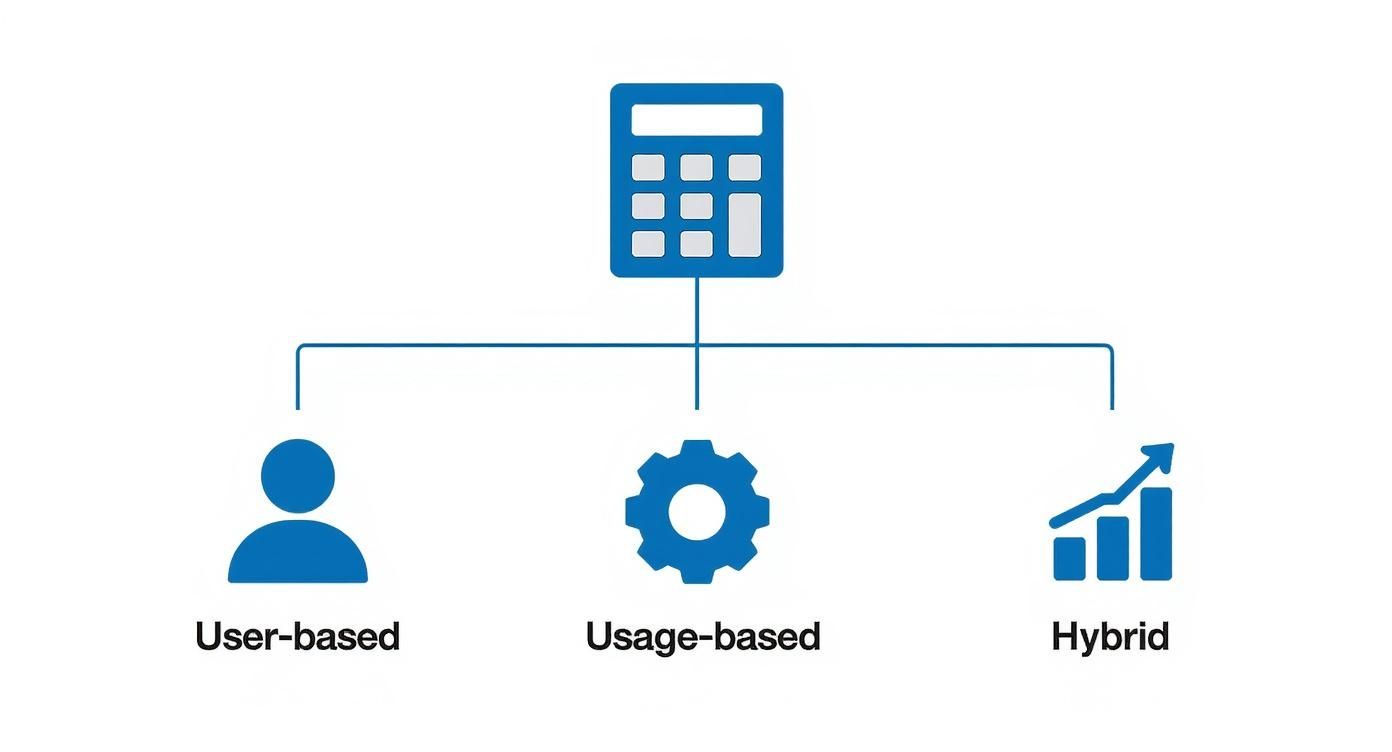
As you can see, your pricing model—whether it's based on users, usage, or a hybrid—is a huge factor. The more complex your model, the more likely you are to need the power of a custom solution.
When a Custom Build Is Non-Negotiable
Sometimes, no-code just won't cut it. A custom build becomes the only viable option when your calculator needs to do more than just produce a number. If it must communicate with your billing platform, sync with your CRM, or pull in proprietary data, you’ll need custom code.
Here are scenarios where going custom is a clear choice:
-
Deep Billing Integration (Stripe/Chargebee): For product-led growth, the magic happens when the calculator’s output can directly create a checkout session in Stripe or a new subscription in Chargebee. This requires secure API calls that most no-code tools can't handle.
-
CPQ Sync (Salesforce CPQ): In a sales-led motion, a custom build can take a prospect's configuration and instantly push it into your CPQ system, creating a detailed quote for a sales rep to act on. This makes the marketing-to-sales handoff seamless.
-
Proprietary Data: If your pricing depends on data from your own application (e.g., "calculate your savings based on your current usage"), a custom build is the only secure way to fetch and use that sensitive information.
Building a custom calculator is a major project. To ensure nothing is missed, follow a structured plan. A comprehensive guide like our SaaS implementation checklist can keep your team aligned from initial scoping through deployment.
To help you weigh your options, here’s a breakdown of the technical paths.
Calculator Implementation Options Compared
| Implementation Method | Best For | Pros | Cons |
|---|---|---|---|
| No-Code Builders | Marketing teams, simple pricing models, rapid prototyping, and validation. | Fastest time-to-market, low cost, no engineering resources needed. | Limited customization, may not support complex logic, reliance on a third-party platform. |
| Embedded Widgets | Teams wanting more control than no-code without a full custom build. | More design flexibility, can handle moderately complex logic, self-contained. | Can be tricky to integrate with other systems, potential for slow load times if not optimized. |
| Custom Build | Complex pricing models, deep integrations (billing, CPQ), and unique UX needs. | Total control over design & function, seamless integration, highly scalable. | High initial cost, requires significant engineering time for build and maintenance. |
Ultimately, the choice comes down to a classic trade-off: balancing your need for speed and simplicity against your requirements for deep integration and total control.
How to Test and Validate Your New Calculator
You’ve built your new calculator. Do not launch it without testing. A successful rollout hinges on validating that the tool is accurate, intuitive, and actually moves the needle. This isn’t just about checking the math; it's about ensuring the entire experience helps prospects, not confuses them.
This is where you stop building and start measuring. You need data to prove this pricing calculator SaaS tool is delivering real business value.
Setting Up Simple and Effective A/B Tests
Guesswork is not a strategy. A/B testing is your best tool for discovering what actually works with your audience. The key is to keep your tests laser-focused. Isolate one variable at a time so you know precisely what is causing any change in performance.
Start by splitting a small portion of your website traffic (e.g., 10%) between your old pricing page (the control) and the new page with the calculator (the variant). Once you establish a baseline, run more granular tests on the calculator itself.
Here are three high-impact tests to run:
- Layout and Flow: Test a single-column design versus a multi-step wizard. Does breaking down questions into smaller chunks improve completion rates, or does it add unnecessary friction?
- Copy and Microcopy: Test the CTA button copy. Does "Get My Estimate" outperform "See Pricing"? Test the labels on input fields. Small copy tweaks can have a huge impact on clarity and conversions.
- The Call-to-Action (CTA): What is the next logical step after a user sees the price? Pit different actions against each other. A "Start Free Trial" button might outperform "Book a Demo" if the user is already primed for action.
Identifying the KPIs That Actually Matter
Forget vanity metrics. You need to track KPIs that tie directly back to revenue. A calculator that generates a ton of unqualified leads is a useless widget.
A classic operator mistake is obsessing over the calculator's conversion rate alone. The real win isn't just getting more leads—it's getting better leads. A great calculator pre-qualifies prospects, so your sales team talks to people who already understand the value and the investment.
Focus on these key metrics:
- Lead-to-Opportunity Rate: This is the ultimate test. Are leads from the calculator more likely to become qualified sales opportunities? If this number increases, you're succeeding.
- Average Time on Page: Are people engaging with the tool or bouncing immediately? Longer engagement typically indicates the calculator is helpful and holding their attention.
- Calculator Completion Rate: What percentage of users who start the calculator actually finish? A high drop-off rate points to a friction point that needs to be fixed.
With the global SaaS market valued at around $390.46 billion, tools like this are becoming essential. As products get more complex, sophisticated calculators are the only way to navigate pricing effectively. You can learn more about how pricing strategies are evolving by checking out the latest SaaS trends and statistics.
Using a Scorecard to Measure Performance
To keep everyone aligned, build a simple performance scorecard. This serves as a weekly pulse-check for the product and marketing teams. A clean scorecard also makes it easier to justify the project's investment by connecting its performance to business outcomes, like a lower customer acquisition cost. For more on that, see our guide on using a customer acquisition cost calculator.
Here’s a simple template you can use:
| Metric | Goal | Week 1 | Week 2 | Week 3 | Week 4 |
|---|---|---|---|---|---|
| Calculator Page Conversion Rate | 5% | 3.2% | 3.8% | 4.5% | 5.1% |
| Lead-to-Opportunity Rate | 25% | 20% | 22% | 26% | 28% |
| Calculator Completion Rate | 70% | 65% | 68% | 72% | 75% |
| Leads Generated | 100 | 78 | 85 | 102 | 115 |
This provides a clear, at-a-glance view of whether your new tool is working, enabling quick, data-driven decisions.
Launching Your Calculator for Maximum Impact
You've built a killer pricing calculator. That’s only half the battle. A strategic launch is what transforms a neat widget into a consistent, high-quality lead generation machine.
You can't just quietly push it live and hope for the best. You need a clear standard operating procedure (SOP) that aligns your internal teams and coordinates external promotion. Treat this like a full feature release; otherwise, even the most brilliant tool will fail to deliver results.
Getting Your Own Team Ready: The Internal SOP
Before any prospect sees your new calculator, your team must be 100% aligned and trained. Otherwise, you risk inconsistent messaging and a clunky customer experience.
Start with sales. Your AEs and SDRs need to understand the tool inside and out. What are its limitations? How can they use it on a call to build trust and qualify leads? Run role-playing sessions. An AE who can confidently use the calculator on a discovery call to model a prospect's costs is demonstrating transparency and accelerating the sales process.
Next, prepare your support team. They will inevitably get questions about how the estimate differs from a final quote. An internal FAQ document with pre-approved answers will save them time and ensure consistent responses.
Think of your calculator launch as an internal marketing campaign. Your goal is to get your team genuinely excited. When they see it as a powerful new asset, they'll become its biggest champions.
Finally, loop in marketing. Ensure they have the final URLs, key messaging points, and visual assets like GIFs or screenshots. To keep everything organized, use a solid framework like our product launch checklist.
Spreading the Word: Where and How to Announce It
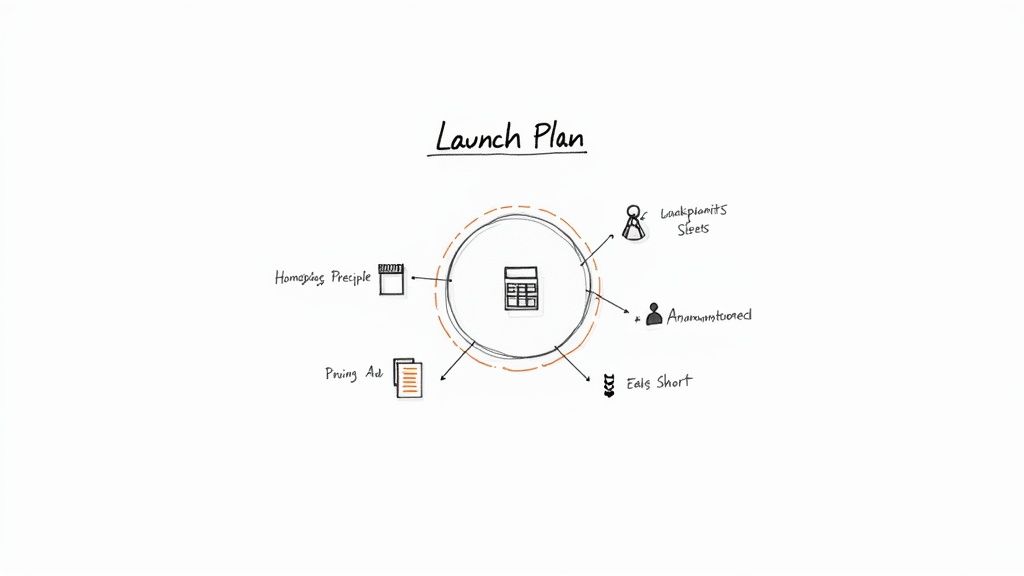
With your internal team prepped, it's time to tell the world. Your promotion plan should focus on visibility and driving immediate usage. Don't just stick it on your pricing page.
Place the calculator in the user's path at key decision-making moments. Here’s an actionable playbook:
- Homepage Hero: For the first few weeks, feature the calculator prominently on your homepage. A bold CTA like "Get a Price Estimate in 60 Seconds" will drive significant traffic to the tool.
- Blog Post CTAs: Identify your top 10 highest-traffic blog posts and add a dedicated CTA block for the calculator in each. If an article addresses a pain point your product solves, offering a price estimate is the perfect next step.
- Email Announcement: Send a dedicated email to your marketing list announcing the new tool. Frame it as a new way you're providing transparency to make their lives easier.
- Paid Ad Funnels: Create ad campaigns that point directly to a landing page built around the calculator. Target high-intent, bottom-of-funnel keywords like "[Your Brand] pricing" and provide an interactive tool instead of a static page. This has been proven to dramatically improve lead quality.
By using multiple channels, you ensure your new pricing calculator SaaS tool is seen by prospects at every stage of their journey, transforming it from just another page into a core part of your growth engine.
Your Top Pricing Calculator Questions, Answered
Even with a solid plan, you'll encounter tricky questions when building a pricing calculator. These are the real-world challenges that operators consistently face. Let's get them answered so you can move forward with confidence.
How Do I Handle the "Contact Us" Button for Enterprise Plans?
This is a classic dilemma. Enterprise plans often involve custom pricing, SSO, and dedicated support that don't fit a simple calculator. The solution is a hybrid approach.
Let your calculator handle the standard components of the enterprise tier, like a base platform fee or a block of user seats, to give prospects a tangible starting number. Then, instead of a generic "Contact Us," frame the CTA around the value of the conversation.
Try a CTA like: "Get Your Custom Quote with Enterprise-Grade Security and a Dedicated Success Manager." This provides a concrete starting point and a compelling reason to engage with your sales team. The calculator qualifies the lead; your team closes the deal.
What's the Single Biggest Mistake People Make?
Hands down, the biggest mistake is trying to make the calculator perfect. Too many teams get bogged down trying to account for every edge case, discount code, and add-on. The result is a bloated, confusing tool that no one uses.
Your goal is not to expose your internal quoting tool to the public. It is to give a prospect a quick, directional estimate so they can self-qualify. Focus on the 80% use case and be ruthless about simplicity.
A prospect who gets a solid ballpark figure in 30 seconds is far more likely to convert than one who abandons a five-minute questionnaire out of frustration. Simplicity always wins.
Should I Force Someone to Enter Their Email to See the Price?
The great gate debate. Whether to gate your price behind an email form depends entirely on your go-to-market motion.
- If you're Product-Led (PLG): Absolutely not. The core of PLG is removing friction and building trust. Hiding your price undermines both. Show the price, no strings attached.
- If you're Sales-Led: It can be effective. A prospect willing to exchange their email for a quote is showing strong buying intent. This can be a powerful lead capture tool.
A great middle-ground approach is to show the price instantly but include an optional field like, "Email me a copy of this quote." This gives the user instant value while providing a low-friction way to capture their email. A/B test this to see what works for your audience.
How Often Should I Update This Thing?
A pricing calculator is not a "set it and forget it" project. Treat it like a living feature of your product.
Plan to review its performance and accuracy at least quarterly. You should also update it anytime you change your pricing, packaging, or add new features that affect the value metric. Use analytics and heatmap tools to identify where users get stuck or drop off. It's a critical part of your funnel—treat it as such.
Feeling like your pricing model itself needs a tune-up before you build a calculator? At SaaS Operations, we live and breathe this stuff. We've built battle-tested frameworks to help you make these decisions with data, not guesswork. Play around with different scenarios and find your sweet spot with our free Pricing Strategy Calculator.