Your Guide to an Onboarding Email Sequence Generator
 Published By: Alex
November 26, 2025
Published By: Alex
November 26, 2025
An onboarding email sequence generator is a tool that helps you automatically build out the welcome emails you send to new users. The whole point is to guide new customers to their "aha!" moment faster, which is absolutely critical for getting them activated, keeping them around, and stopping churn before it even starts.
Why Your SaaS Needs an Onboarding Email Generator
Let's be real—manually welcoming every single new user just isn't going to work as you grow. As your SaaS scales, trying to manage onboarding with a scattered, inconsistent approach means you're leaving money on the table and giving users a confusing first impression. An onboarding email generator isn't a nice-to-have; it's a core part of the growth engine for any SaaS that wants to build a reliable user journey.
That first week after someone signs up is make-or-break. It's when they're deciding if your product is worth their time and, eventually, their money. A well-designed automated sequence makes sure every single user gets a consistent, helpful, and personal-feeling experience right from the get-go.
Drive User Activation and Feature Adoption
Anyone who's been in SaaS for a while knows that "activation" isn't just about a user logging in. It's about getting them to actually use the key features that deliver on your promise. A good automated sequence can strategically push users toward those specific actions that get them to that "aha!" moment where everything just clicks. This kind of systematic guidance prevents them from getting lost or overwhelmed.
Instead of just crossing your fingers and hoping users stumble upon your best features, you can lead them right to them. The impact on your metrics is almost immediate:
- Higher Feature Adoption: Emails can highlight specific functions based on what the user has (or hasn't) done yet.
- Faster Time-to-Value: You can dramatically shorten the learning curve by sending perfectly timed tips and tutorials.
- Reduced Initial Churn: A guided experience stops the frustration that makes new users give up and leave.
The Proven Impact of Automated Onboarding
The numbers don't lie. Automated onboarding is a game-changer for SaaS companies focused on user activation.
To give you a clearer picture, let's look at some benchmarks.
Onboarding Email Performance Benchmarks
Here’s a quick look at how automated onboarding emails stack up against the standard promotional emails you might be used to seeing. The difference is pretty stark.
| Metric | Automated Onboarding Emails | Standard Promotional Emails |
|---|---|---|
| Average Open Rate | 40-60% | 15-25% |
| Average Click-Through Rate | 10-20% | 2-5% |
| Activation Impact | Directly drives product use | Indirect, brand-focused |
| Timing | Triggered by user actions | Sent on a schedule |
As you can see, the engagement with onboarding emails is on another level. People expect and want these emails when they first sign up for a tool.
Industry benchmarks show that automated onboarding emails pull in an average open rate of 42.35%, and the very first welcome email can often hit 60% or higher. A classic example is Zoom's onboarding sequence, which famously achieved a 60% open rate and a massive 35% click-through rate on its first call-to-action. It's powerful proof that sending the right message at the right time works.
For a SaaS business, the difference between a manual, ad-hoc onboarding process and an automated one is the difference between hoping for growth and engineering it. Automation creates a predictable system for turning signups into active, paying customers.
To really get a handle on the value an email generator adds, you need to understand the fundamentals. Diving into core customer onboarding best practices is a great place to start. For a more focused look, our own guide on SaaS onboarding best practices breaks down how to build a repeatable framework for success. By automating this vital part of your customer journey, you’re not just sending emails—you’re building a scalable engine for long-term growth.
Designing a High-Impact Onboarding Sequence
Before you even think about writing a single line of email copy, you need a blueprint. A great onboarding sequence isn't just a random series of emails—it's a deliberate, strategic journey designed to get your new users to that "aha!" moment as quickly as possible.
The goal here is to be helpful, not spammy. Every single email you send needs a clear purpose. Is it a warm welcome? A spotlight on a killer feature? A bit of social proof to build trust? The entire flow has to line up with the exact steps a new user needs to take to really get the value of your product.
Map the User Journey First
Here’s a secret the most successful SaaS founders know: you don't start with the emails. You start with the user.
What's the very first thing someone has to do to see why your tool is so great? What’s the second? By mapping out these critical activation milestones, you can build an email sequence that actually supports and encourages them every step of the way.
A great way to do this is to work backward from that "aha!" moment.
- Identify Key Activation Events: What are the 2-3 actions a user absolutely must take to be considered "activated"?
- Pinpoint Common Drop-off Points: Look at your data. Where are new users getting stuck or just giving up?
- Set a Goal for Each Email: Every message should push the user to do one specific thing that moves them forward.
Following this process ensures your emails are triggered by what users do (or don't do), not just based on a generic timeline. Seriously, nothing is worse than getting an email asking you to do something you've already done.
This diagram shows how a well-oiled process can automate that journey from the moment they sign up to becoming a long-term, happy customer.
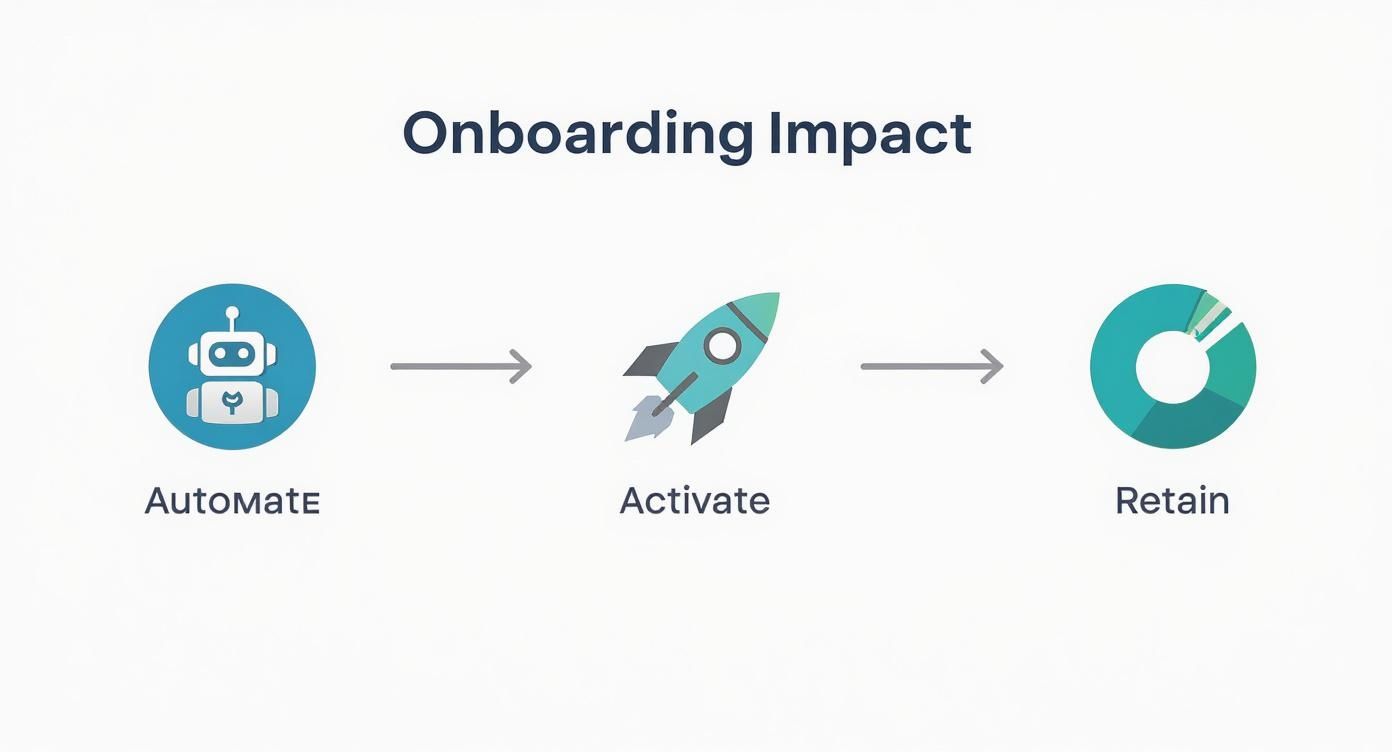
As you can see, automation is the engine. It drives users toward activation, and activation is what ultimately leads to retention.
Structuring Your Sequence for Maximum Impact
Okay, now that you have your user journey mapped out, you can start building the actual sequence. The magic is in using behavioral triggers—like a welcome message right after signup or a tip based on a feature they just used. These types of triggered emails have been shown to boost click-through rates by a staggering 152% compared to generic, one-size-fits-all campaigns.
From what I’ve seen, the sweet spot for an initial onboarding flow is usually 3-5 well-timed emails sent over the first week or two. Any more, and you risk annoying people; any less, and you might not give them the nudge they need.
A classic mistake is trying to cram too much information into the first email. Don't do it. Your first email should be a simple, warm welcome that says, "Hey, you're in!" and sets clear expectations. Save the feature deep-dives for later emails, focusing on one specific action or benefit at a time to avoid overwhelming them.
This is exactly why we built our process to ask for your key activation events first. It's designed to generate a sequence that’s perfectly tailored to guide your users through those specific milestones you identified. For a full rundown of everything you should include in your onboarding flow, grab our complete SaaS onboarding checklist.
Writing Onboarding Emails People Actually Read
Alright, you've got the strategic blueprint for your onboarding sequence. Now for the fun part: writing emails that people actually want to open, instead of hitting "archive" on sight. A solid structure is your starting point, but the real magic is in the copy.
Your onboarding emails are a direct line to new users right when they're most curious and engaged. The goal isn't just to rattle off a list of features. It's to make your company feel human, trustworthy, and genuinely helpful. This is your chance to show off your brand's personality and start building a real relationship.
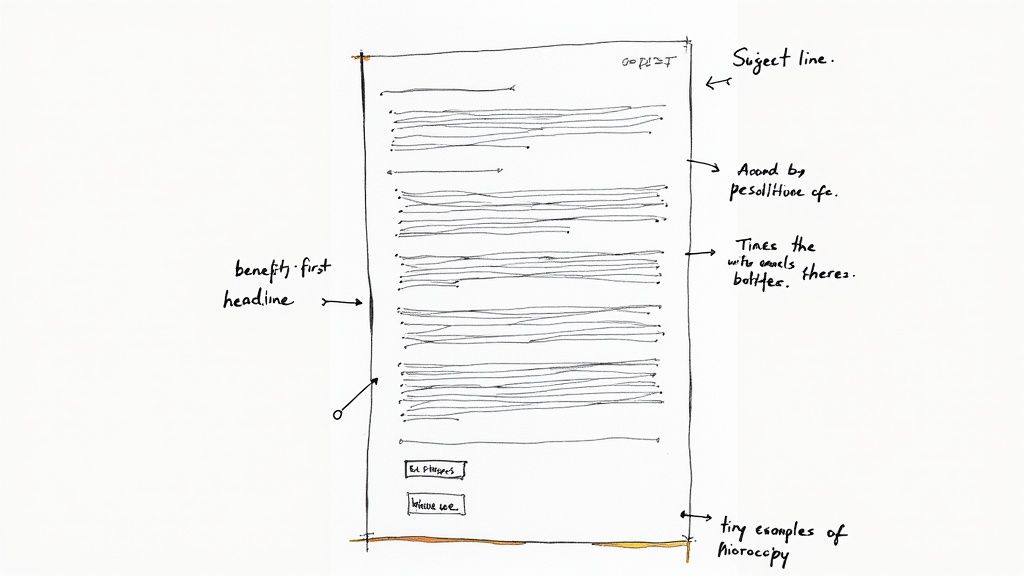
Nail the Subject Line and Opening Hook
Let's be blunt: your subject line has exactly one job—to get the damn email opened. In an inbox overflowing with noise, generic stuff like "Welcome to [Your Product]" is basically invisible. You have to spark some curiosity or spell out the value hiding inside.
Put yourself in the user's shoes. They just signed up and are probably wondering, "Okay, now what?" A killer subject line speaks directly to that feeling. A great example is Airtable, which uses simple, direct, and actionable lines like "Get started with your new workspace."
Here are a few angles I've seen work really well:
- Action-Oriented: "Your first step to mastering [Product Name]"
- Benefit-Driven: "3 tips to get results with [Product Name] today"
- Personal and Simple: "A quick note from [Founder's Name]"
Once they're in, the very first sentence is your hook. Reassure them they made a smart choice and get straight to the point of the email. No fluff.
Focus on Benefits, Not Just Features
This is one of the most common copywriting mistakes I see SaaS founders make. Your new users don't really care about your "robust API integrations" or "asynchronous data processing." They care about what those features can do for them.
Nobody signs up for a SaaS product because they want to use more software. They sign up to solve a problem. Your copy needs to constantly remind them that your tool is the key to solving it.
So, instead of saying: "Our tool has a one-click report generator."
Try this: "Create a beautiful performance report in seconds and impress your boss."
See the difference? Always frame your copy around the user's desired outcome. This simple shift—from talking about your product to talking about their success—makes your emails infinitely more compelling.
Craft a Single, Clear Call-to-Action
Every single email in your sequence needs one primary goal. That means one single, clear call-to-action (CTA) that supports it. Don't overwhelm new users by asking them to "Watch a Demo," "Read the Docs," and "Follow Us on Twitter" all in the same email. It's a recipe for them to do nothing at all.
Your CTA button should be big, bold, and impossible to miss. And the button text? It needs to be specific and tell them what happens next. Ditch the generic "Click Here" for something that describes the outcome, like:
- "Create Your First Project"
- "Invite Your Teammates"
- "View Your Dashboard"
This kind of clarity removes all the friction and guides the user to the exact next step you want them to take. If you're stuck, using an onboarding email sequence generator can help you map out these CTAs logically, making sure each email builds on the last and moves people closer to that "aha!" moment.
Setting Up Smart Automation and Segmentation
Let's be honest: a generic, one-size-fits-all onboarding sequence just doesn't cut it. The real power move is using automation to create an experience that feels personal, almost like you wrote each email specifically for that user. This is where you transform your carefully planned sequence into a machine that works for you around the clock.
The secret sauce here is behavioral triggers. Forget rigid, time-based schedules like "send email on Day 3." Instead, you trigger emails based on what a user actually does—or, just as importantly, what they don't do—inside your product. This event-based approach makes every message feel relevant and perfectly timed.
Think about it. A user who hasn't logged in for three days needs a very different nudge than someone who just successfully used a core feature for the first time. The goal is to guide people back toward that "aha!" moment when they get stuck.
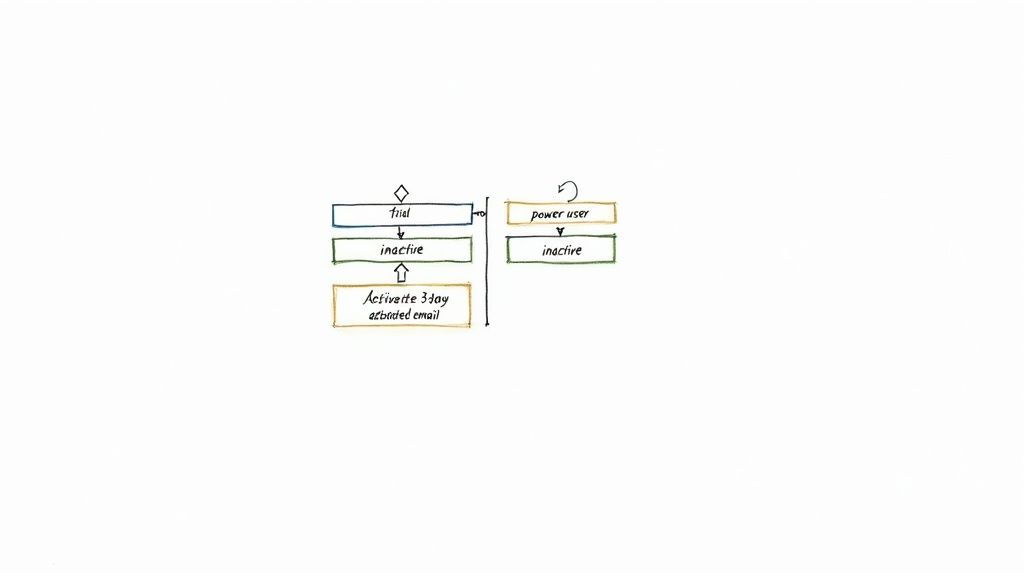
This diagram gives you a good visual of how different user states can kick off specific email workflows, pulling inactive users back into the fold.
Key Behavioral Triggers to Use
To get started, pinpoint the most important actions a user needs to take to be successful with your app. Setting up your automation around these milestones will give you the biggest bang for your buck, fast.
Here are a few high-impact triggers that I've seen work time and time again:
- User Hasn't Logged In: A simple inactivity trigger is your first line of defense against churn. If someone hasn't logged in for 3, 7, or 14 days, a gentle re-engagement email can work wonders.
- User Activated a Key Feature: This is a huge win! Celebrate it. Send a quick, encouraging email with a "what's next" tip to keep their momentum going.
- User Invited a Teammate: This person is a champion in the making. Send them an email that highlights your best collaborative features to deepen that engagement.
- User Hit a Usage Limit: Perfect timing. This is a natural, non-salesy opportunity to introduce the benefits of upgrading to a paid plan.
Segmenting Your Audience for Relevance
Going beyond individual triggers, segmentation is how you tailor entire email flows to different groups of users. Someone who signed up for your "Pro" plan clearly has different goals and needs than a user on the "Free" plan. Sending them the exact same messages is a massive missed opportunity.
A rookie mistake I see all the time is treating every new signup as a monolith. Segmenting users by their plan, their role, or the goals they stated during signup lets you speak directly to their problems. This simple act of personalization can skyrocket your engagement.
Once you’ve used an onboarding email sequence generator to get your copy and structure nailed down, the next step is wiring it all up. You’ll take that content and build out the triggers and segments inside your email platform—whether that’s HubSpot, Mailchimp, or ConvertKit. The automation builder in your tool will "listen" for those user actions and send the right email at the right time.
And if you’re like me and live inside of Notion, you might be surprised to learn there are clever ways to use Notion to send emails. It can be a great way to keep your entire content and automation workflow in one place.
So, you’ve launched your onboarding sequence. Nice work. But don't pop the champagne just yet—the real work starts now.
One of the biggest mistakes I see founders make is treating their onboarding emails as a "set it and forget it" project. They launch it, cross their fingers, and move on. That’s a surefire way to leave a ton of growth on the table. Your onboarding sequence should be a living, breathing part of your product that you’re constantly tweaking.
The key is to measure what actually matters. Open rates are nice for an ego boost, but they don't pay the bills. Clicks are better, but they still don't tell the whole story. What we're really after is behavior change. Are your emails getting people to do the things that lead to them becoming successful, long-term customers?
Shifting Focus to Actionable KPIs
Let's get real about the numbers you should be obsessed with. The goal isn't just to send emails; it's to guide new signups toward becoming active, paying users who stick around.
That means your dashboard should be tracking KPIs that directly connect your email performance to business results.
- Activation Rate: This is your north star. What percentage of users are completing those key actions that make them go, "Aha! I get it now"? If your emails aren't moving this number, they aren't working.
- Time-to-Value (TTV): How quickly do new users experience that "aha!" moment? A killer onboarding sequence should drastically shrink this timeframe, getting users to value faster.
- Feature Adoption: Are people actually using the sticky features you’re highlighting? You can track the adoption rates for specific features you push in your emails.
- Trial-to-Paid Conversion: For anyone with a trial or freemium model, this is the big one. What percentage of users who receive your onboarding emails eventually pull out their credit card? This ties your effort directly to revenue.
Once you have a handle on these metrics, you can see exactly where the friction is. For a deeper dive, our complete guide on SaaS KPIs breaks down everything you should be tracking.
Here's a quick reference table to help you connect the dots between the metrics and what they're telling you about your sequence.
Key Onboarding Sequence KPIs and What They Mean
| KPI | What It Measures | Actionable Insight |
|---|---|---|
| Activation Rate | The % of users completing a key setup action. | If it's low, your emails aren't clearly communicating the value or the next step. |
| Time-to-Value (TTV) | The time it takes for a user to see value. | A long TTV might mean your sequence is too slow or the steps are too complex. |
| Feature Adoption | The % of users who try a specific feature. | Low adoption of a key feature suggests your email about it isn't compelling enough. |
| Trial Conversion Rate | The % of trial users who become paying customers. | This is the ultimate health check. If it's poor, the entire sequence needs a review. |
| User Churn Rate | The % of users who leave within the first 30 days. | High early churn often points directly to a weak or confusing onboarding experience. |
Tracking these numbers gives you a clear, honest picture of your onboarding performance and tells you exactly where to focus your optimization efforts.
A Simple A/B Testing Framework to Get Started
Alright, you've got your baseline numbers. Now it's time to start improving them. The trick is to be methodical. Resist the urge to change five things at once, because you'll have no idea what actually made a difference. Test one variable at a time.
A great place to start is with your subject lines. It's a high-impact test that's easy to run. A better subject line leads to more opens, which gives the rest of your email a chance to shine. Once you've got a winner, move on to testing the call-to-action (CTA) copy, the body content, or even the send time.
The most successful SaaS companies I know are relentless testers. They have a culture of continuous improvement, and they know that small, iterative changes to their onboarding flow can lead to huge gains in retention and revenue over time.
Don't underestimate the power of this automated, iterative approach. The data speaks for itself. Industry studies show that automated email sequences can generate 320% more revenue than one-off broadcast campaigns. The average ROI is an incredible $36 for every $1 spent.
More specifically, well-designed onboarding flows have been shown to boost user retention by as much as 10% in the first week alone. This shows a direct line between great communication and a healthier, more profitable business. You can find more insights on these email sequence statistics to see how you can apply these principles to your own strategy.
Got Questions About Onboarding Email Generators?
You're not alone. When you start digging into automated onboarding sequences, a few key questions always surface. Nailing the answers to these is what separates an email flow that genuinely helps and converts new users from one that just becomes inbox clutter.
Let's tackle some of the most common questions I hear from other SaaS operators.
How Many Emails Should I Actually Send?
There's no single magic number, but I've found the sweet spot for a core onboarding sequence is 3 to 5 emails spread out over the first 7-10 days. The real goal here isn't to bombard people; it's to guide them. Each email should have one clear job to do—nudging the user toward that next "aha!" moment.
A classic mistake is trying to cram everything into the first few days. Your welcome email should just do two things: confirm they're in and set the stage for what's next. After that, you can start strategically dripping out key features, quick-win tips, or a bit of social proof. It's all about the pacing.
What’s the Plan for Users Who Go Radio Silent?
First off, don't write them off too quickly. A user going inactive is a powerful signal—one you can act on. If someone hasn't logged in for 3-5 days after signing up, that's your cue to send a gentle re-engagement email. This isn't about selling; it's about helping.
A simple, low-pressure email can work wonders. Try asking something like, "Hey, just checking in. Need a hand getting started?" or pointing out a single, high-value feature they might have missed. Often, a simple reminder of the problem your SaaS solves is all it takes to get them back on track.
The best re-engagement emails don't just beg users to "come back." They offer a clear reason why, reminding them of the value they were looking for and making it dead simple to jump back in.
If they're still quiet after a couple of pings, you can transition them to a much less frequent, long-term nurture sequence. You'll stay on their radar without being annoying.
How Can I Make Emails Feel Personal Without Writing Each One by Hand?
Real personalization goes way beyond just dropping in a [First Name] tag. It’s all about sending the right message at the right time. The most effective way to do this without manual effort is through segmentation based on what users actually do (or don't do) in your app.
Here’s how you can put this into practice:
- Segment by Key Actions: Create different paths for users who've hit your main activation milestone versus those who haven't. The ones who are stuck need more guidance, while the activated users are ready for the next step.
- Segment by Features Used: Did a user just try out your reporting feature? Perfect. Send them an automated email a day later with an advanced tip for that specific feature.
- Segment by Plan: Your messaging to a free trial user should feel very different from your communication with someone on an enterprise plan. Their goals are totally different.
A great onboarding email sequence generator is perfect for this, letting you create the core copy for each of these segments. This way, your messaging is always consistent but still feels incredibly relevant to where each user is in their journey.
At SaaS Operations, we're all about giving you the playbooks and templates to build systems that just work. It's time to stop guessing and start using proven strategies to get your onboarding and retention dialed in.