12 Best Free SaaS Pricing Calculator Tools (2025 Review)
 Published By: Alex
November 22, 2025
Published By: Alex
November 22, 2025
Nailing your SaaS pricing is an operational challenge, not a dark art. The right price skyrockets MRR; the wrong one silently kills your growth. As SaaS operators with over a decade of experience scaling 8-figure businesses, we've learned that a solid process built around the right tools beats guesswork every single time. A magic formula doesn't exist, but a repeatable playbook does.
This guide cuts straight through the noise. We've compiled and personally vetted the absolute best free SaaS pricing calculator tools available, from quick web apps to robust spreadsheets. We’re not just listing them; we’re giving you the operator’s playbook for each one. To truly move beyond guessing, you must understand the market landscape. A crucial first step is conducting a detailed competitor price comparison guide to benchmark your product.
Inside this resource roundup, you'll find:
- Actionable reviews of web-based calculators and downloadable templates.
- Step-by-step guides with screenshots to get you started fast.
- Honest limitations so you know what each tool can't do.
- Our top pick: the SaaS Operations Pricing Strategy Calculator, built from our own operational experience and bundled with SOPs to turn your numbers into a real-world strategy.
Forget the endless analysis paralysis. Let's find the right tool to help you stop guessing and start building a pricing strategy that actually works.
1. Usermaven
Usermaven’s free SaaS pricing calculator is an excellent starting point for any SaaS founder in the early stages of pricing ideation. It’s a completely free, browser-based tool that requires no sign-up, making it perfect for rapid scenario modeling. Its standout feature is its ability to model three core pricing strategies side-by-side: competitor-based, cost-plus, and value-based.
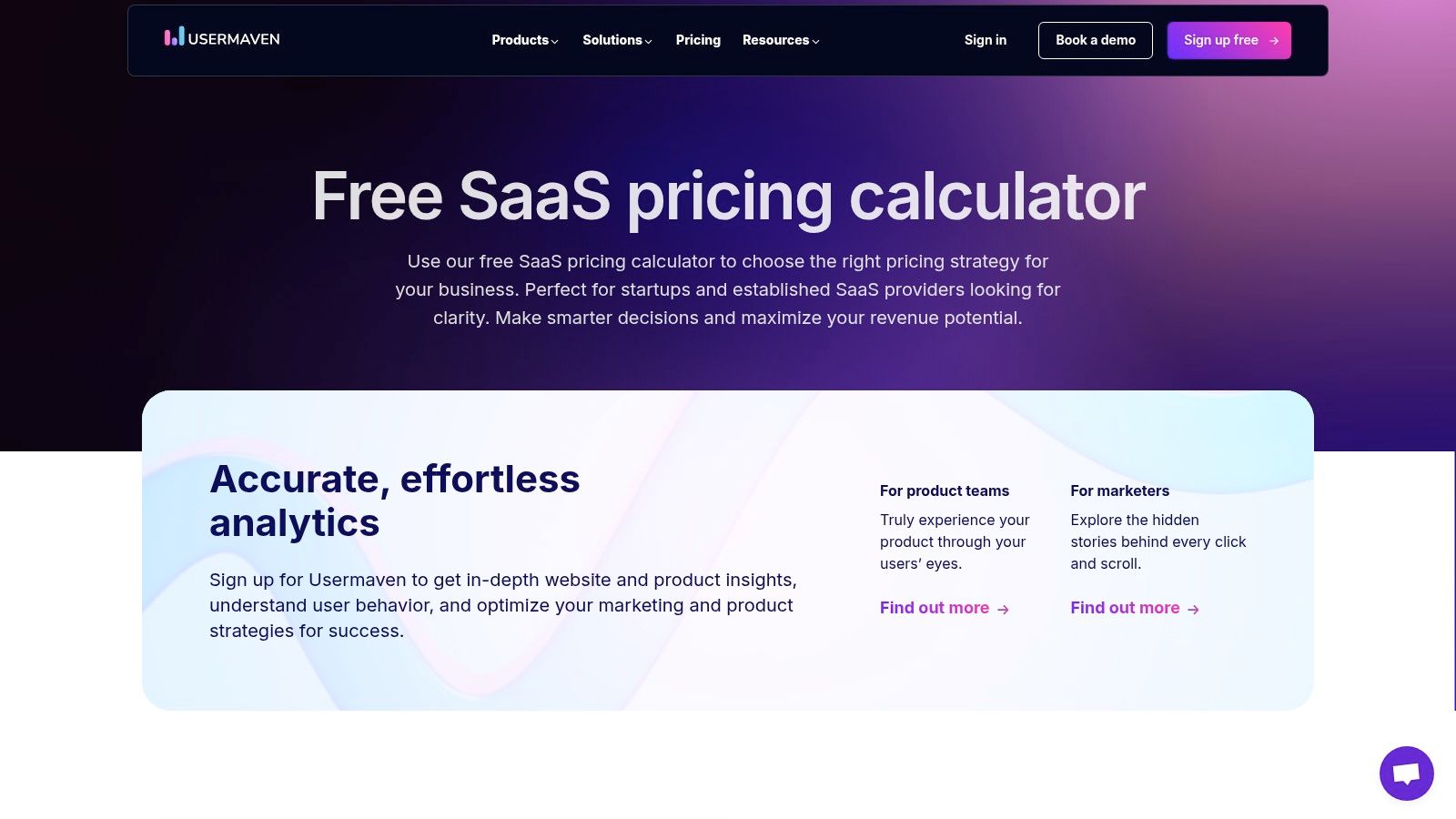
You simply plug in basic inputs like your top competitors' pricing tiers, your estimated costs, and your target customer's perceived value. The tool instantly generates recommended price points for different tiers, allowing you to see how each strategy impacts your potential revenue. It’s an incredibly intuitive way to visualize the trade-offs between different approaches without getting bogged down in a complex spreadsheet.
Key Features & Use Case
- Best For: Early-stage founders exploring initial pricing structures or teams needing a quick gut-check on potential pricing changes.
- Top Feature: The side-by-side comparison of three distinct pricing models is its killer feature, giving you immediate perspective.
- Limitation: It's designed for high-level strategy, not granular financial forecasting. For a more robust model that connects pricing directly to your P&L, you’ll need to graduate to a dedicated spreadsheet like our SaaS Operations pricing strategy calculator.
Actionable Next Step: Use Usermaven to run a 15-minute pricing workshop. Input your top three competitors, your honest COGS, and a conservative value estimate. Use the output to challenge your team's assumptions and decide which of the three models aligns best with your brand positioning before you build a single spreadsheet.
Access the tool here: Usermaven SaaS Pricing Calculator
2. BoilerplateHub
BoilerplateHub's free SaaS pricing calculator is the next logical step for operators who want to move from high-level strategy to actionable, tier-specific price recommendations. Like other browser-based tools, it’s completely free and requires no sign-up. Its key strength is translating your core inputs into concrete price points for Basic, Pro, and Enterprise tiers across different pricing models.
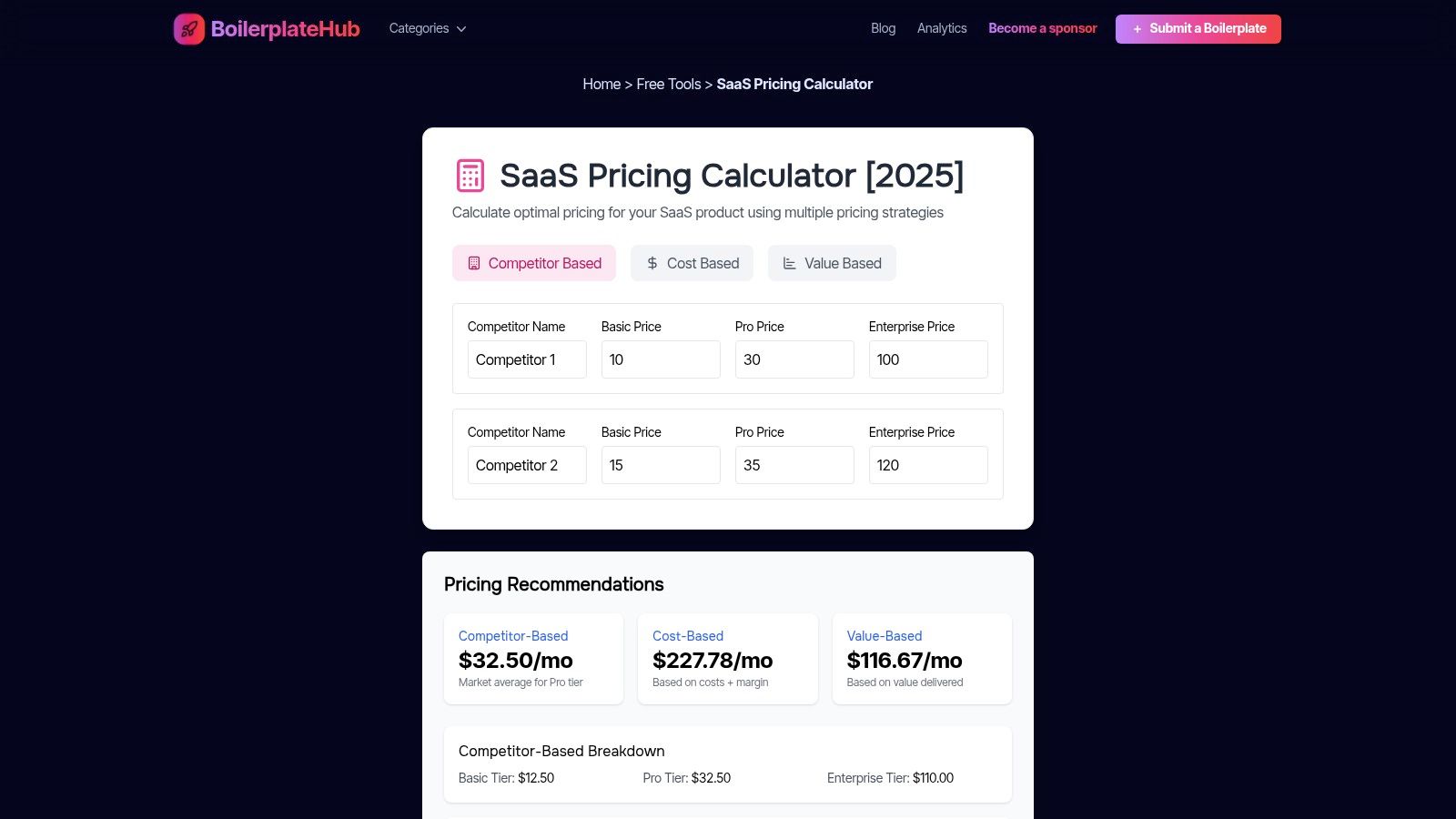
This tool excels at balancing simplicity with meaningful detail. You input competitor prices, cost of goods sold (COGS), desired profit margins, and your estimated value-capture percentage. BoilerplateHub then crunches the numbers and presents competitor-based, cost-plus, and value-based pricing options for each of your tiers. It’s a great way to see how aiming for a 70% margin, for example, directly impacts your monthly subscription fee versus just matching a competitor.
Key Features & Use Case
- Best For: Founders and product marketers who have a rough idea of their strategy and need to generate tangible price points for their pricing page.
- Top Feature: The tier-by-tier breakdown is its most powerful feature, providing clear, actionable numbers you can immediately discuss and test.
- Limitation: It is a strategic calculator, not a complete financial model. Since all data is manually entered, it won't connect to your live business metrics or forecast revenue. For that, you’ll need a more dynamic spreadsheet like our SaaS Operations pricing strategy calculator.
Actionable Next Step: Use BoilerplateHub's output to draft V1 of your pricing page. Take the generated "Basic," "Pro," and "Enterprise" price points and map your core features to each tier. This forces you to justify the price gaps with tangible value, turning a simple calculation into a product strategy document.
Access the tool here: BoilerplateHub SaaS Pricing Calculator
3. HubSpot (Sales Pricing Calculator & Template)
HubSpot's free sales pricing calculator is less of a web app and more of a downloadable spreadsheet powerhouse. While not exclusively for SaaS, it provides an incredibly comprehensive framework for modeling various pricing strategies. It’s a great fit for teams that want to get their hands dirty in an editable environment and see how different approaches, from freemium to cost-plus, impact revenue and profit projections.
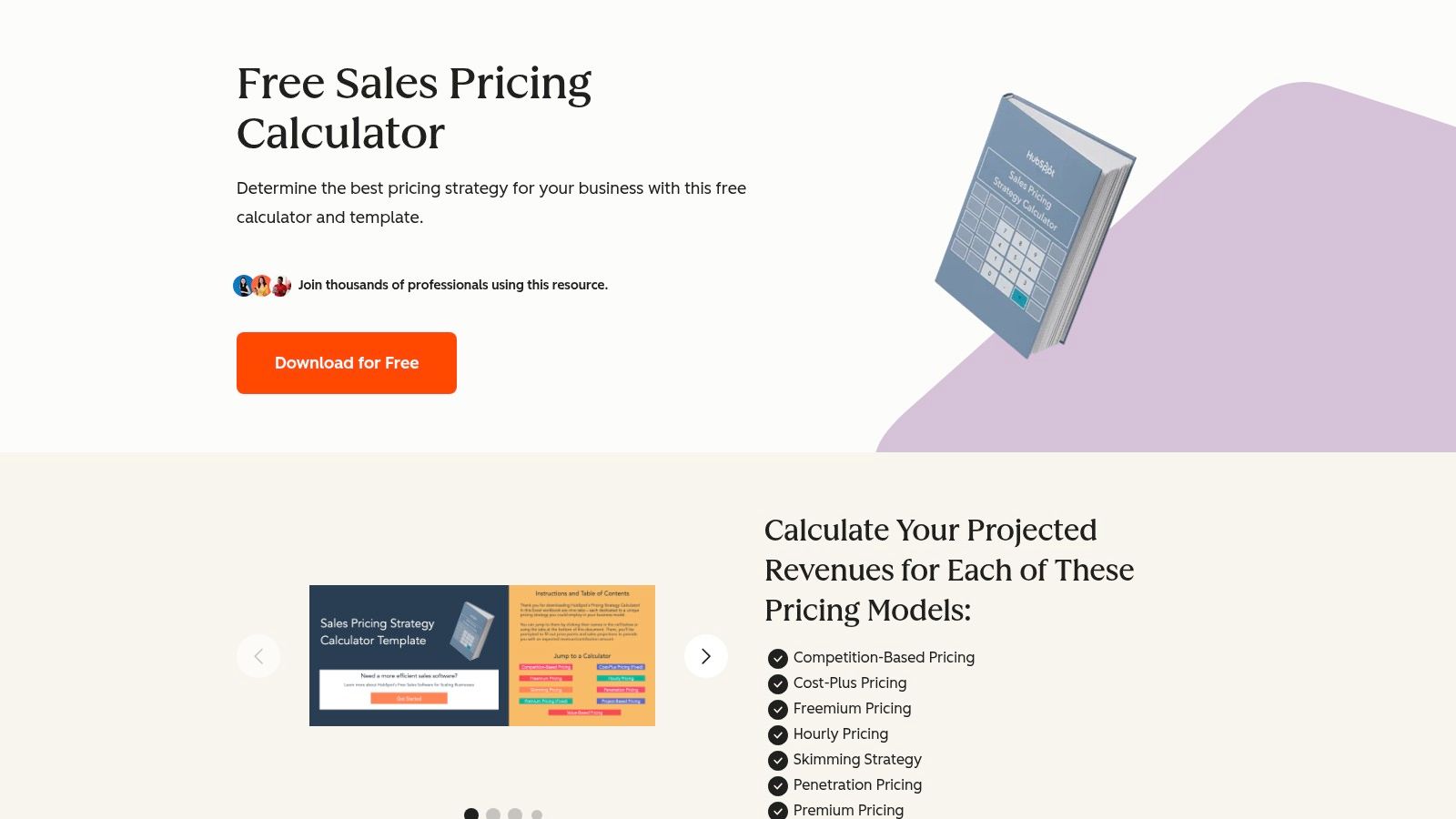
This free resource requires an email to download but comes packed with tabs for nine common pricing models, including penetration, value-based, and competitive strategies. You input your costs and target margins, and the template projects your potential outcomes for each. This allows you to directly compare which strategy is most likely to meet your financial goals before you commit to a specific path.
Key Features & Use Case
- Best For: Teams comfortable with spreadsheets who want to model and compare a wide range of pricing strategies with detailed revenue and profit projections.
- Top Feature: Its coverage of nine distinct pricing models in one editable template is unmatched, giving you a broad perspective on your options.
- Limitation: It’s a general sales template, so you'll need to adapt it for SaaS-specific concepts like tiered packaging and recurring revenue. For a spreadsheet built from the ground up for SaaS, our SaaS Operations pricing strategy calculator is a more direct fit.
Actionable Next Step: Download the HubSpot template and force-rank the nine strategies from most to least viable for your business. Present your top two choices to your leadership team with the projected revenue from the spreadsheet. This elevates the conversation from "what should our price be?" to "which business model will we commit to?"
Access the tool here: HubSpot Sales Pricing Calculator
4. Google Developers (Tiered Pricing Custom Function)
For SaaS operators who prefer the transparency and flexibility of a spreadsheet, this Google template offers a powerful, code-based solution. It's not a standalone app but a Google Sheets template powered by an Apps Script custom function. This approach is perfect for modeling complex tiered or volume-based pricing structures directly where your financial data already lives.
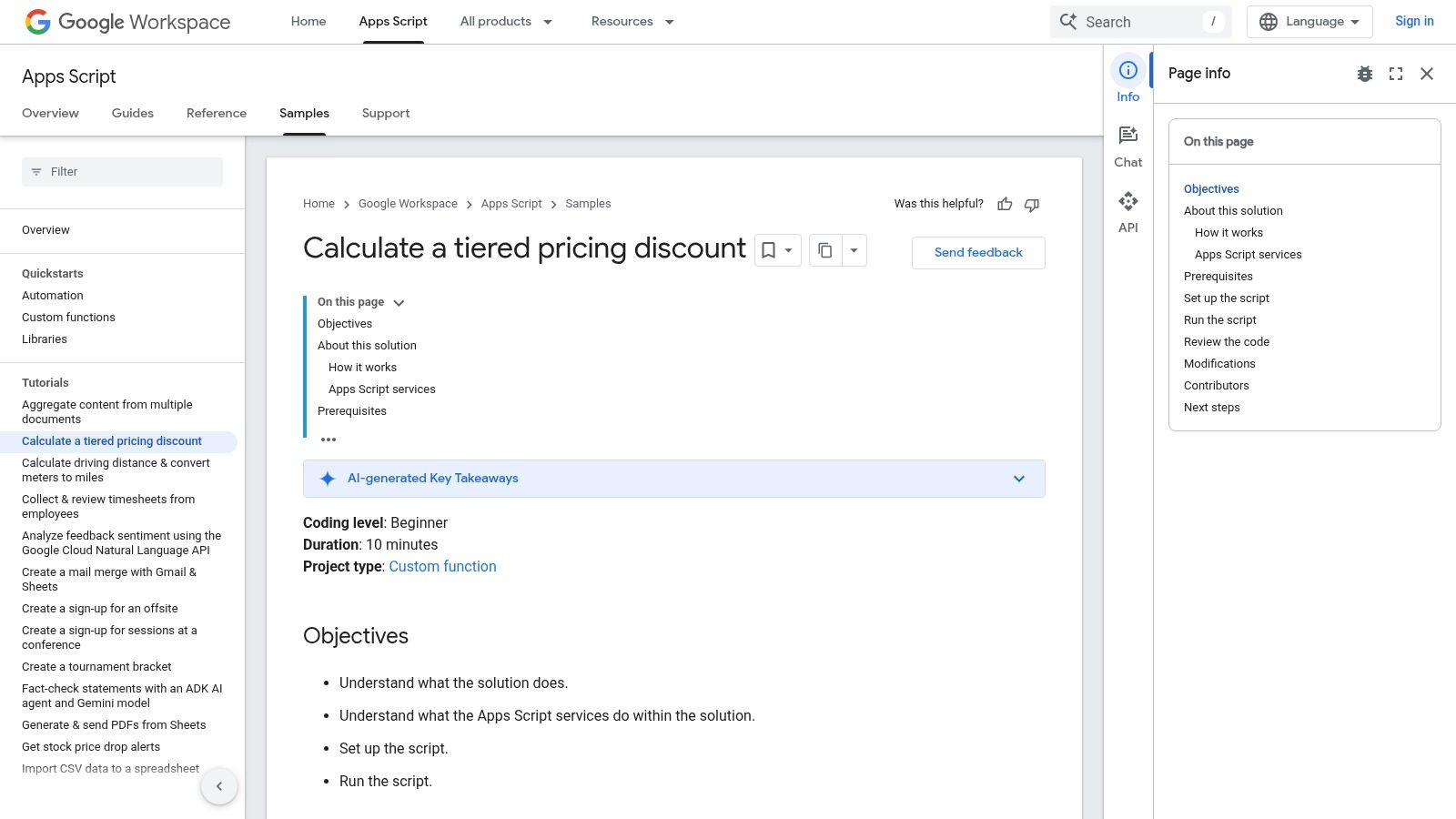
The template demonstrates how to calculate costs based on different volume tiers, a common need for usage-based SaaS models. Because the logic is built with Google Apps Script, it's completely transparent and customizable. You can copy the code, tweak the formulas, and adapt it to your specific per-seat, usage, or feature-tiered model without being locked into a rigid interface. It’s an excellent way to see the underlying math of tiered pricing in action.
Key Features & Use Case
- Best For: Tech-savvy founders or finance teams who want to build a custom, transparent tiered pricing model inside Google Sheets.
- Top Feature: The open-source Apps Script custom function allows for infinite customization, letting you model any tiered logic you can imagine.
- Limitation: It requires a DIY setup and some comfort with Google Sheets and basic scripting. It provides the "how" for calculation but offers no strategic guidance on setting your price points. For that, you'll need a more comprehensive tool like our SaaS Operations pricing strategy calculator.
Actionable Next Step: Use this template as the calculation engine for your sales team's quoting sheet. Integrate the custom function into a new Google Sheet where reps can input customer usage estimates to generate an instant, accurate quote. This operationalizes your complex pricing and eliminates manual errors.
Access the tool here: Google Developers Tiered Pricing Sample
5. Business Initiative (Tiered Pricing Calculator)
Business Initiative’s free SaaS pricing calculator is specifically designed for founders who need to build a tiered pricing structure from scratch. It’s a simple, browser-based tool that excels at helping you model out "Good, Better, Best" packages by providing educational context and SaaS-specific recommendations, like typical price ratios between tiers. This makes it an excellent resource for first-time founders trying to establish their initial pricing packages.
The calculator guides you through setting up three distinct tiers, prompting you to input the number of customers and the price for each. It then instantly visualizes the revenue and margin implications. Its unique value lies in the built-in guidance around common tier structures, which helps prevent mistakes like pricing tiers too closely together. This context is invaluable for teams without extensive pricing experience.
Key Features & Use Case
- Best For: SaaS teams designing their first multi-tiered pricing model or those looking to sanity-check an existing tiered structure.
- Top Feature: The embedded recommendations on tier ratios and feature differentiation are incredibly helpful for beginners.
- Limitation: It’s focused exclusively on tiered pricing and lacks the granularity for complex financial forecasting or modeling other strategies. The page may also feature promotional content for their advisory services.
Actionable Next Step: Build your first tiered model in the calculator. Then, take the recommended price ratios (e.g., Pro is 2x Basic) and use them as constraints. Your task is to define a feature set for each tier that justifies that exact price jump. This anchors your feature packaging directly to your pricing strategy.
Access the tool here: Business Initiative Tiered Pricing Calculator
6. TinyCheque
While not a single free SaaS pricing calculator, TinyCheque’s suite of tools is an essential operational checkpoint for validating your pricing decisions. It’s a free, no-signup hub of individual calculators for core SaaS metrics like MRR, LTV, CAC, and churn. Instead of helping you set a price, it helps you understand if that price can support a healthy business.
Think of it as the "check your work" step. After you’ve modeled a price, you can jump over to TinyCheque to quickly calculate if that price point, combined with your acquisition costs, will result in healthy unit economics. It isolates each metric, forcing you to think about critical components like customer lifetime value and churn rates independently, which is crucial for building a sustainable growth model.
Key Features & Use Case
- Best For: Founders and finance teams who need to quickly sanity-check the unit economics behind a proposed pricing structure.
- Top Feature: Its collection of discrete, specialized calculators (MRR, LTV, CAC, Rule of 40) in one place makes it a go-to resource for on-the-fly financial validation.
- Limitation: It’s a set of disconnected tools, not a unified model. You can't see how changing one input (like price) affects all other metrics simultaneously. For an integrated model, our SaaS Operations pricing strategy calculator is a much better fit.
Actionable Next Step: Before finalizing any price change, run the new Average Revenue Per User (ARPU) through TinyCheque's LTV calculator using your current churn and gross margin. If the LTV:CAC ratio is below 3:1, the price is not viable. This simple, 5-minute check can save you from a catastrophic strategic mistake.
Access the tool here: TinyCheque SaaS Calculators
7. ProjectionHub
ProjectionHub offers a free SaaS pricing calculator in the form of a downloadable spreadsheet (Excel or Google Sheets) specifically designed for freemium and free-trial models. Instead of just setting a price, this tool helps you forecast the revenue impact of your entire go-to-market motion. It excels at modeling the crucial transition from free users to paying customers.
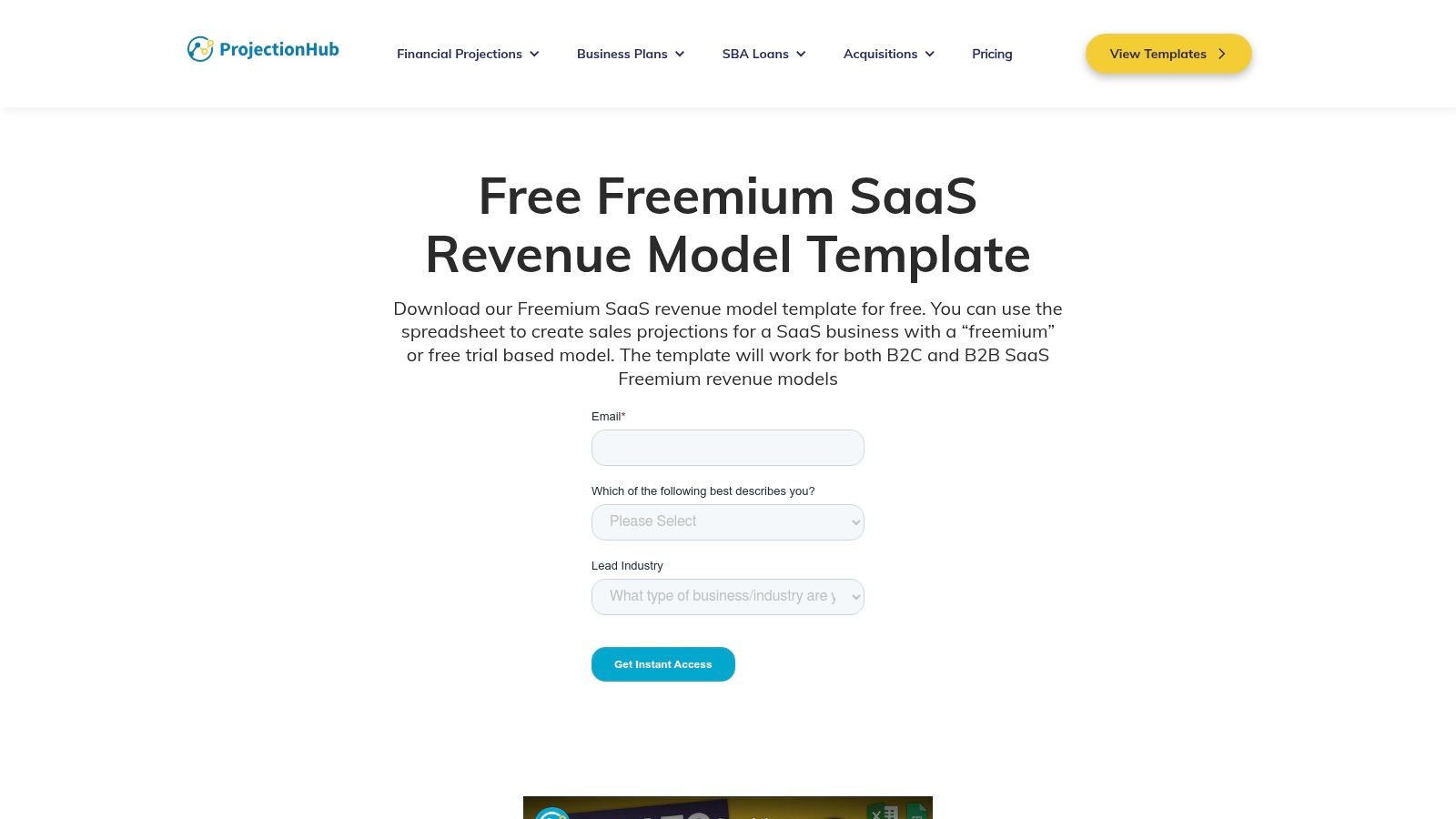
The template allows you to input assumptions for multiple pricing tiers, including trial conversion rates and upgrade percentages between paid plans. It then generates a 12-month revenue projection. This moves beyond simple price-setting and helps you understand how your pricing structure will actually perform over time, making it a powerful tool for strategic planning. The included video walkthrough is a huge help in getting started quickly.
Key Features & Use Case
- Best For: SaaS operators with freemium or free-trial models who need to forecast revenue based on user conversion and upgrade paths.
- Top Feature: The direct modeling of free-to-paid conversion rates makes it uniquely suited for product-led growth (PLG) companies.
- Limitation: The free template is laser-focused on top-line revenue. For a complete financial picture that includes costs, CAC, and LTV, you’ll need to integrate the revenue data into a more comprehensive model like our SaaS Operations pricing strategy calculator.
Actionable Next Step: Use this template to set your next quarterly growth goal. Model a "realistic" and an "optimistic" scenario by tweaking your free-to-paid conversion rate by just 0.5%. The difference in projected annual revenue becomes your product and marketing team's primary OKR for the quarter.
Access the tool here: ProjectionHub Freemium SaaS Revenue Model Template
8. Coefficient
Coefficient’s offering isn't a simple calculator but a comprehensive SaaS Financial Model template for Google Sheets and Excel. It’s designed for founders who want to understand how pricing decisions impact the entire business. This free template provides a robust framework for forecasting growth and core SaaS metrics by allowing you to plug in your pricing tiers and see the downstream effects on MRR, ARR, retention, and even the Rule of 40.
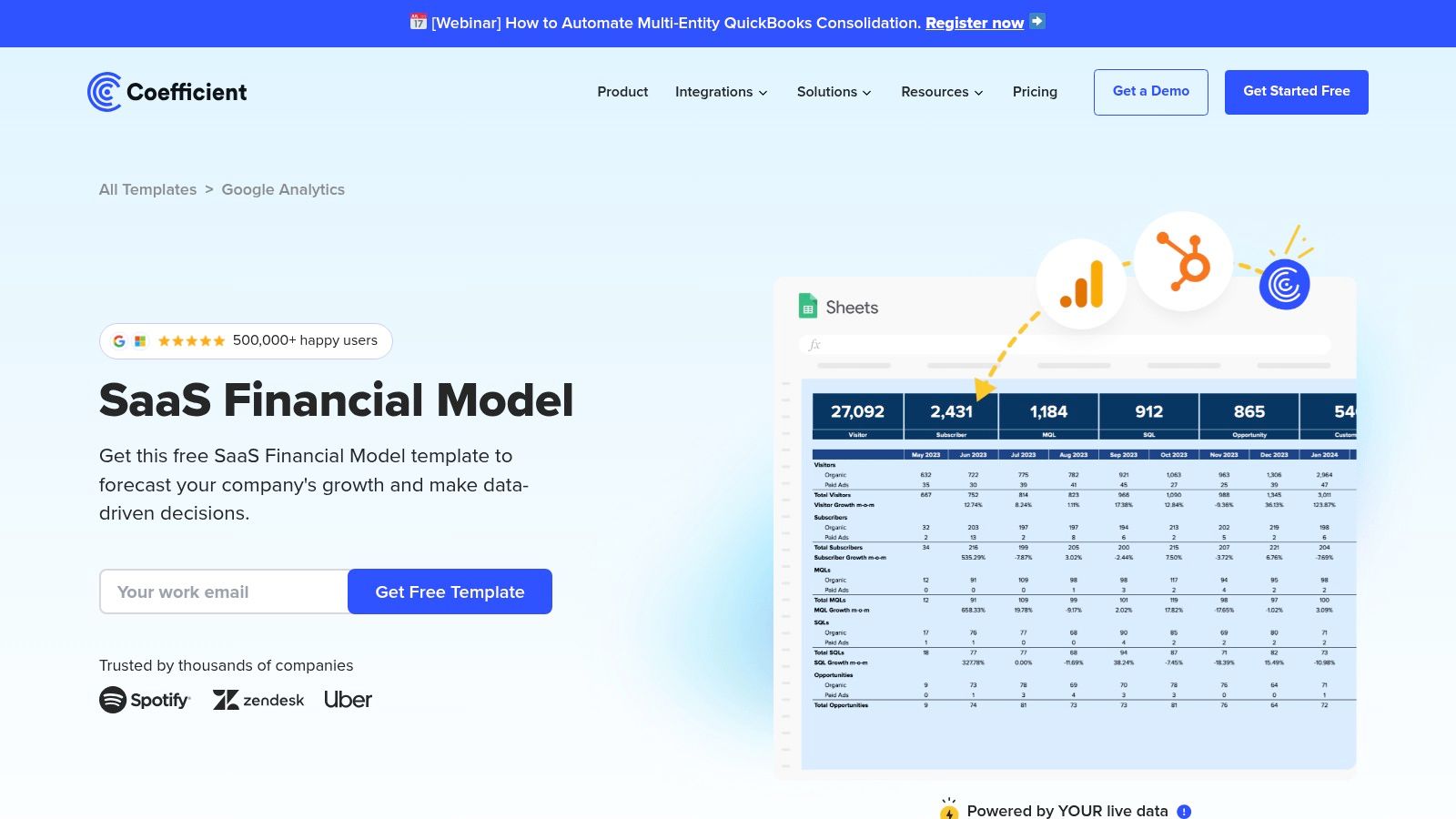
While it requires more initial setup than a simple web tool, its power lies in its depth. You can model how changes in price affect your ability to acquire customers and ultimately how that influences your CAC. The model comes pre-built with SaaS KPI dashboards, and for advanced users, Coefficient’s core product allows you to connect live data sources directly to the sheet, turning it from a static model into a dynamic dashboard.
Key Features & Use Case
- Best For: SaaS operators and finance teams who need to connect pricing strategy directly to their full financial model and KPI reporting.
- Top Feature: The pre-built dashboard templates for core SaaS metrics like MRR/ARR, churn, and LTV provide an immediate, holistic view of your business health.
- Limitation: It's a full financial model, so it can be overkill if you just need a quick price calculation. Setup requires customizing the sheet to fit your specific pricing and business structure, which takes time. A download is typically required after an email submission.
Actionable Next Step: Use the Coefficient model as the foundation for your next board meeting or investor update. Populate it with your actuals and use the forecasting tabs to present three growth scenarios based on different pricing/retention assumptions. This demonstrates operational command of your business drivers.
Access the tool here: Coefficient SaaS Financial Model
9. Meegle
Meegle’s free SaaS pricing calculator is actually a sophisticated subscription pricing model template that lives inside its project management platform. This isn't a simple web calculator; it's a full-fledged workspace for modeling the financial impact of your pricing decisions. It’s designed for teams who want to connect their pricing strategy directly to core SaaS metrics like CAC, churn, and long-term profitability.
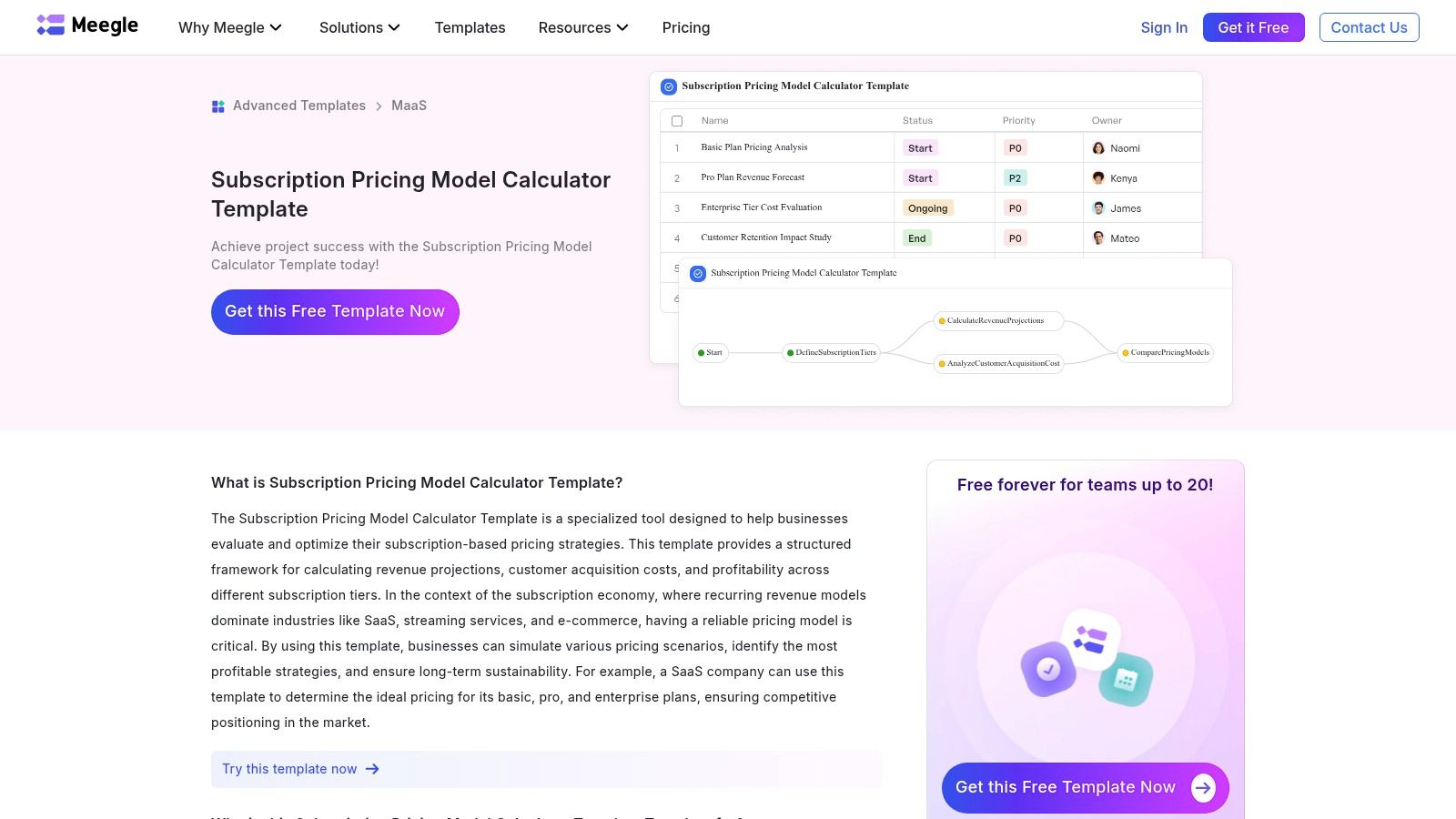
The template excels at running multi-tier scenarios and understanding how different subscription assumptions play out over time. You can project revenue, customer growth, and net profit based on your inputs, making it a powerful tool for strategic planning. However, to access it, you must first create a Meegle account, as the template is embedded within their project environment.
Key Features & Use Case
- Best For: Growth-stage teams who need to model complex recurring revenue scenarios and connect pricing directly to financial forecasts.
- Top Feature: Its integration of key SaaS metrics like CAC and churn directly into the pricing model allows for a more holistic financial projection.
- Limitation: Being locked into the Meegle ecosystem means less flexibility than a standalone spreadsheet. You can't easily export or modify the core logic, which can be a dealbreaker for teams needing a more customizable tool like our SaaS Operations pricing strategy calculator.
Actionable Next Step: If your team already uses a project management tool, replicate the logic from the Meegle template within your own system. Create a "Pricing Model" project or board where you track inputs (CAC, Churn) as tasks and link to the output revenue projections. This embeds financial accountability into your daily operations.
Access the tool here: Meegle Subscription Pricing Model Template
10. Lemonado
Lemonado's offering is less a standalone calculator and more a template-driven system for sales-led teams that need to generate quotes on the fly. It's built for organizations trying to escape the chaos of scattered pricing spreadsheets. Instead of a simple one-off calculation, it provides a centralized platform for creating, saving, and managing quotes that include various SaaS tiers and dynamic add-ons.
This tool shines when your sales team needs to quickly assemble custom quotes for prospects. It shifts the focus from strategic price discovery to operational efficiency. You can configure your core product tiers and all potential add-ons, allowing reps to build and send accurate quotes without bugging the finance team or digging through old spreadsheets. It's a practical solution for standardizing the quoting process.
Key Features & Use Case
- Best For: Sales and operations teams in sales-led SaaS companies who need to generate accurate, multi-tier quotes with add-ons quickly and consistently.
- Top Feature: Its ability to save quotes and manage simple approval flows directly within the tool, which helps centralize pricing data and reduce errors.
- Limitation: It’s a template within the Lemonado ecosystem, not a standalone tool, so it requires some initial setup. For strategic price modeling before you even get to the quoting stage, you’ll be better served by a dedicated financial model like our SaaS Operations pricing strategy calculator.
Actionable Next Step: Implement Lemonado (or a similar quoting tool) as the single source of truth for your sales team. Your playbook is now simple: if a price is not in the system, it cannot be quoted. This eliminates rogue discounting and ensures every deal adheres to your approved pricing structure.
Access the tool here: Lemonado SaaS Pricing Calculator Template
11. No-Code Tools (Pricing Calculator Widget)
The free SaaS pricing calculator from No-Code Tools takes a different approach. Instead of helping you model your pricing strategy, it provides a free, embeddable widget that lets customers calculate their own costs directly on your website. This is an excellent tool for companies with usage-based or per-seat pricing who want to increase transparency and generate qualified leads. It’s completely free and deploys with a simple copy-paste script.
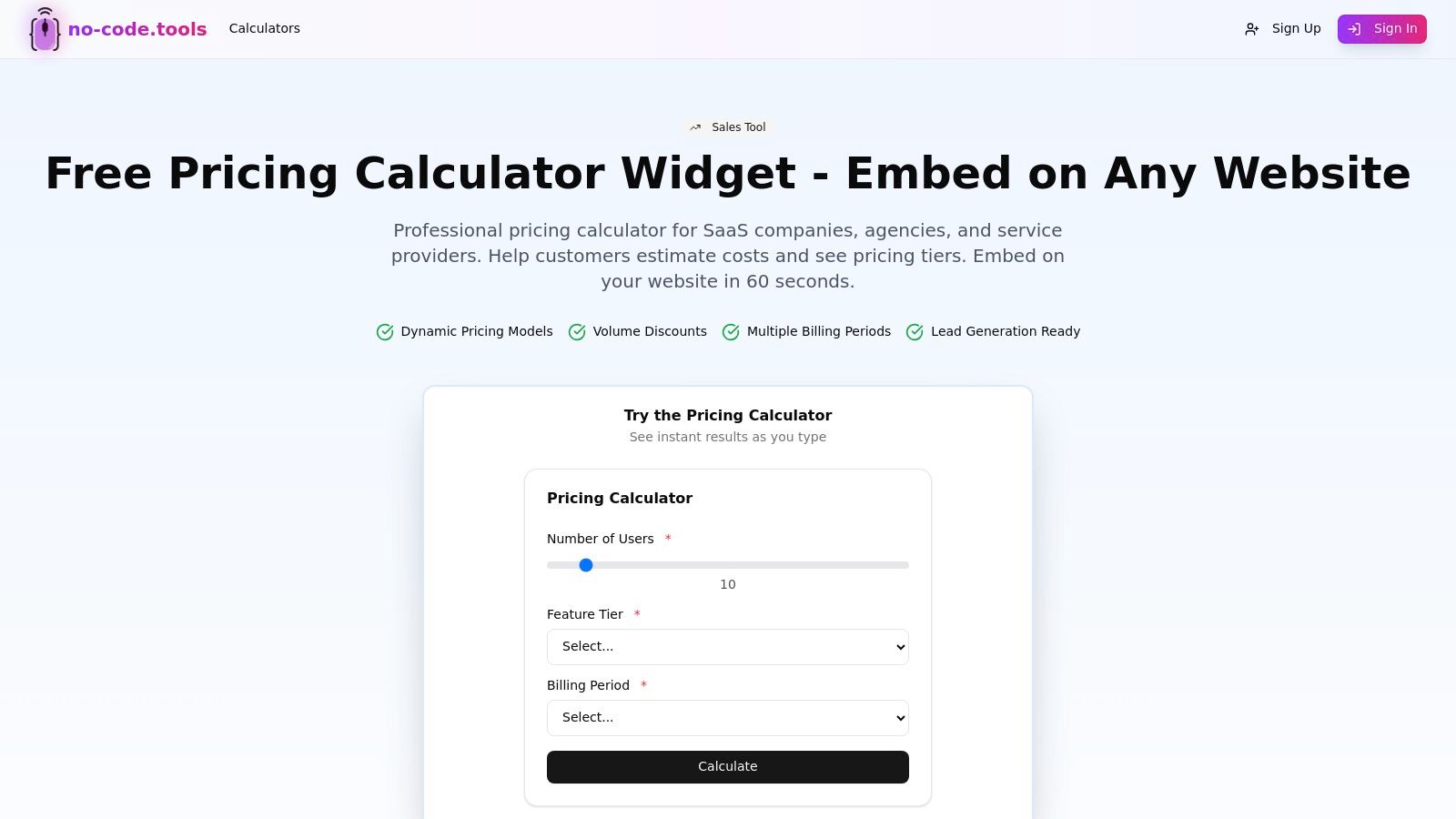
You can quickly configure the widget to handle different scenarios like per-user pricing, tiered discounts, and volume-based rates. The tool also includes a handy monthly/annual toggle, allowing prospects to see the savings from a longer commitment. By empowering visitors to self-qualify, you can improve lead quality and give your sales team more context for their conversations. It turns a static pricing page into an interactive lead-generation machine.
Key Features & Use Case
- Best For: SaaS companies with established pricing who want to add an interactive calculator to their website without needing developer resources.
- Top Feature: Its simplicity is its strength. The copy-paste embed script means you can have a functional, customer-facing calculator live on your site in minutes.
- Limitation: This is purely a front-end display tool, not a strategic calculator for modeling revenue or costs. The pricing logic and inputs are determined by you beforehand, and it doesn't help you figure out what those prices should be. Customization options are also limited.
Actionable Next Step: Embed this calculator on your pricing page and set up a goal in your analytics platform to track submissions. A/B test the page with and without the calculator for 30 days. The increase in goal completions (e.g., demo requests) is your ROI for interactive pricing.
Access the tool here: No-Code Tools Pricing Calculator
12. Notion Template Marketplace (SaaS Pricing Calculator)
For teams living and breathing in Notion, this free SaaS pricing calculator template is a game-changer for integrating pricing discussions directly into your existing workflows. It’s a free, clonable Notion page that provides a structured environment for defining pricing tiers, features, and target user personas. The standout quality is its ability to centralize not just the numbers, but the entire strategic conversation around them.
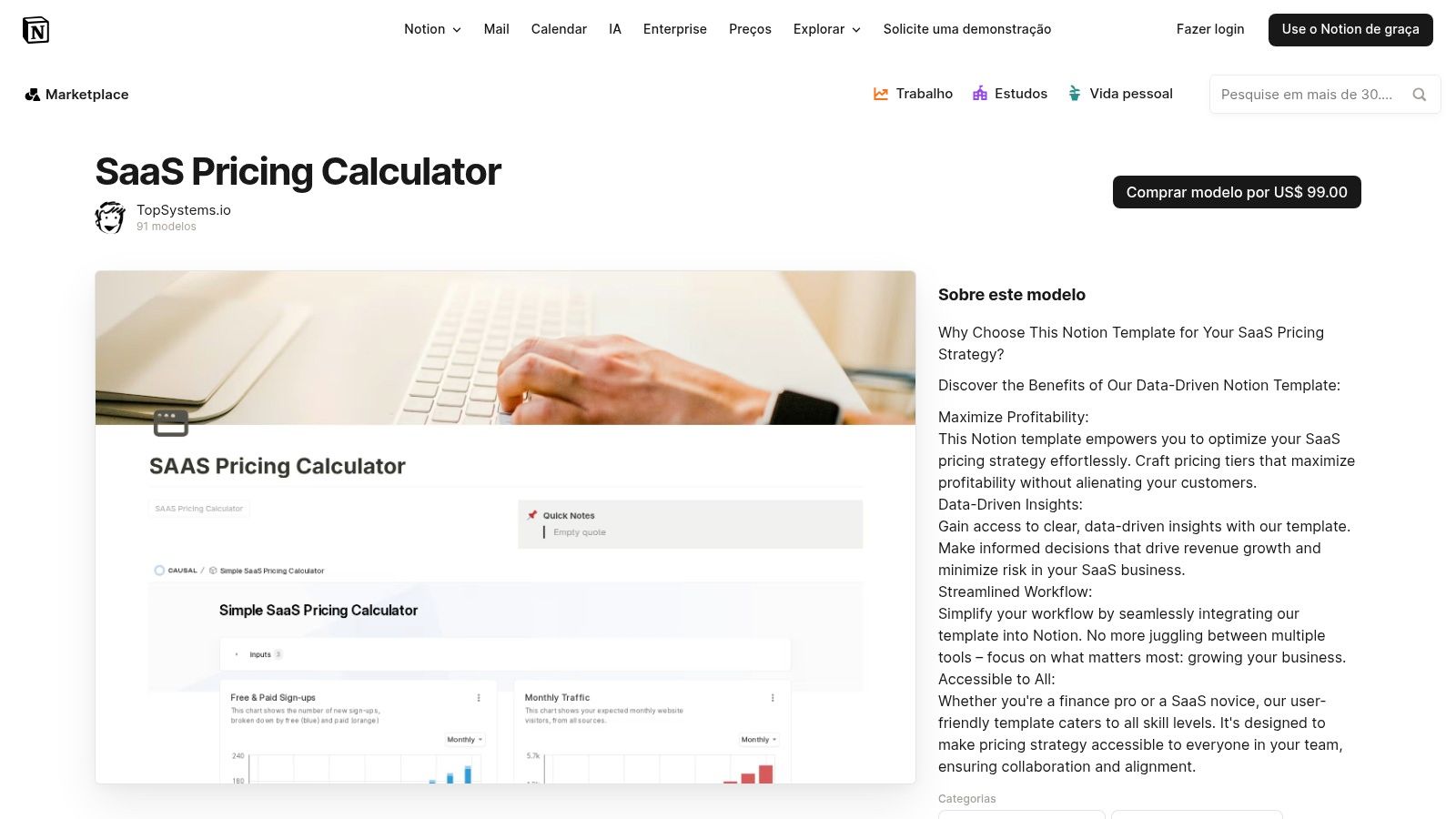
Instead of just inputting costs and getting a price, you can document the rationale behind each decision, attach competitor research, and tag team members for feedback right on the page. It transforms the pricing exercise from a purely financial task into a collaborative, well-documented project. This makes it incredibly easy to look back months later and understand exactly why a certain price point was chosen.
Key Features & Use Case
- Best For: Product and marketing teams who already use Notion as their central hub and need to document the qualitative "why" behind their pricing strategy.
- Top Feature: The ability to seamlessly integrate quantitative calculations with qualitative notes, research, and team comments in one shared document.
- Limitation: It’s an organizational tool, not a powerful financial model. For a more robust calculation engine that connects pricing to your full P&L, you’ll need a dedicated spreadsheet like our SaaS Operations pricing strategy calculator.
Actionable Next Step: Make this Notion template the official "Pricing Decision Record" for your company. Any proposed price change must be documented here first, including the data used, the team members involved, and the expected outcome. This creates an audit trail and systemizes your strategic decisions.
Access the tool here: Notion SaaS Pricing Calculator Template
Top 12 Free SaaS Pricing Calculators — Feature & Capability Comparison
| Tool | Core features | UX / Quality (★) | Value / Price (💰) | Target (👥) | Unique selling point (✨/🏆) |
|---|---|---|---|---|---|
| Usermaven | Competitor / cost-plus / value-based quick calculator | ★★★★ | 💰 Free — fast ideation | 👥 Early-stage founders, PMs | ✨ Instant what‑if tier suggestions |
| BoilerplateHub | Side-by-side strategy outputs + tier breakdowns | ★★★★ | 💰 Free — actionable tiers | 👥 Pricing PMs, product ops | ✨ Clear tier-by-tier recommendations |
| HubSpot (Template) | Multi-strategy spreadsheet + revenue/profit projections | ★★★★☆ | 💰 Free (email) — comprehensive | 👥 GTM teams, finance | 🏆 Broad strategy coverage & editable spreadsheet |
| Google Developers | Tiered pricing custom function (Sheets + Apps Script) | ★★★ | 💰 Free — fully transparent | 👥 Data-savvy PMs, analysts | ✨ Extendable formulas inside Sheets |
| Business Initiative | Tiered pricing calculator with SaaS guidance | ★★★ | 💰 Free — educational | 👥 New pricing designers, founders | ✨ SaaS-specific tier ratios & guidance |
| TinyCheque | Suite of SaaS metric calculators (MRR, LTV, CAC) | ★★★★ | 💰 Free — quick unit economics | 👥 Finance, operators | ✨ Instant sanity checks for pricing |
| ProjectionHub | Freemium/trial revenue forecasting template + walkthrough | ★★★★ | 💰 Freemium — 12‑month forecasts | 👥 PMs, finance for freemium models | ✨ Freemium conversion modeling + video guide |
| Coefficient | Full SaaS financial model + KPI dashboards, live data | ★★★★☆ | 💰 Free template; paid add-ons | 👥 FP&A, growth ops | 🏆 Robust KPI mapping from pricing to MRR/ARR |
| Meegle | Multi-tier subscription template inside workspace | ★★★ | 💰 Free (account-gated) | 👥 Small teams using Meegle | ✨ Built-in CAC/churn fields in workspace |
| Lemonado | Dynamic add-ons, quote saving & approval flows | ★★★★ | 💰 Template-based (within platform) | 👥 Sales/RevOps teams | ✨ Real-time quoting & approval flows |
| No-Code Tools (Widget) | Embeddable calculator: per-user, volume, toggles | ★★★ | 💰 Free — embed script | 👥 Marketing, product websites | ✨ Lets prospects self-estimate on site |
| Notion Template Marketplace | Notion-based calculator + documentation | ★★★ | 💰 Free — collaborative | 👥 Teams using Notion, PMs | ✨ Versioned rationale & qualitative context |
Your Next Step: From Calculation to Action
You now have a complete tour of the best free SaaS pricing calculator tools on the market. We’ve covered everything from the quick scenario modelers like Usermaven to the deep financial spreadsheets from HubSpot and Coefficient. The goal is to show you that no matter your stage, there's a tool that fits your immediate needs.
But a calculator is just the starting line. Plugging in numbers is easy; building a pricing strategy that drives sustainable growth is the real operational challenge. Your pricing model is the engine of your revenue and a direct reflection of the value you provide.
The most common mistake we see SaaS operators make is treating pricing as a one-and-done task. They find a calculator, set a price, and don't revisit it for years. This is a recipe for leaving money on the table. Elite operators, like the team at HubSpot, review pricing and packaging quarterly as part of their standard operational cadence. They treat it not as a project, but as a process.
Choosing the Right Tool for the Job
So, how do you pick the right starting point from this list? Here is your playbook:
- For Early-Stage Founders (<$1M ARR): You need speed and simplicity. Use BoilerplateHub to generate initial price points. Then, use TinyCheque to validate that your LTV:CAC ratio is at least 3:1. Your goal is to find a viable price that gets you your first 100 customers.
- For Growth-Stage SaaS ($1M-$10M ARR): You need more firepower. The spreadsheets from HubSpot or Coefficient are your best bet. These allow you to model complex scenarios and connect pricing to a full financial forecast. This is about building a data-backed model for scale.
- For SaaS Operators & RevOps Leaders (>$10M ARR): You’ve moved beyond simple calculations. You need a system. This is precisely why we built our own SaaS Operations Pricing Strategy Calculator. It’s not just a spreadsheet; it’s a component of a larger operational framework, designed to connect your pricing to your playbooks and core business KPIs.
Turning Numbers into a Winning Strategy
Once you've run your pricing calculations, the next critical step is to truly extract actionable insights from your pricing data. A great free SaaS pricing calculator gives you the what (your price point), but a solid operational process gives you the why and the how.
The numbers from your chosen calculator are your hypothesis. The real work begins when you test that hypothesis in the market. You need to create a feedback loop where you analyze customer behavior, track key metrics like expansion revenue and churn, and iterate. This is where process and playbooks become non-negotiable. Without a system, you're just guessing. With one, you're engineering growth.
Ultimately, your pricing strategy is a living, breathing part of your business. The right tool is simply the catalyst. The real magic happens when you connect that initial calculation to a repeatable process for review, analysis, and optimization. So pick your tool, run the numbers, and then build the operational muscle that will turn those figures into your most powerful growth lever.
At SaaS Operations, we help founders and operators move from chaotic, reactive work to streamlined, repeatable systems. Our comprehensive library of playbooks, templates, and frameworks, including our advanced pricing strategy tools, provides the exact blueprint you need to scale effectively. Stop reinventing the wheel and start implementing proven processes at SaaS Operations.